Case study · SaaS web app
ChangeFlow
Better visibility for every change.
A desktop-first change-management workspace that gives IT teams one clear view of every change, from development and testing to approval, deployment and outcome.
Evidence note No usability metrics are invented. Where validation is described, the method is documented rather than made-up scores.
At a glance
The team already had a workable path from development to production. What broke down was visibility and coordination once several changes moved through GitHub, chat, staging and production at the same time.
- Product
- A desktop-first B2B SaaS tool to understand, manage and track software changes into production.
- Research
- Primary research with a 5-member IT team, backed by secondary research into release-management patterns.
- Insight
- Teams don't need a new process. They need visibility and management around the one they already follow.
- Solution
- A management and visibility layer around the change lifecycle that complements GitHub instead of replacing it.
- Deliverable
- 10 core product screens, supporting states and a reusable design system.
Core idea
One clear view of every change, from development and testing to approval, deployment and outcome.
The problem
Software changes pass through several people and tools before reaching production. The process itself was understandable; the coordination around it got harder as the number of simultaneous changes grew.
How a change moved through the team
- Discussion
- PRD
- Development
- Developer testing
- Staging
- Tester validation
- Review & approval
- Production
Approvals happened over email and Microsoft Teams, while GitHub was the main place to find code changes. The information needed to understand a single change was spread across all of them.
Problem statement
Teams know how to ship a change. With many in flight, it's hard to know what's ready, what was tested, who approved it and what caused an issue.
Research
Primary research with a 5-member IT team mapped who does what, where information lives today, and where it gets lost.
- Creates changes
- A team-level developer.
- Reviews
- The developer lead for code; a manager for some application changes.
- Approves & ships
- The developer lead.
- Monitors
- The business owner.
- Approvals via
- Email and Microsoft Teams groups.
- Status tracking
- Mostly GitHub.
- Information loss
- Important context gets buried in chat and email threads.
- Delays
- The lead approving is often busy with other work.
- Mistakes
- Insufficient testing, and many changes approved and tested together.
- Hardest to find
- Which change caused a production error.
- Approvers need
- What changed, why, the affected files and the testing context.
- Definition of done
- No build errors or merge conflicts, proper comments, and every PRD test case passing.
Synthesis
Six themes came out of the research. Secondary research confirmed broader patterns like approval bottlenecks, change collisions and emergency changes, without overriding what the team said.
- 01
Visibility
Know where a change is without searching across tools.
- 02
Approval confidence
Approvers need concise, decision-ready context.
- 03
Testing clarity
Anyone can tell whether the required tests have passed.
- 04
Traceability
PR, testing, approval, deployment and outcome stay connected.
- 05
Parallel changes
Overlapping changes are easy to see.
- 06
Post-production learning
Failed changes keep their history and outcome.
Key insight
IT teams don't need a new development process. They need better visibility around the one they already follow.
Users
Four roles touch every change, each needing a different slice of the same information.
Jobs to be done
- Developer: release a change with enough context and track it to production.
- Approver: understand impact, risk and testing well enough to decide with confidence.
- Tester: validate the right cases and make readiness visible.
- Business owner: understand what happened after production.
Product strategy
How might we help IT teams manage changes from development to production with clear visibility and less coordination overhead?
GitHub stays
- Where developers write and review code.
- The source of PRs and affected files.
ChangeFlow adds
- The management and visibility layer around each change.
- Testing, approval, deployment and outcome in one record.
Core product object
- Change
- PR
- Testing
- Approval
- Deployment
- Outcome
MVP
Every feature in the first release earns its place by keeping the change record complete and visible.
Information architecture
Six areas plus dedicated Testing and Deployment workspaces. Every list leads into the same change, so there's no separate mental model for each lifecycle stage.
ChangeFlow web app
Dashboard
Attention items, approvals, testing, deployments, activity
- Attention items
- Pending approvals
- Upcoming deployments
- Recent activity
- Notifications panel
- Empty & loading
Changes
Central workspace for all changes
- All changes & filters
- No results
- Create change (6 steps)
- Change details (7 tabs)
- Emergency change
Approvals
Focused decision queue
- Approval queue
- Review drawer
- Reject dialog
- All caught up
Calendar
Deployment windows and conflicts
- Month
- Week
- List
Testing
Track test cases and readiness
- Test cases
- Test runs
- Environments
- Test reports
Deployment
Manage and monitor rollout
- Prepare → deploy → verify → complete
- Live logs
- Post-deployment checks
- Rollback options
Insights
Management-level patterns
- Changes over time
- Success rate
- Approval time
- Recent insights
Settings
Workspace, permissions, integrations
- Environments
- Change types
- Integrations
- Notifications
- Access control
- Audit logs
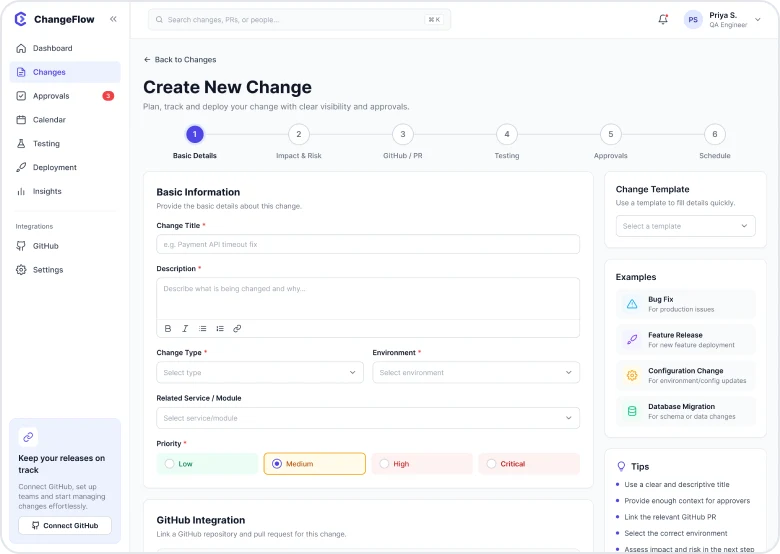
Create change: one decision per step
- Basic details
- Impact & risk
- GitHub / PR
- Testing
- Approvals
- Schedule
- Review & submit
Change details: one record, reachable from every list
- Overview
- Impact & risk
- GitHub / PR
- Testing
- Approvals
- Deployment
- Activity
Primary flow
One change, from creation to outcome. Each stage pairs what the user does with how ChangeFlow responds.
01 Create
- You
- Create the change with essential context.
- ChangeFlow
- Creates the change record.
02 Connect
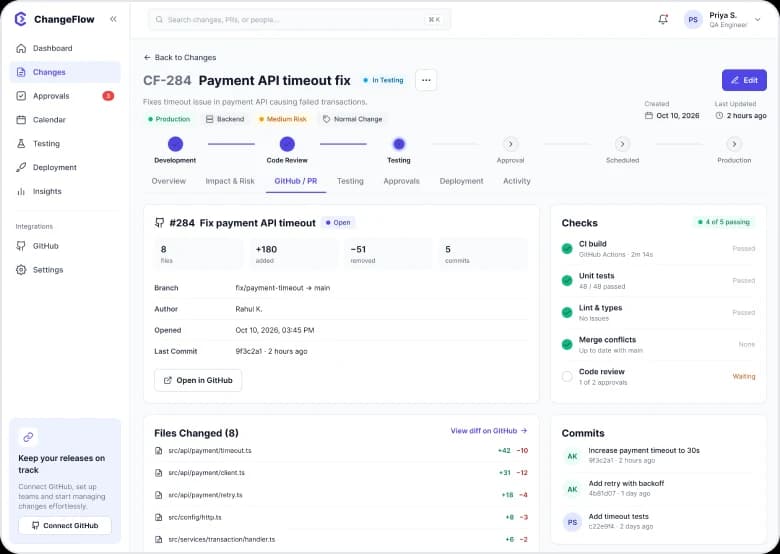
- You
- Link the GitHub PR.
- ChangeFlow
- Shows the PR and affected code.
03 Validate
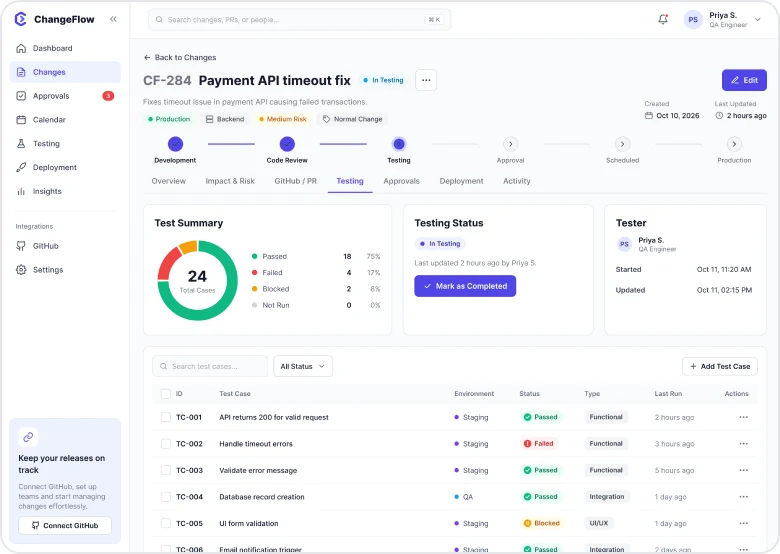
- You
- Run developer and tester validation.
- ChangeFlow
- Tracks test cases and readiness.
04 Review
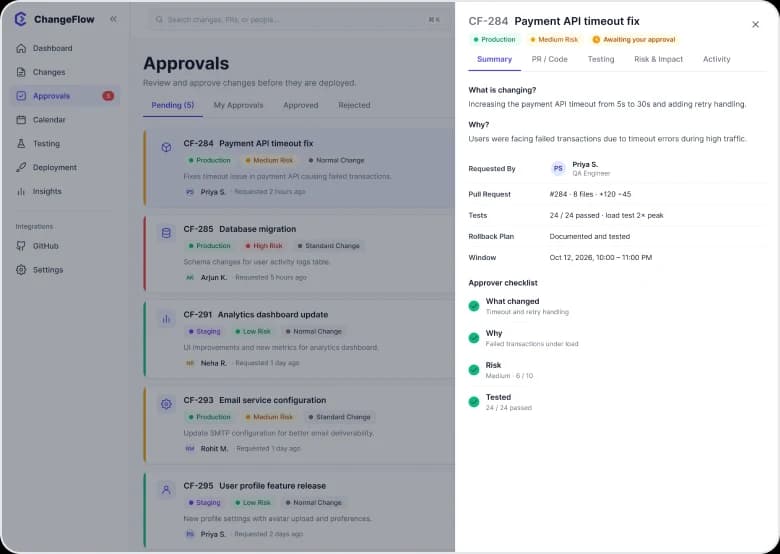
- You
- Approver checks context, risk and testing.
- ChangeFlow
- Approves or requests changes.
05 Schedule
- You
- Select a deployment window.
- ChangeFlow
- Adds it to the calendar.
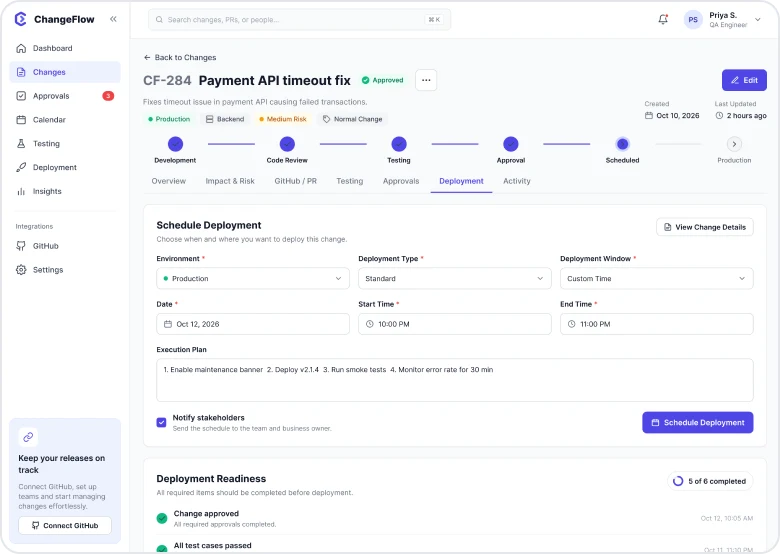
06 Deploy
- You
- Run the deployment.
- ChangeFlow
- Shows live state and logs.
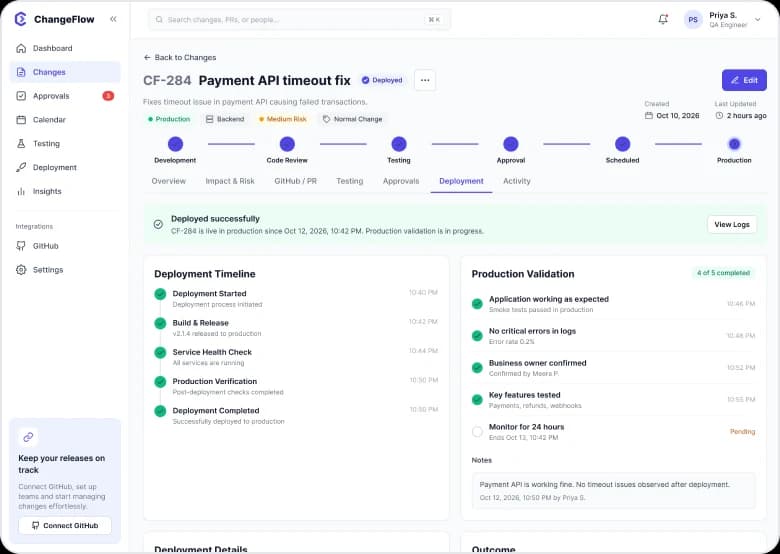
07 Verify
- You
- Confirm production health.
- ChangeFlow
- Records post-deployment checks.
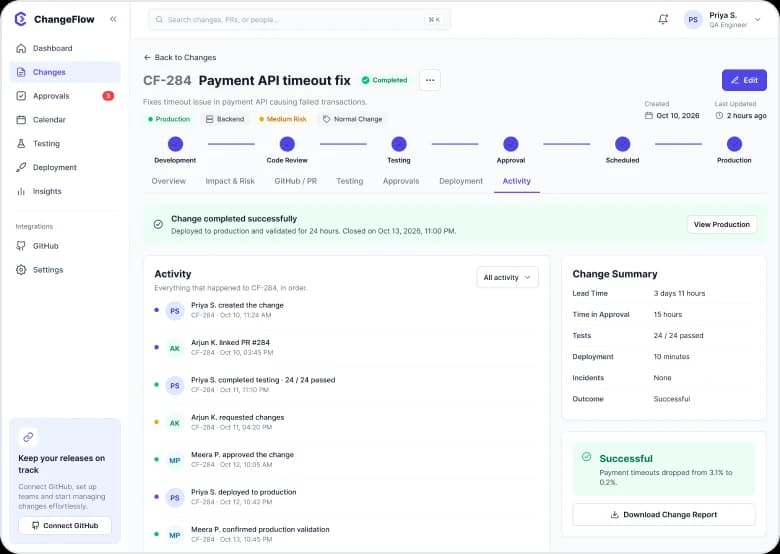
08 Close
- You
- Record the outcome.
- ChangeFlow
- Preserves the complete history.
Interaction principle
A change is a living record, not a rigid checkout flow. People can come back later and continue from where it stands.
Supporting states along the way
- Create
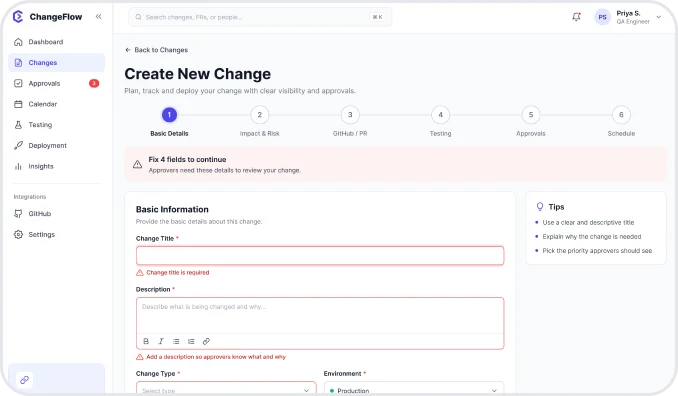
Missing details
Inline errors in Basic Information before the change can move on.
- Connect
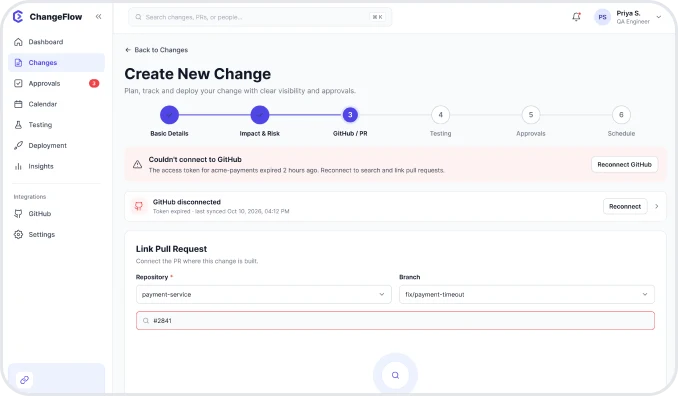
PR can't be linked
The Link Pull Request step explains the problem and how to fix it.
- Validate
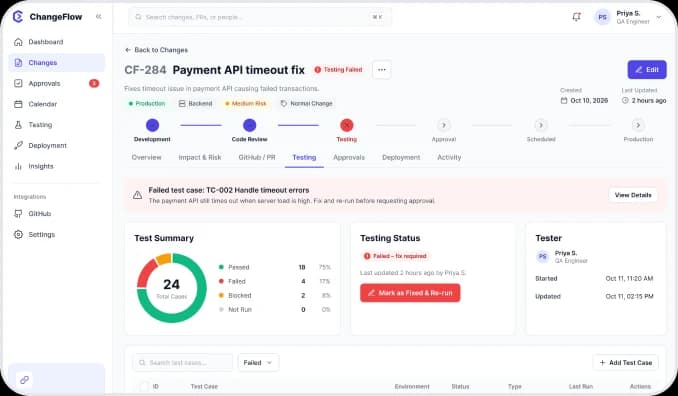
Testing failed
Test summary and notes show which cases failed and who tested them.
- Review
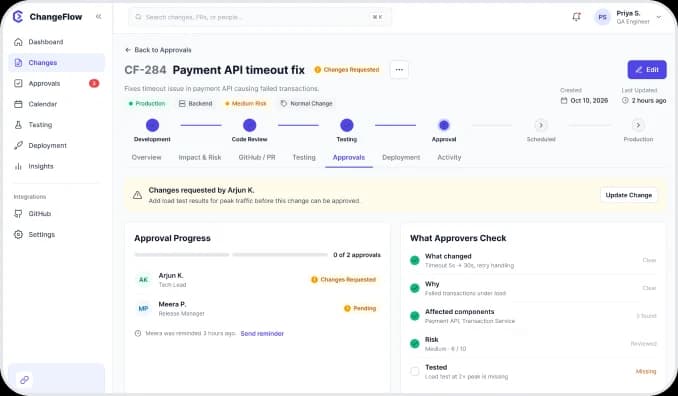
Changes requested
Approval progress, reminders and review comments in one place.
- Deploy
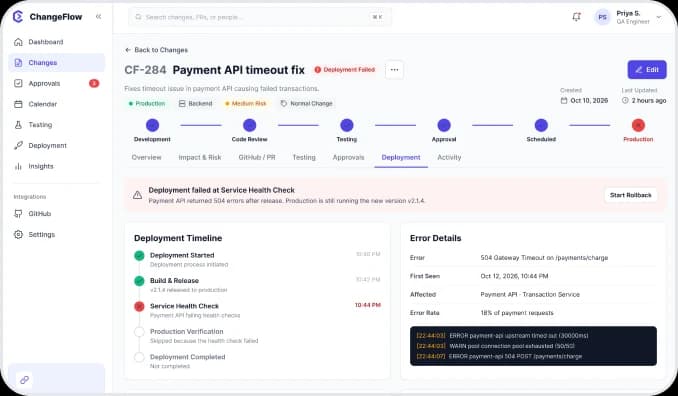
Deployment failed
Error details, next steps and other changes in the same window.
- Verify
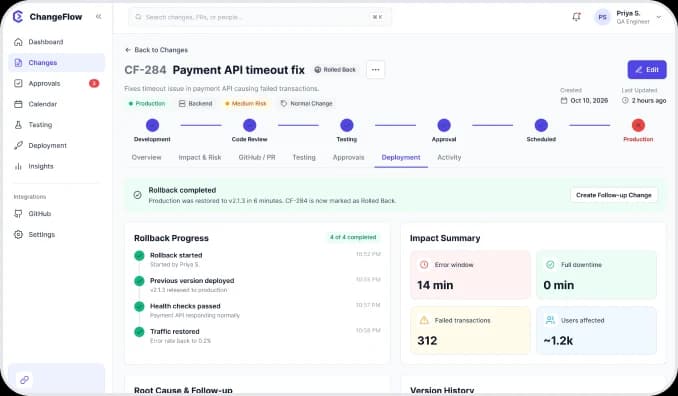
Rollback
Rollback progress, impact, root cause and version history.
Role flows
Approvers, on-call engineers, release planners and admins each have their own path, and all of them read and write the same change.
- Flow A
Approver's review
The tech lead sees what changed, why, the risk and the test status, then approves or asks for changes.
- Dashboard
- Approval queue
- Review drawer
- Approved
- All caught up
- Flow B
Failed deployment & rollback
When production breaks, the team can see which change caused it and roll back with confirmation.
- Deployment failed
- Confirm rollback
- Rollback
- Outcome
- Flow C
Emergency change
For urgent fixes: what's happening, the fix, checks before submitting and follow-up after deployment.
- Dashboard
- Emergency change
- Change overview
- Deployment
- Flow D
Plan the release
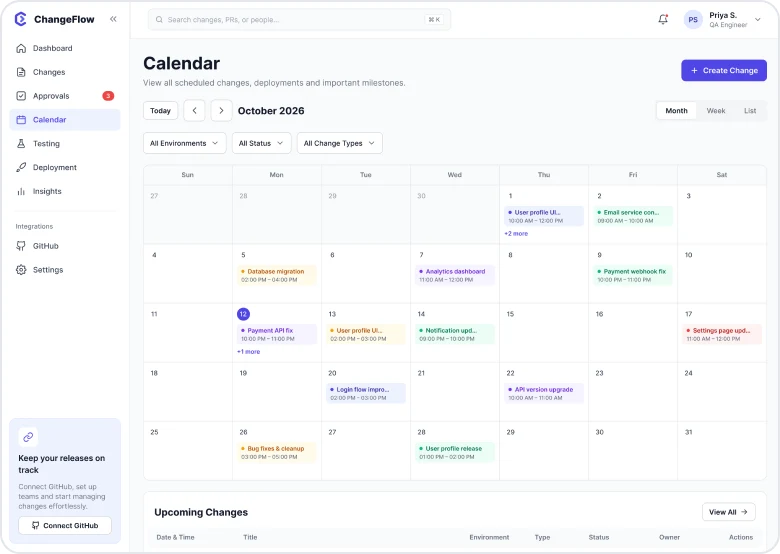
The calendar shows every change by environment and window, so collisions are visible before deployment.
- Month
- Week
- List
- Deployments
- Flow E
Workspace setup
Admins configure environments, change types, integrations and access, with a full audit trail.
- Settings
- Environments
- Change types
- Integrations
- Access
- Audit logs
Visual design
A system built for dense B2B screens: clear hierarchy, restrained colour, high information density without visual noise, and strong status communication.
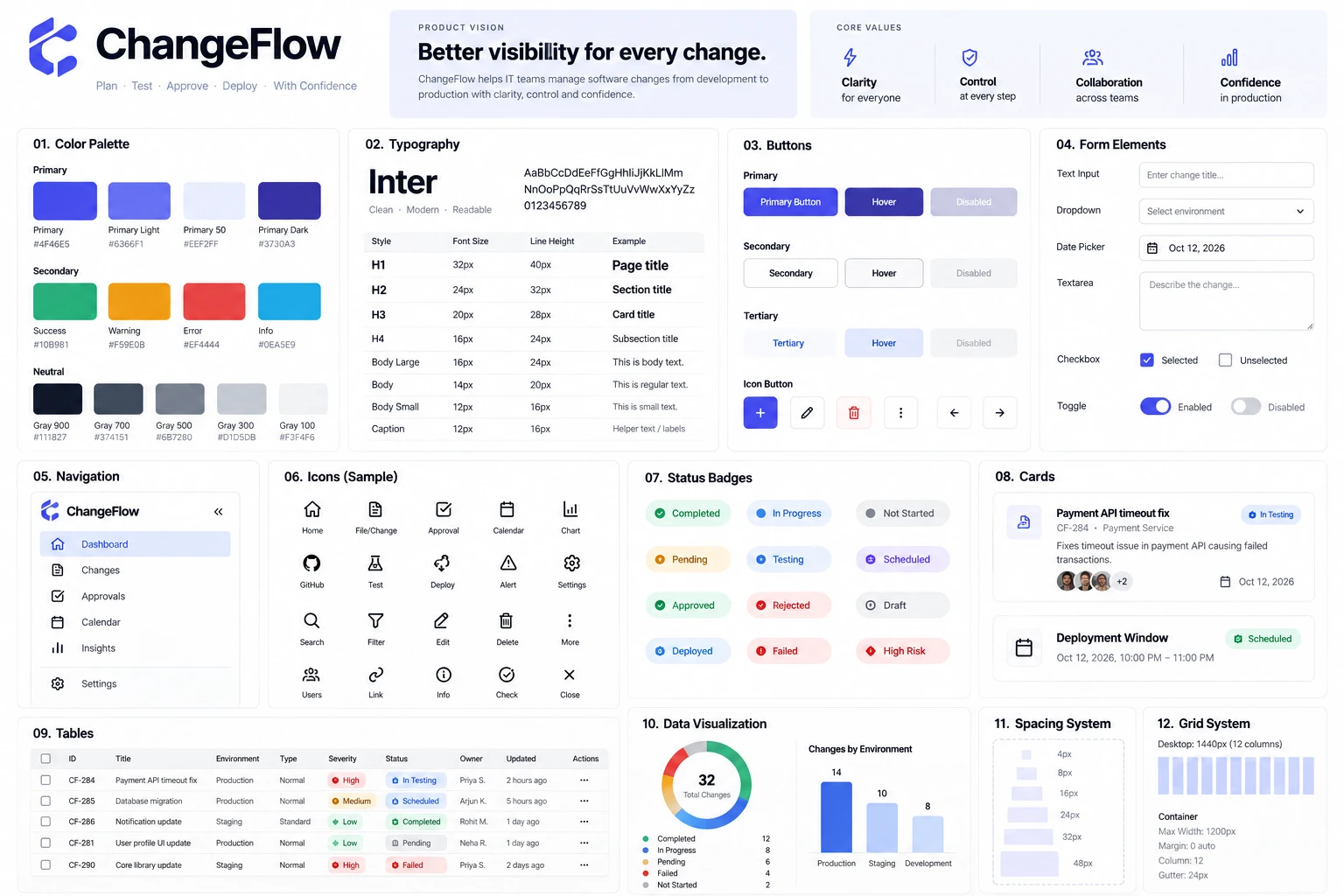
Principles
- Strong titles and progressive disclosure keep dense enterprise screens from feeling flat.
- Status colour always comes with a label or icon, never colour alone.
- High-contrast neutral text with restrained semantic colours.
- Reusable buttons, badges, inputs, tables and navigation keep every screen consistent.
- Important actions leave visible history.
Final screens
The whole app was designed, not just a few showcase screens: ten core screens, each with one primary job. Hover a screen to scroll it.
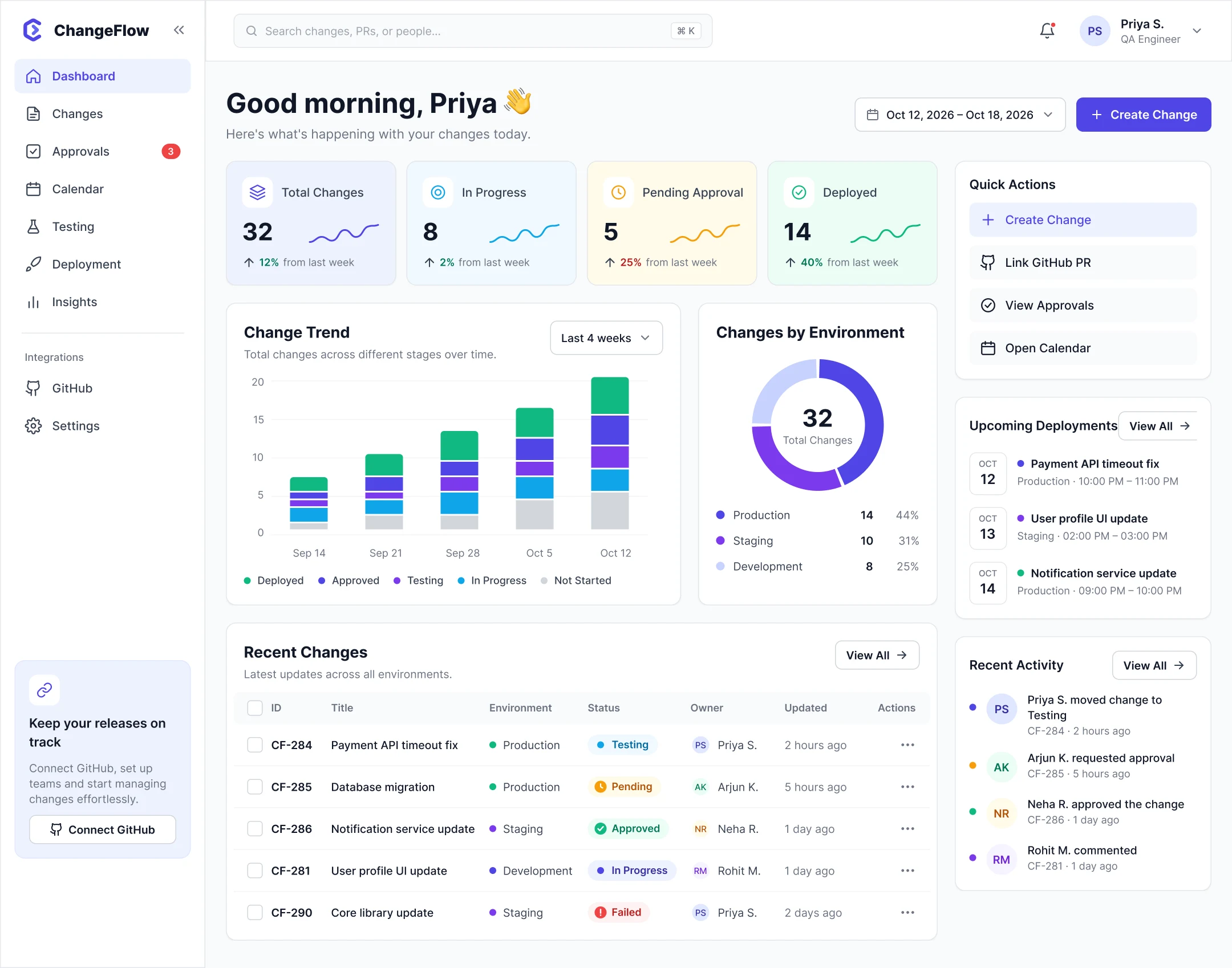
Dashboard
See what needs attention.
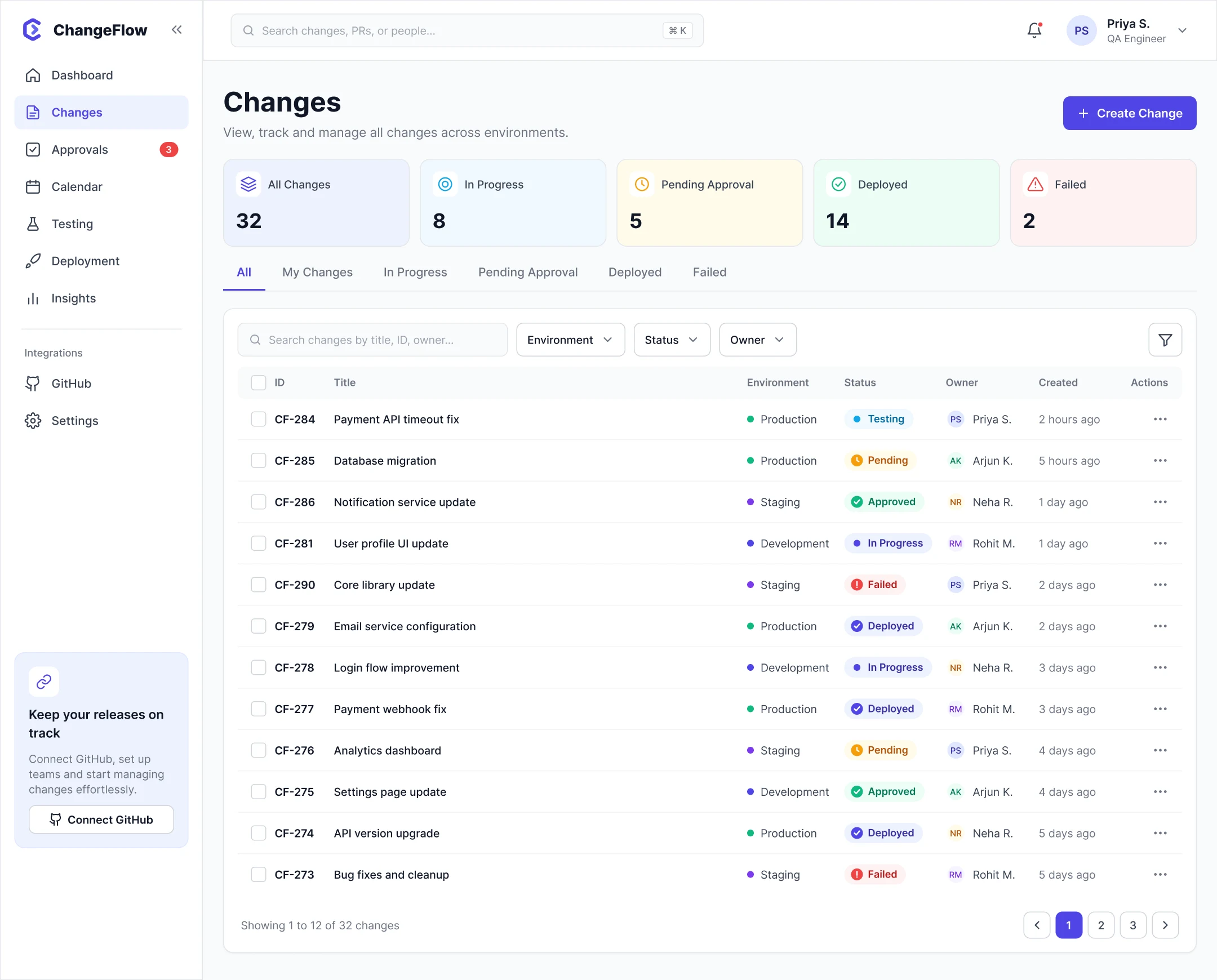
Changes
Find, filter and manage changes.
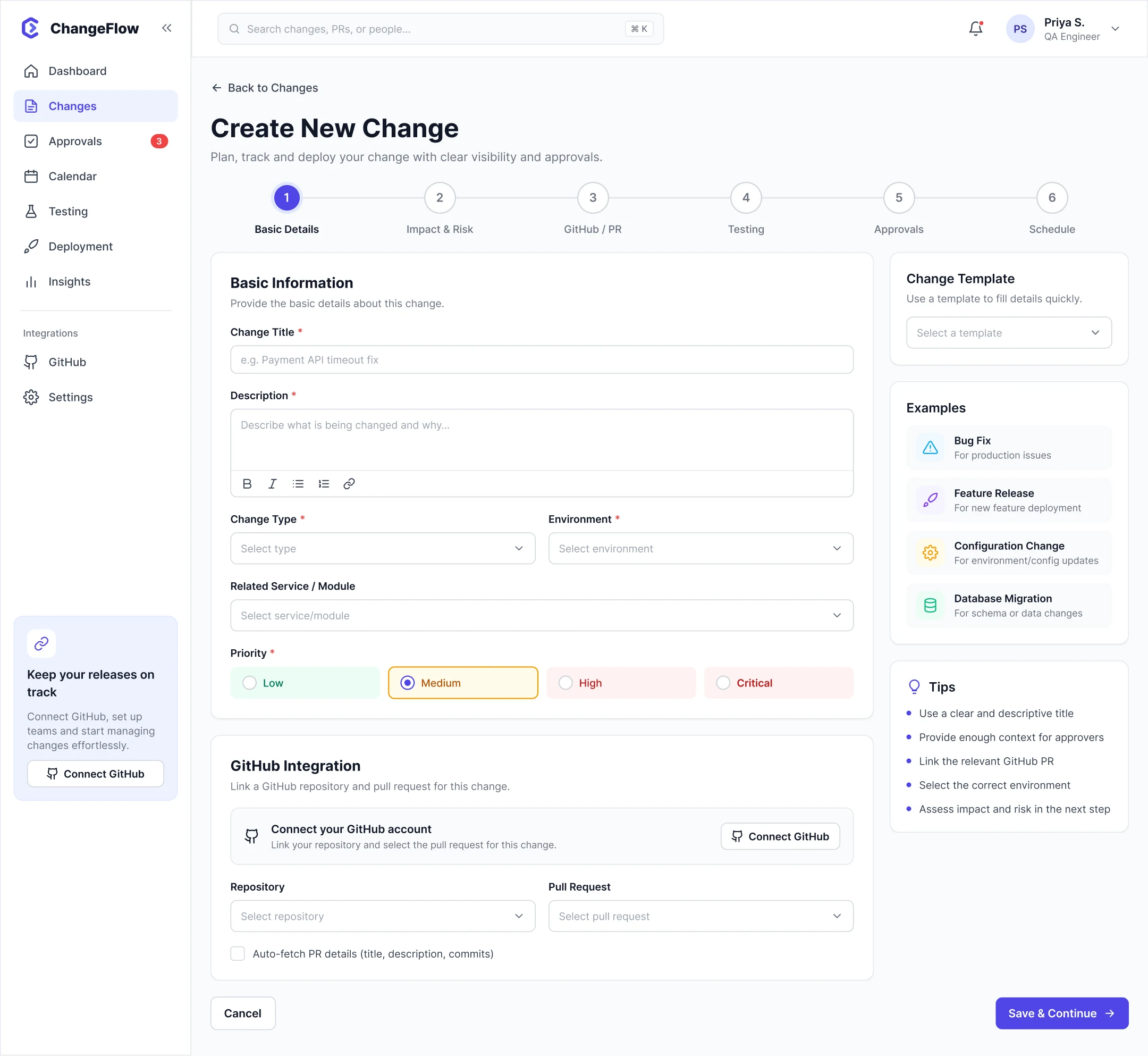
Create change
Create a structured change record.
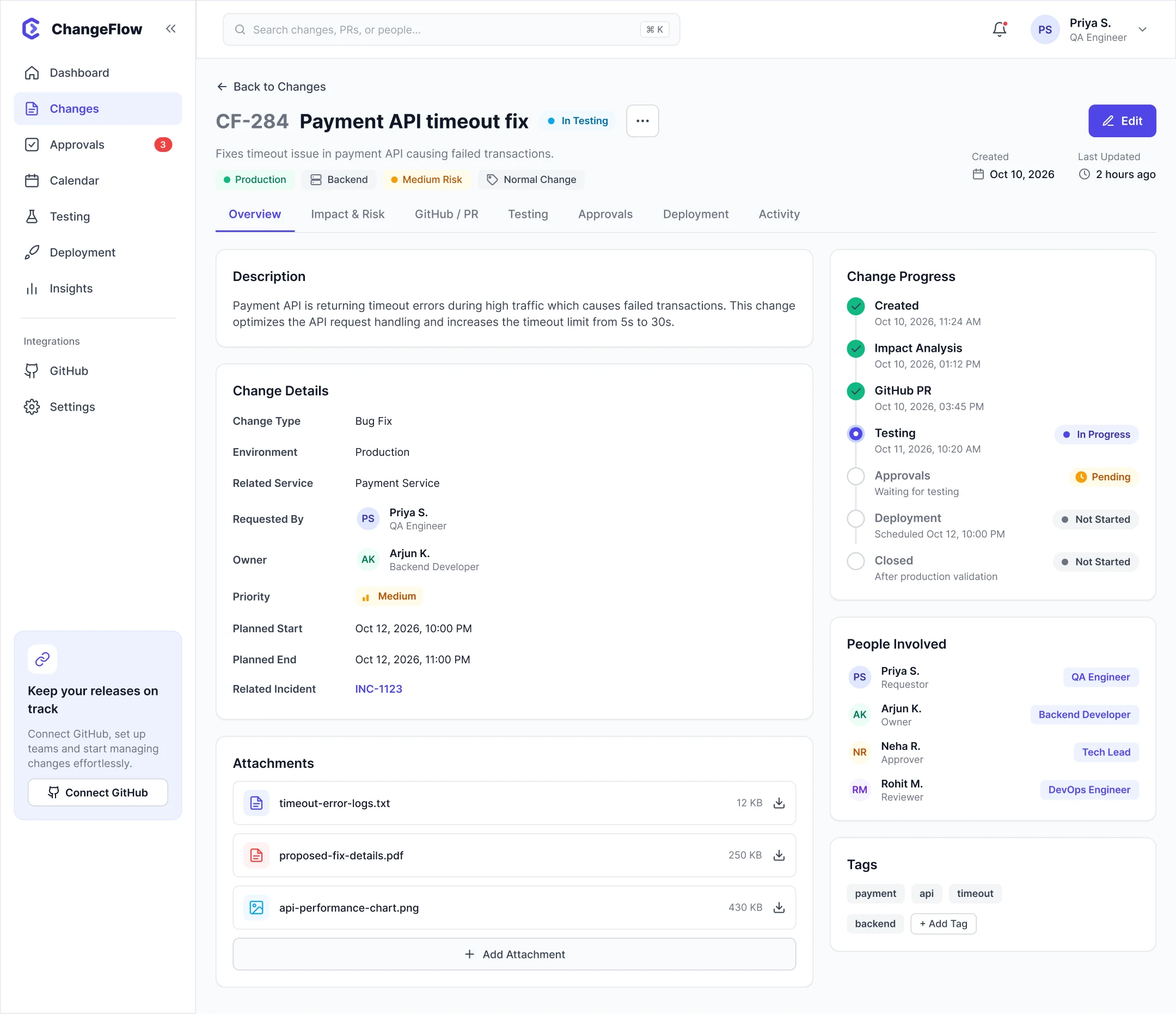
Change details
Understand one change end to end.
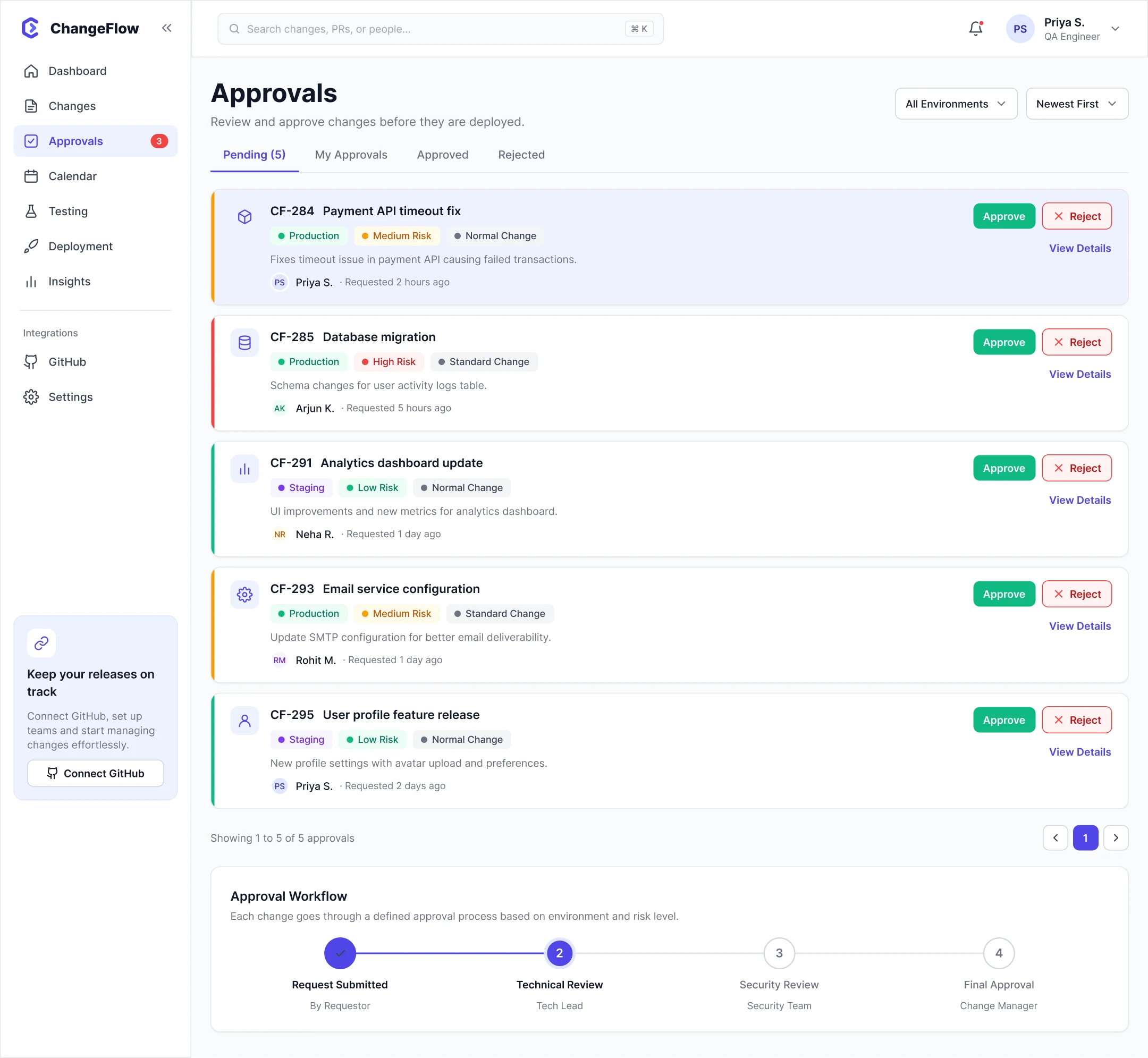
Approvals
Review and decide.
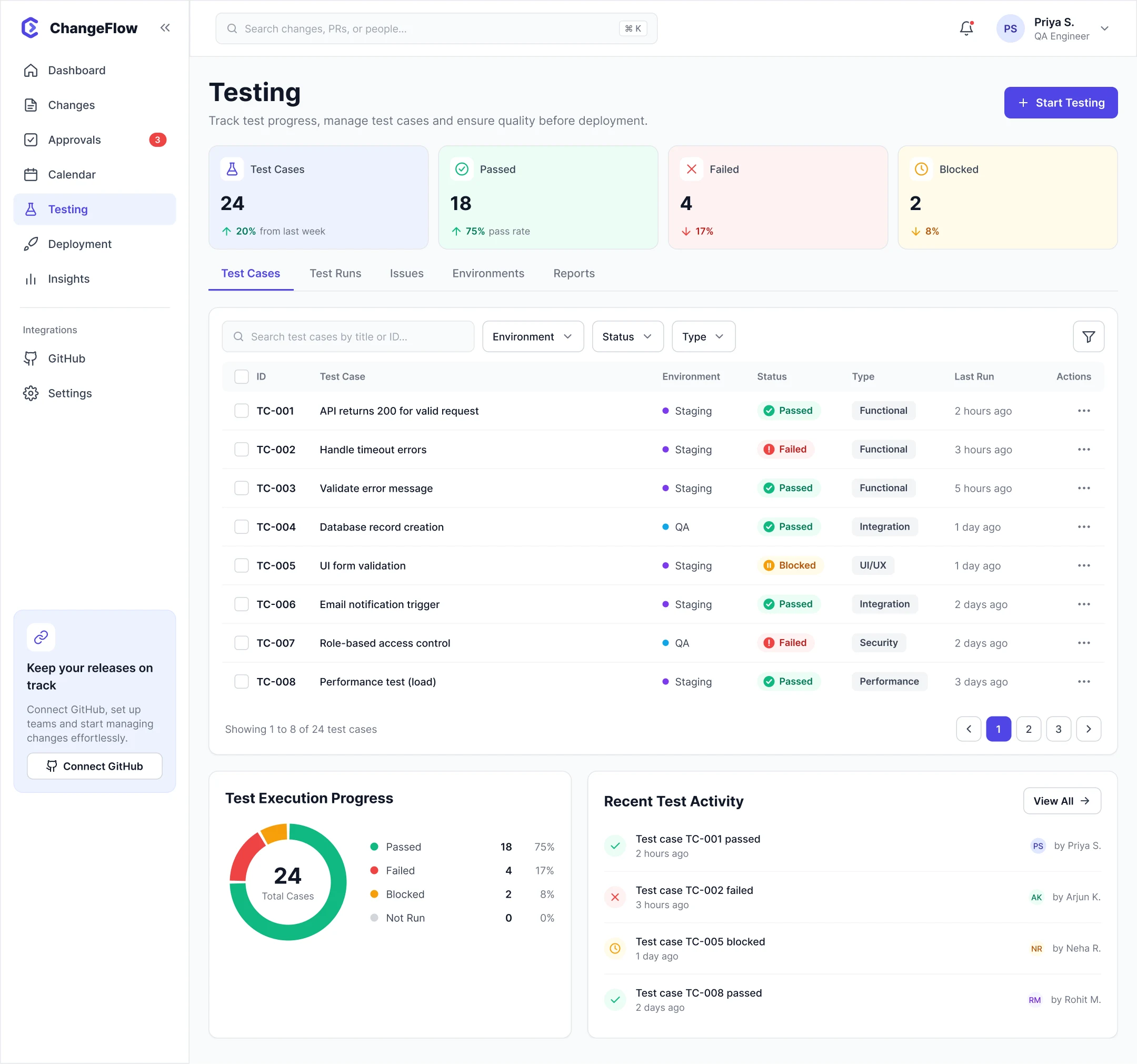
Testing
Track test cases and readiness.
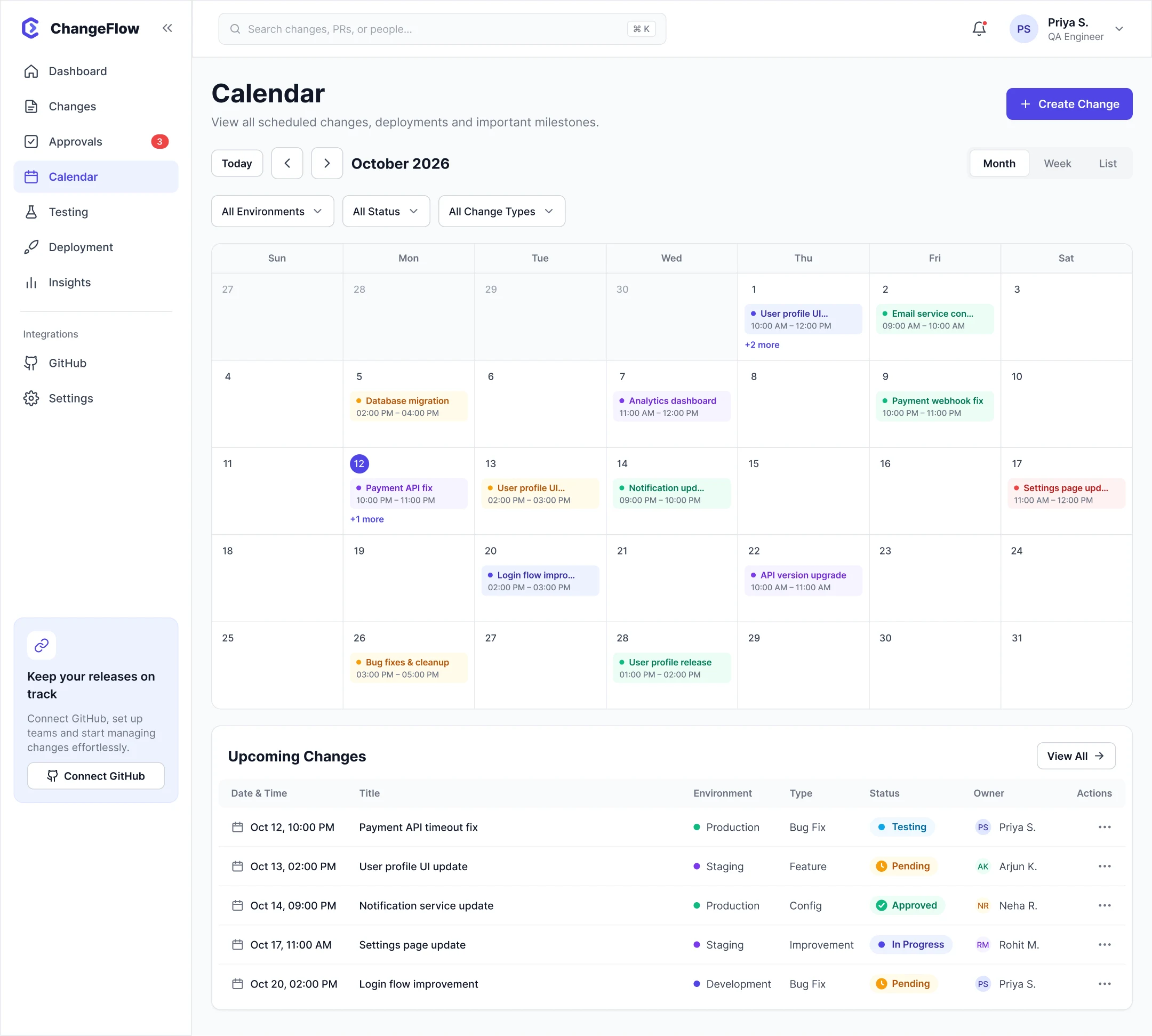
Calendar
See deployment windows and conflicts.
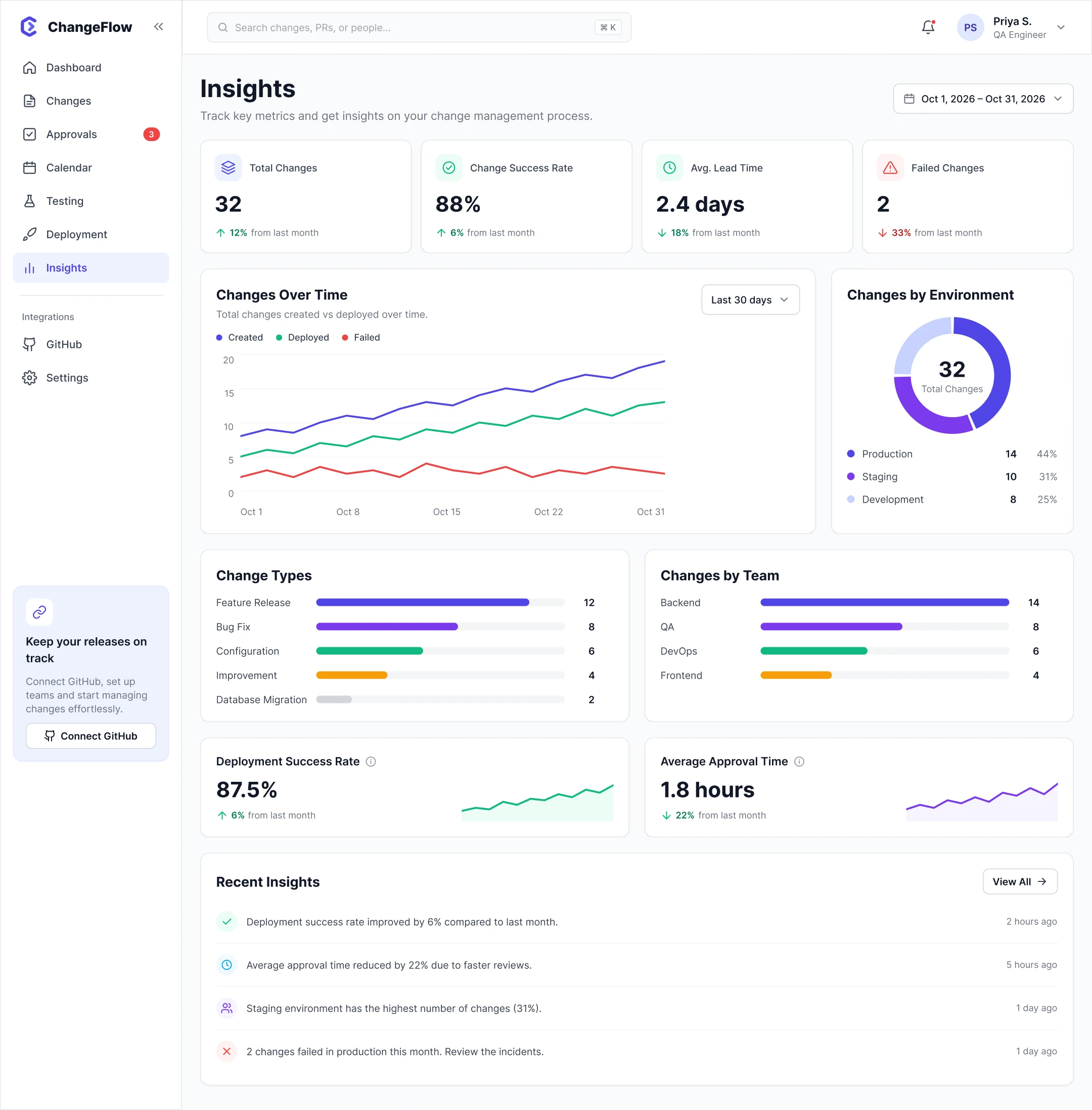
Insights
Understand operational patterns.
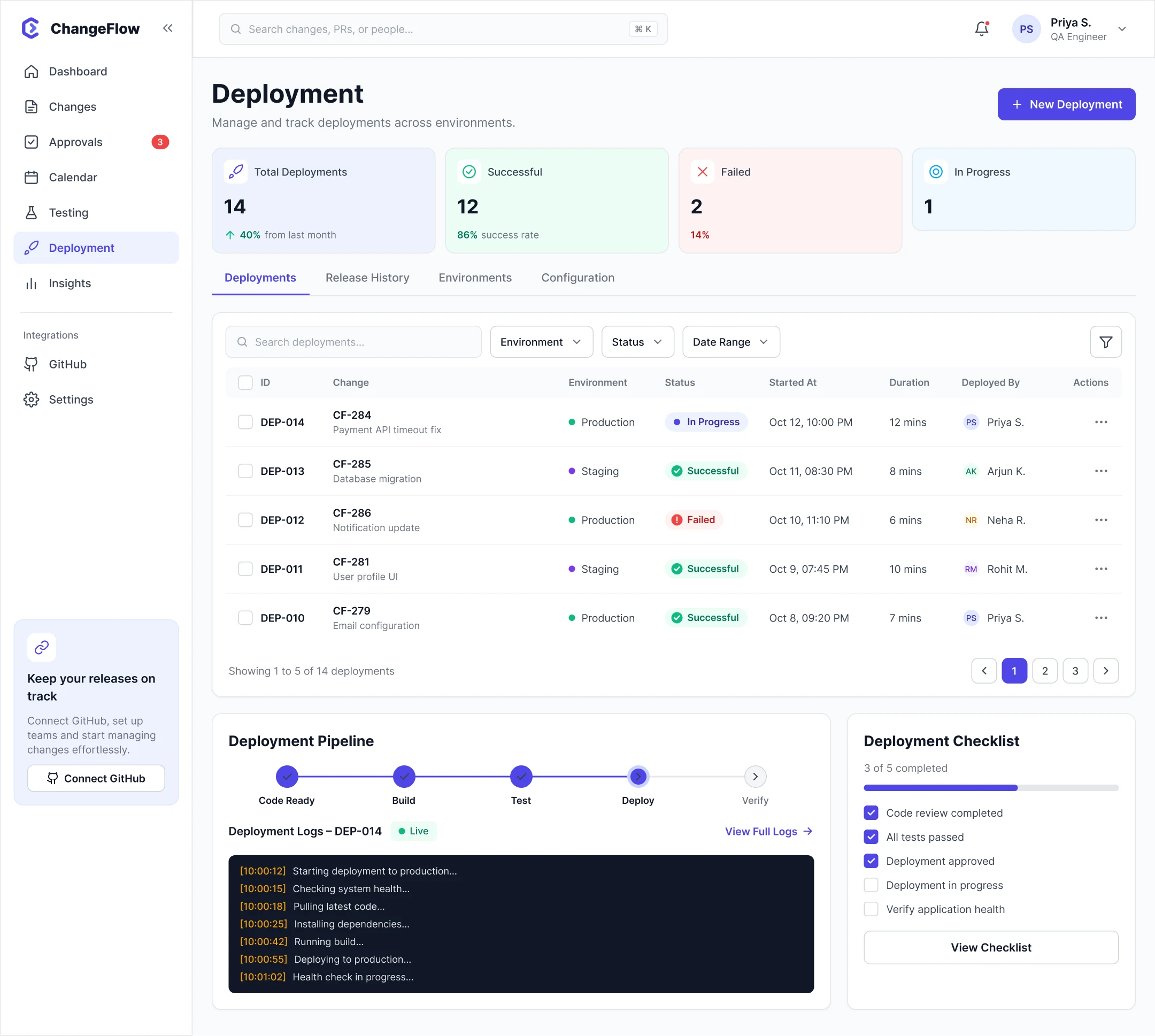
Deployment
Manage and monitor rollout.
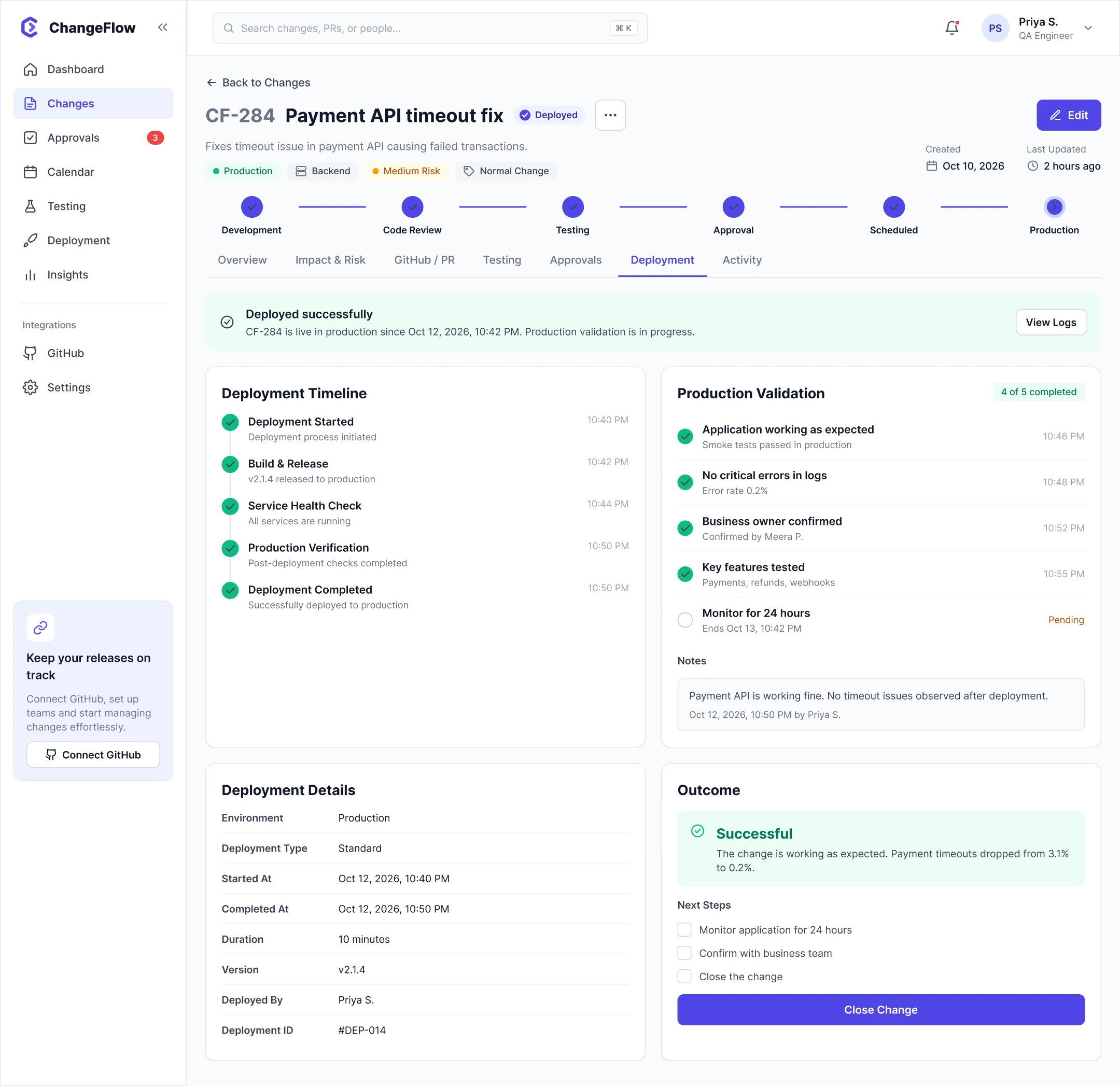
Production outcome
Validate, record the outcome and close.
Supporting states cover pending, in progress, failed, approved, changes requested, scheduled, deployed, rollback and emergency changes.
Validation plan
Can an IT user understand a change, take the required action and move it from development through testing and approval to production without confusion?
Task scenarios
- Find the current status of the Payment API timeout fix.
- Find what's changing, why, the affected service and the current risk.
- Check whether testing is complete and whether anything failed.
- Approve the change after reviewing the required context.
- Use Activity to understand what happened before a production issue.
What to observe
- Lifecycle and status clarity.
- Approval confidence and decision context.
- Testing comprehension.
- Tracing PR → testing → approval → deployment.
- Information overload on Change details.
Reflection
Researching how an IT team moves software from development to production showed that the biggest challenge wasn't the process itself. It was fragmented visibility when many changes moved through GitHub, testing, chat and production at once.
I turned that insight into a change-centred architecture, an end-to-end workflow and a high-fidelity SaaS experience that connects PRs, testing, approvals, deployment and outcome in one place.
What makes it deep UX
- It starts from a real workflow, not an invented interface.
- Primary research directly shaped the problem definition.
- Secondary research validated broader patterns without overriding the team's evidence.
- It complements GitHub instead of replacing it.
- The Change object gives everyone one consistent mental model.
- The full app architecture is designed, not just a handful of showcase screens.
The full story
Read the full case study
Every detail behind this summary: research notes, synthesis, flows, wireframes and all final screens.