Case study · Mobile + web
Paper Plan
Create, review, approve and print, in one secure workflow.
A multi-school SaaS that brings the exam-paper lifecycle into one traceable workflow: teachers create, reviewers correct, authorities approve, and printing staff receive the right approved version.
Evidence note Paper Plan is a concept at the workflow, wireframe and visual-design stage. Research inputs, assumptions and proposals are kept apart, and no usability results or performance gains are claimed.
At a glance
The opportunity wasn't to digitise a form. It was to make handoffs visible, remove ambiguity about the next action, and protect the final approved paper.
- Product
- A multi-organisation SaaS for school exam-paper workflows.
- Users
- Teachers, reviewing teachers, coordinators, the final authority and printing staff.
- Core journey
- Create → Review → Correct & resubmit → Approve → Secure finalisation → Print.
- Challenge
- Coordinate a high-stakes document across roles while keeping ownership, versions and security clear.
- Deliverable
- 86 hi-fi screens across mobile and web, a design system and a prototype.
- Status
- Concept with a usability-testing plan. No outcomes claimed yet.
Core idea
One paper, one record: the right version and a clear owner, from first draft to printer.
The problem
Exam papers are assembled from many sources and passed between people for review, correction, approval and printing. Disconnected files, manual handoffs and repeated checks make it hard to know which version is current, what feedback is open and who acts next.
Problem statement
Nobody can be sure the paper being printed is the one that was approved.
Why it matters
Discovery
Discovery conversations mapped how papers move today: from the yearly exam calendar, through sources like textbooks, AI tools and past papers, to a password-protected PDF handed to printing.
Current-state journey
Synthesis
Four themes came out of the inputs. Each pointed to an opportunity, and those were prioritised so the MVP proves the core lifecycle first.
- 01
Content is scattered
Questions come from textbooks, AI, past papers and hard copies; reuse depends on manual searching.
- 02
Review is repetitive
Reviewers check many things, but feedback is often physical or general, not tied to a question.
- 03
Approval stages vary
Schools have similar but not identical approval chains, and responsibilities change.
- 04
Printing is a risk point
Formatting errors and wrong-version printing can still happen at the final handoff.
Prioritisation
Personas
Five provisional, role-based personas: defined by what each person does in the workflow, not by demographics, and still to be validated with real users.
Teacher
“Don't lose my work.”
Creates a complete, accurate paper and responds to feedback without losing what they've built.
Reviewing teacher
“Was this fixed?”
Assesses quality and communicates precise, actionable corrections on the version in front of them.
Coordinator
“Who owns this now?”
Coordinates staff, deadlines, assignments and the school's approval process.
Final authority
“Is this the final version?”
Authorises the final version, with review history and unresolved-item warnings to hand.
Printing staff
“Can I print this?”
Prints the correct approved paper, and can't edit content or approve papers by default.
Jobs to be done
Principles & scope
Seven principles shaped every screen, and the MVP is defined by requirements with a clear acceptance signal for each.
First release
In the MVP
- Organisations with isolated data, staff and roles.
- Create from scratch, the question bank or a file import, all into one editor.
- Question-level comments, change requests and resubmission.
- School-configured approval stages with a full history.
- Preview and validation before submission and printing.
- Controlled release of the approved document to printing.
Not yet
- Automatic question generation replacing teacher judgement.
- AI scoring, plagiarism detection or difficulty grading.
- One universal approval chain for every school.
- A password-protected PDF as the only security control.
Information architecture
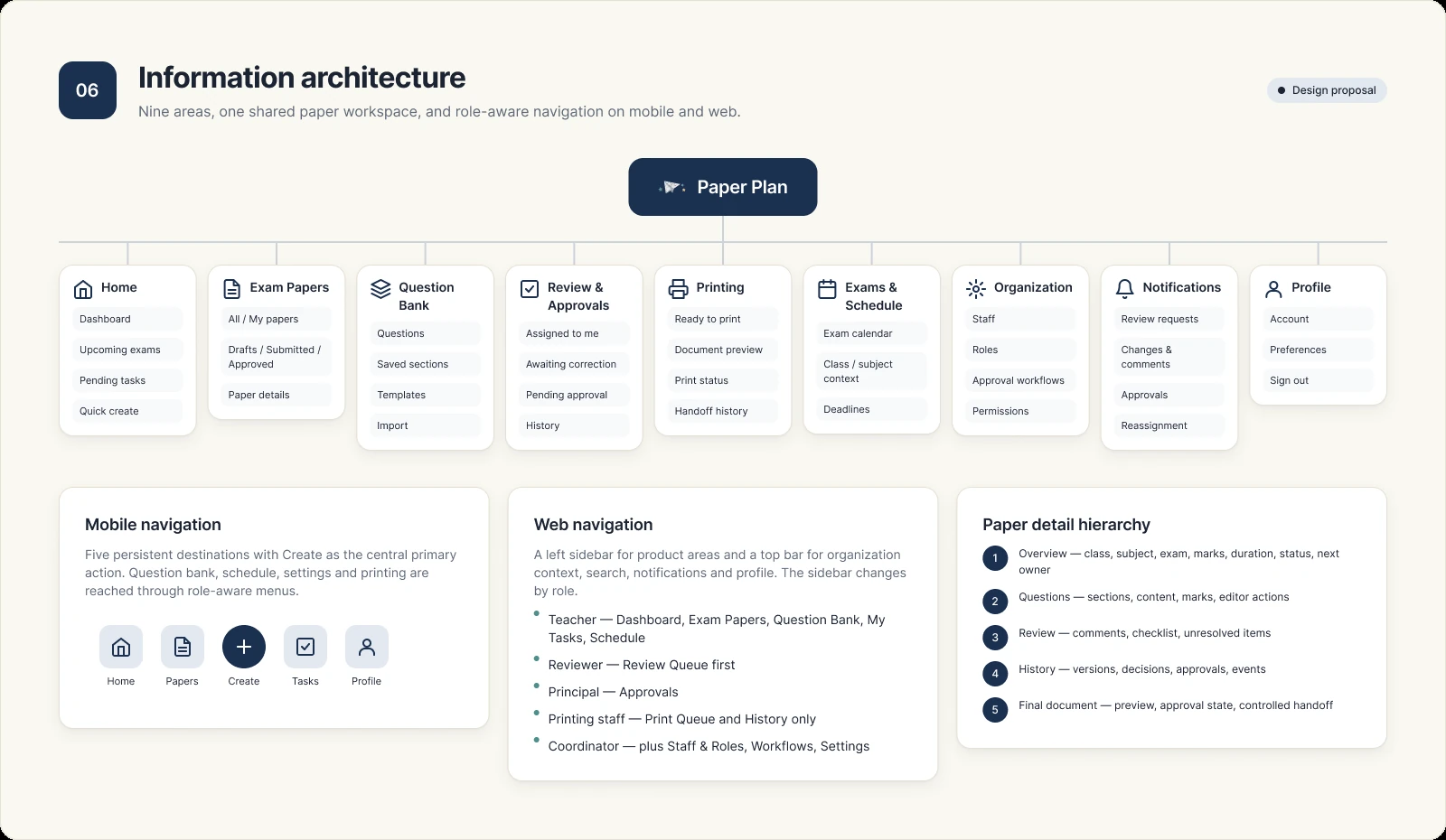
Every area leads back to one paper workspace, so creation, review, approval and printing share a single record.
Paper Plan
Home
Today's work for each role
- Dashboard
- Upcoming exams
- Pending tasks
- Quick create
Exam papers
Find papers and their state
- All
- My papers
- Drafts
- Submitted
- Approved
- Paper details
Question bank
Reuse content safely
- Questions
- Saved sections
- Templates
- Import
Review & approvals
Decision queues
- Assigned to me
- Awaiting correction
- Pending approval
- History
Printing
Released work only
- Ready to print
- Document preview
- Print status
- Handoff history
Exams & schedule
Exam context
- Exam calendar
- Class & subject
- Deadlines
Organisation
School setup
- Staff
- Roles
- Approval workflows
- Permissions
Navigation
Mobile
- Five tabs: Home, Papers, Create, Tasks and Profile.
- Create is the central primary action.
- Question bank, schedule, settings and printing open in context or from role-aware menus.
Web
- A left sidebar for the main areas.
- A top bar for school context, search, notifications and profile.
- The paper workspace keeps the same Overview, Questions, Review and History tabs as mobile.
Core flows
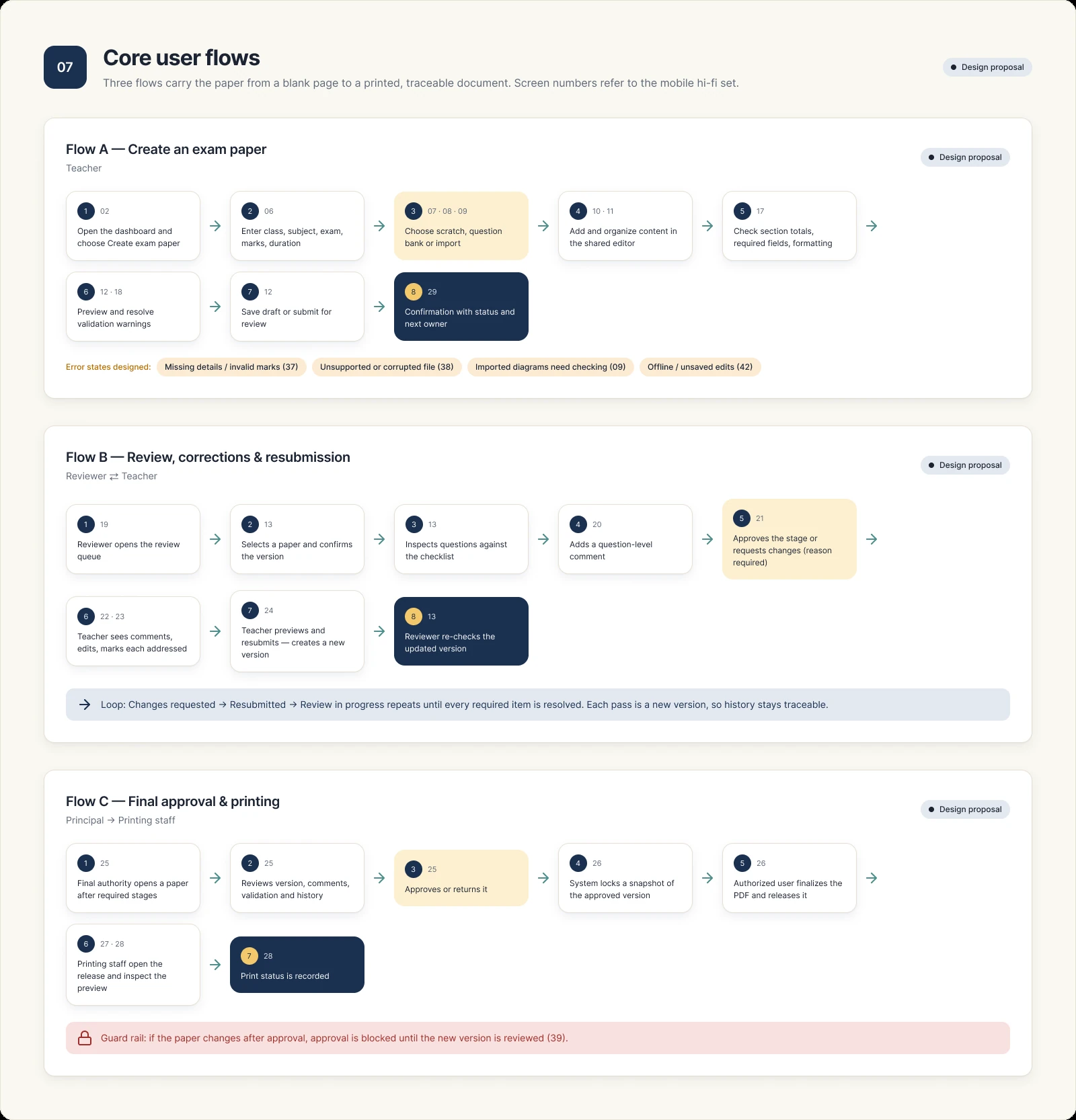
Three flows carry a paper from blank page to printer. Each one names the next owner, so nobody wonders who acts next.
- Flow A
Create an exam paper
Enter the essentials, choose a starting point, build the paper in one shared editor, then preview and submit.
- Dashboard
- Paper details
- Creation method
- Editor
- Preview & validate
- Submit for review
- Flow B
Review, correct, resubmit
The reviewer comments on exact questions and requests changes; the teacher resolves each item and resubmits.
- Review queue
- Review paper
- Add comment
- Request changes
- Resolve feedback
- Resubmit
- Flow C
Approve and print
The final authority approves a specific version, which is locked before it's released to printing staff.
- Final approval
- Version locked
- Secure finalisation
- Print queue
- Print preview
State model
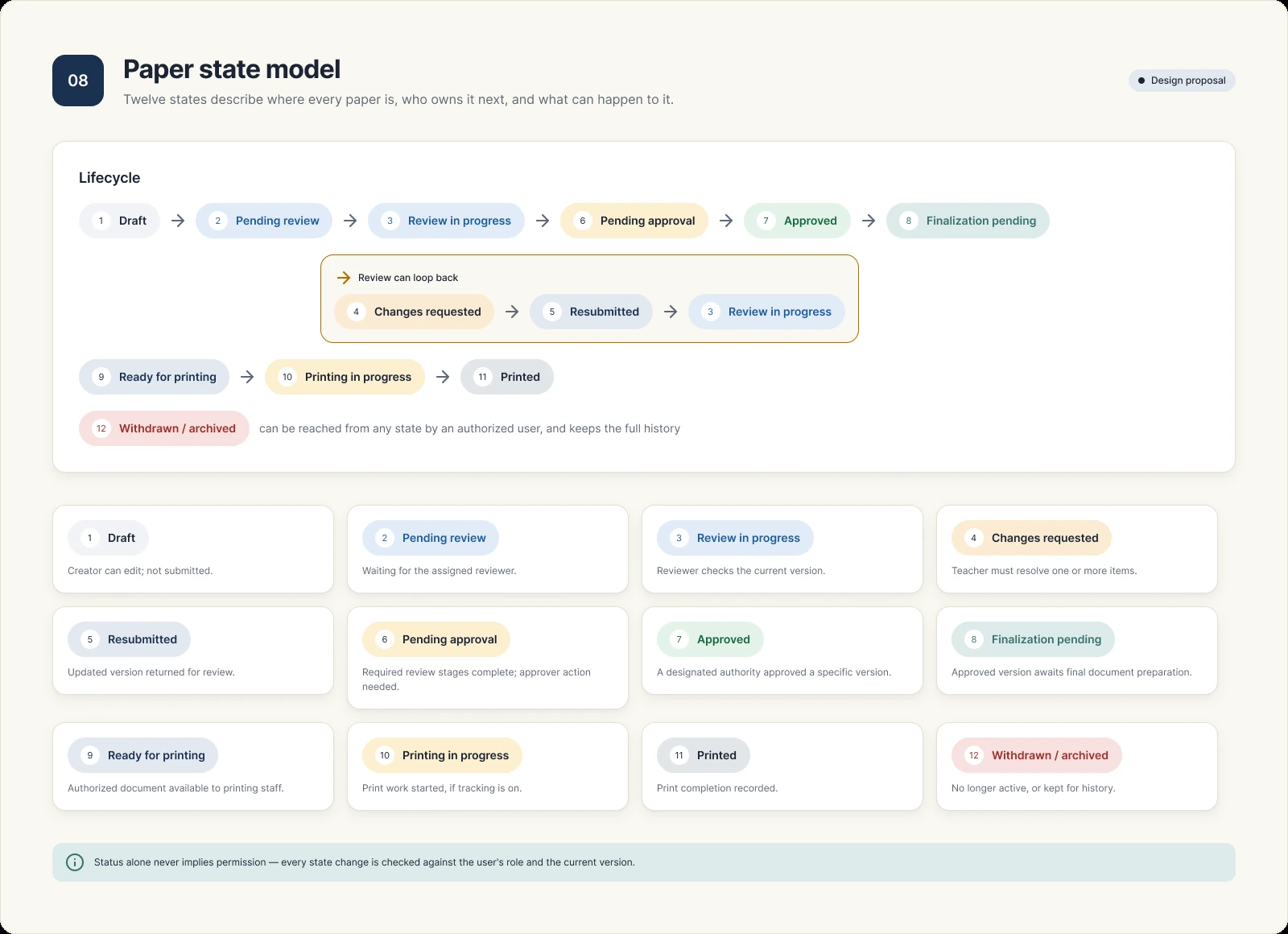
Twelve states describe where every paper is, who owns it next, and what can happen to it. Review can loop back as many times as needed.
Rule
Status never implies permission. Every state change is checked against the user's role and the current version.
Wireframes
50 grayscale wireframes (29 mobile, 21 web) settled structure before any visual design: what each screen is for, where the primary action sits, and how a paper's state stays visible.
What the wireframes established
- Separate but connected surfaces for creation, review, correction, approval and printing.
- One shared editor for all three creation paths.
- Paper status visible on list cards and in the detail timeline.
- Comments and correction states placed next to the question they describe.
- Preview and validation before both submission and printing.
- Compact mobile navigation, scannable cards and short primary labels.
Mobile
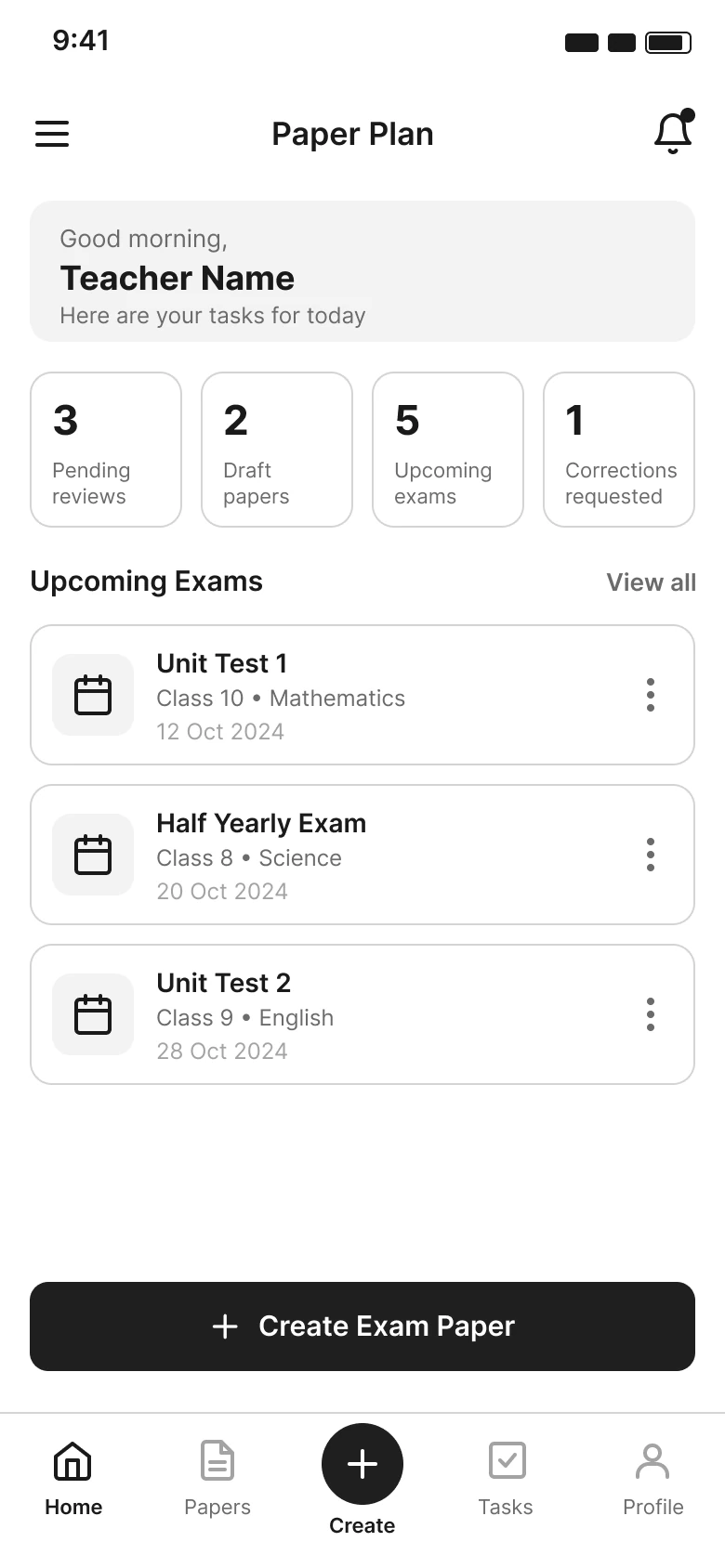
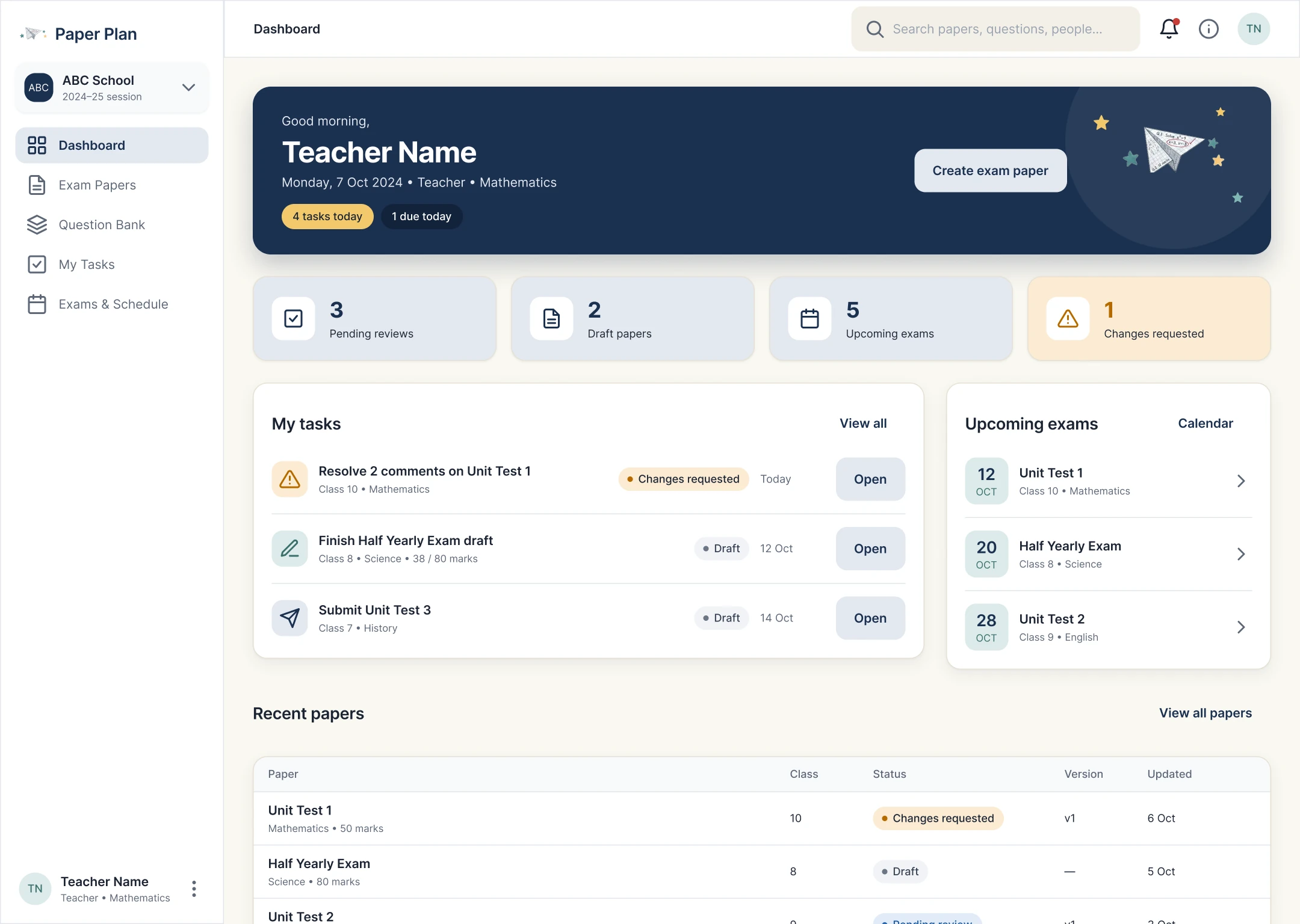
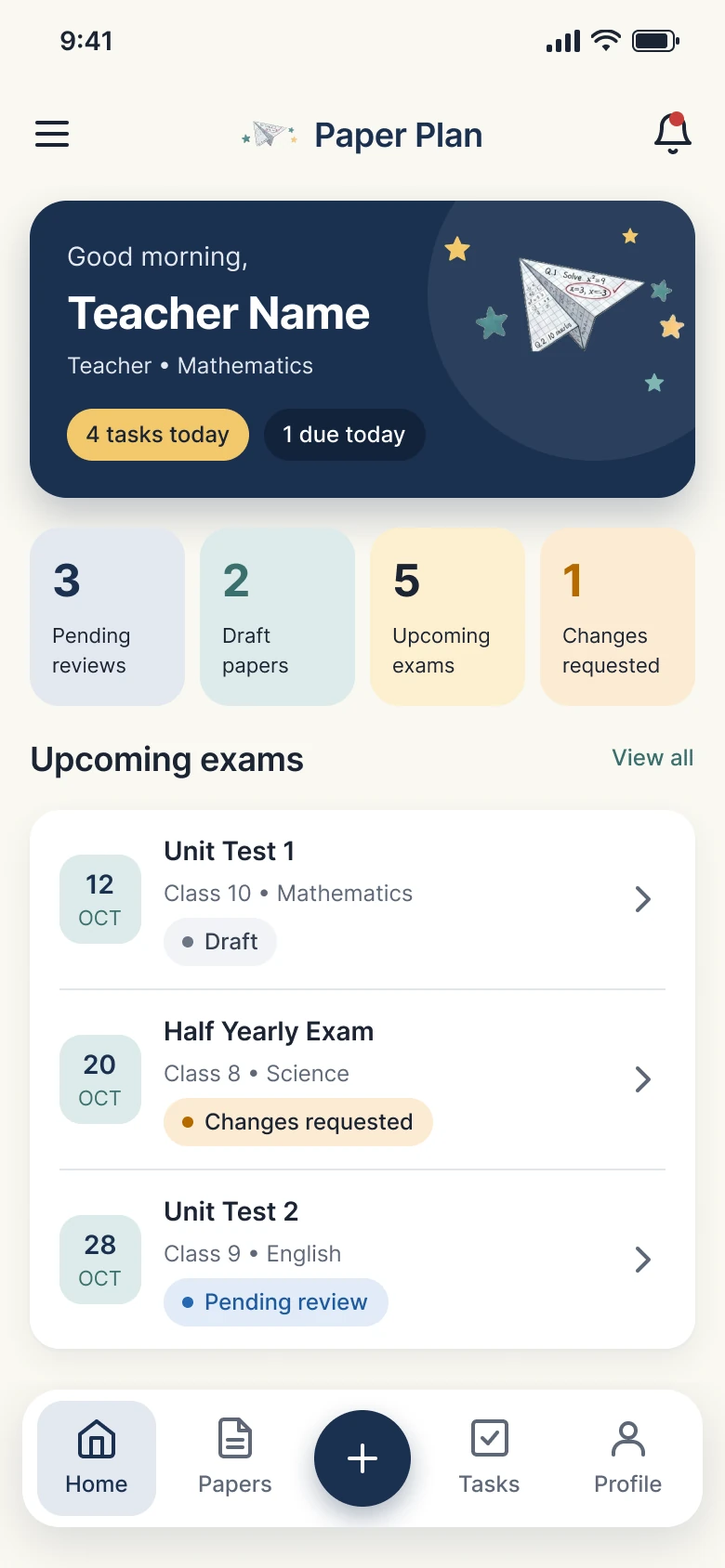
Dashboard
Tasks first, so each role sees what needs them today.
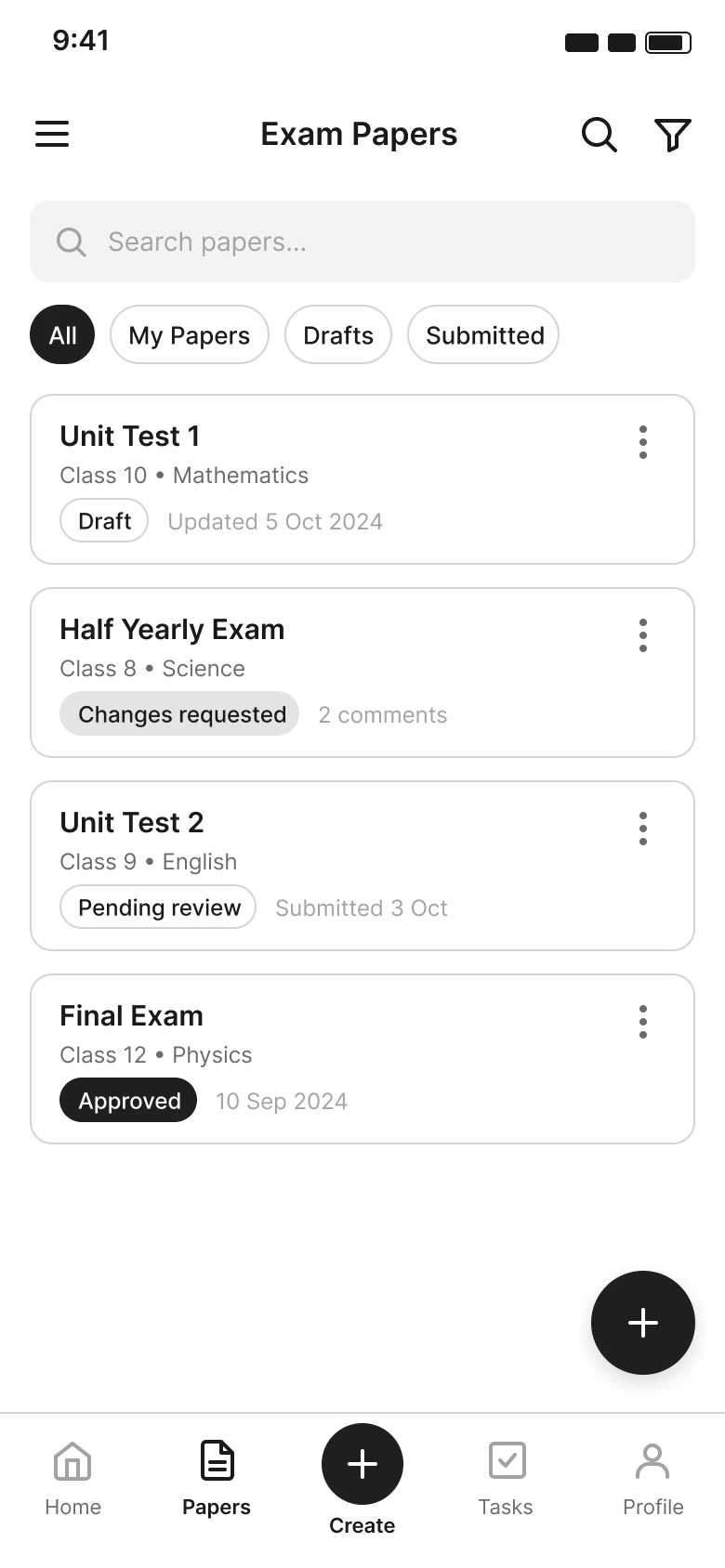
Papers list
Status on every card, with search and filters.
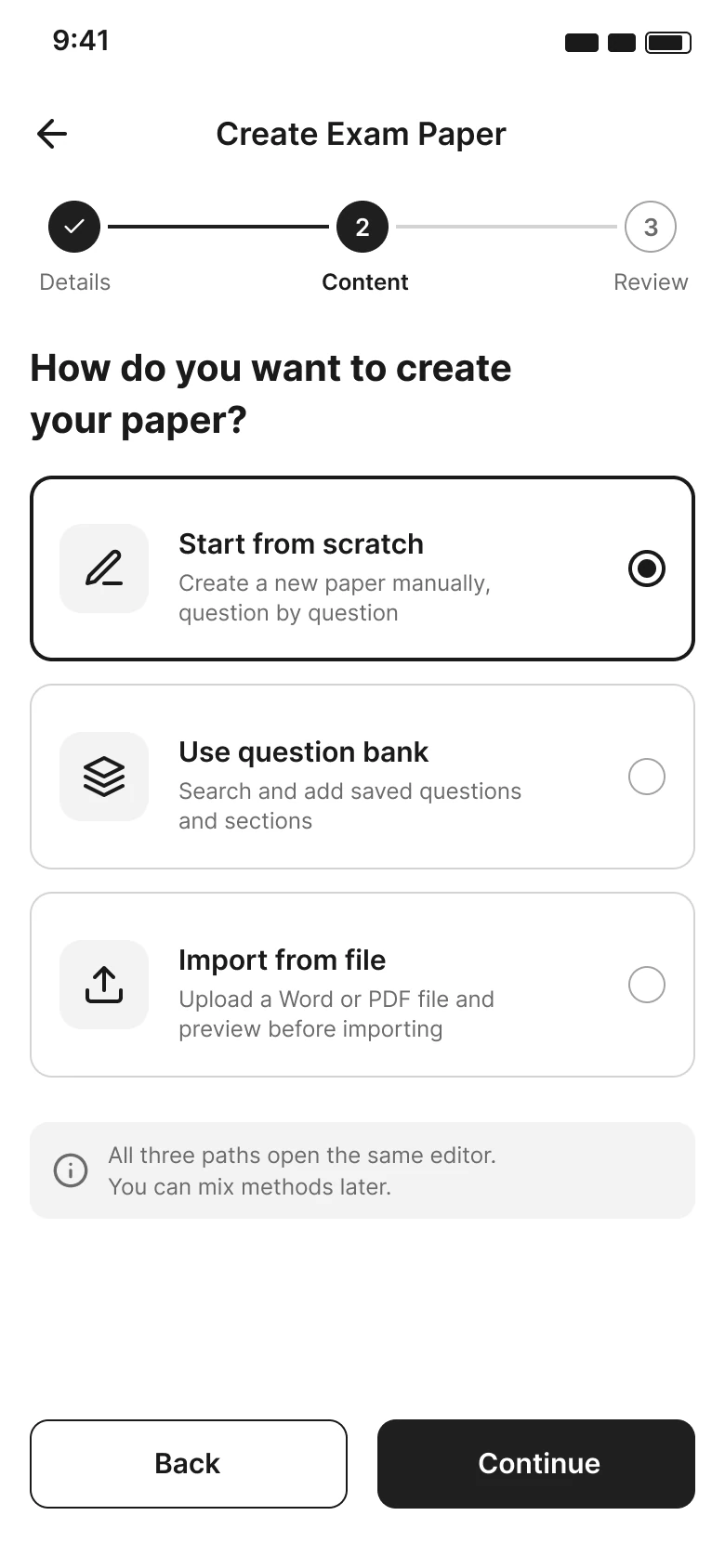
Creation method
Three starting points, one editor.
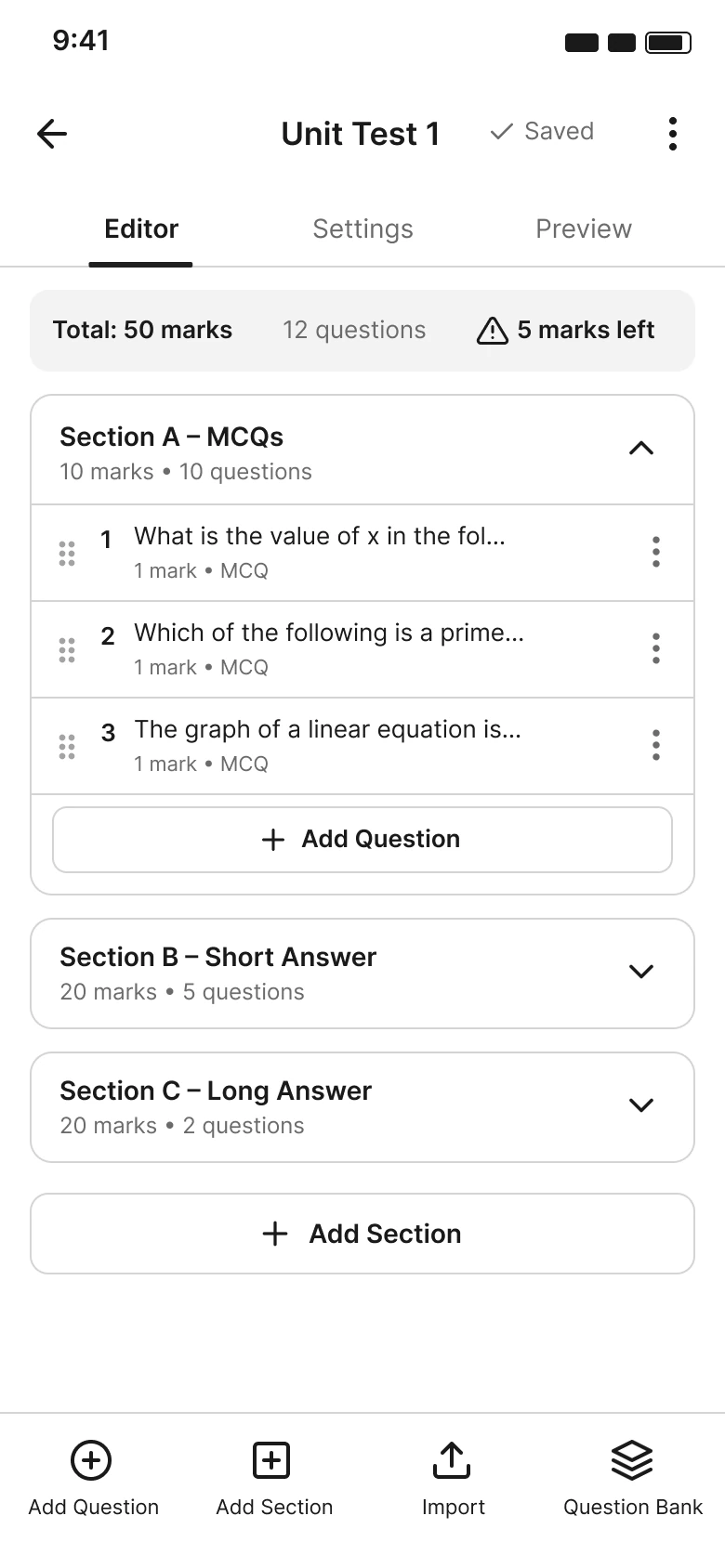
Editor
Sections and running mark totals.
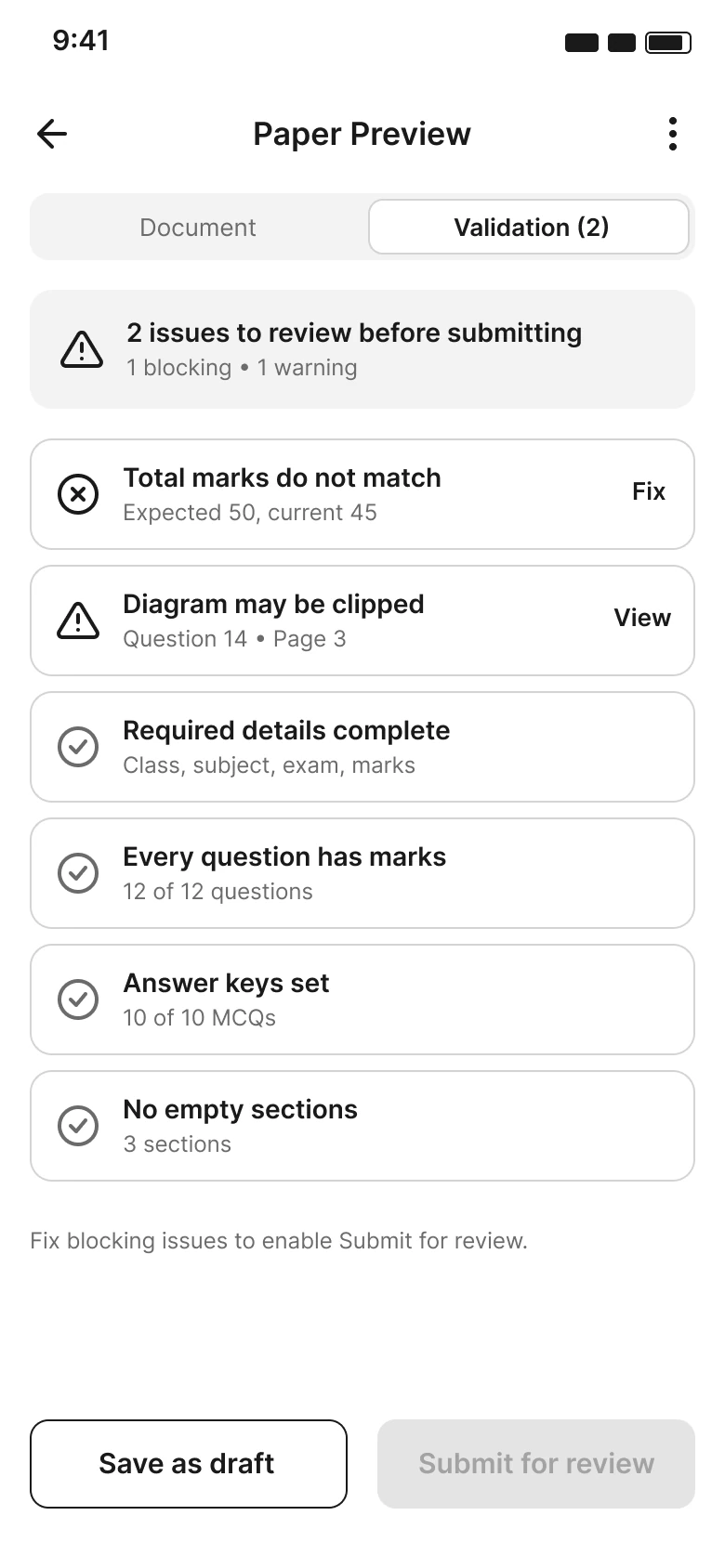
Validation
Problems surfaced before submitting.
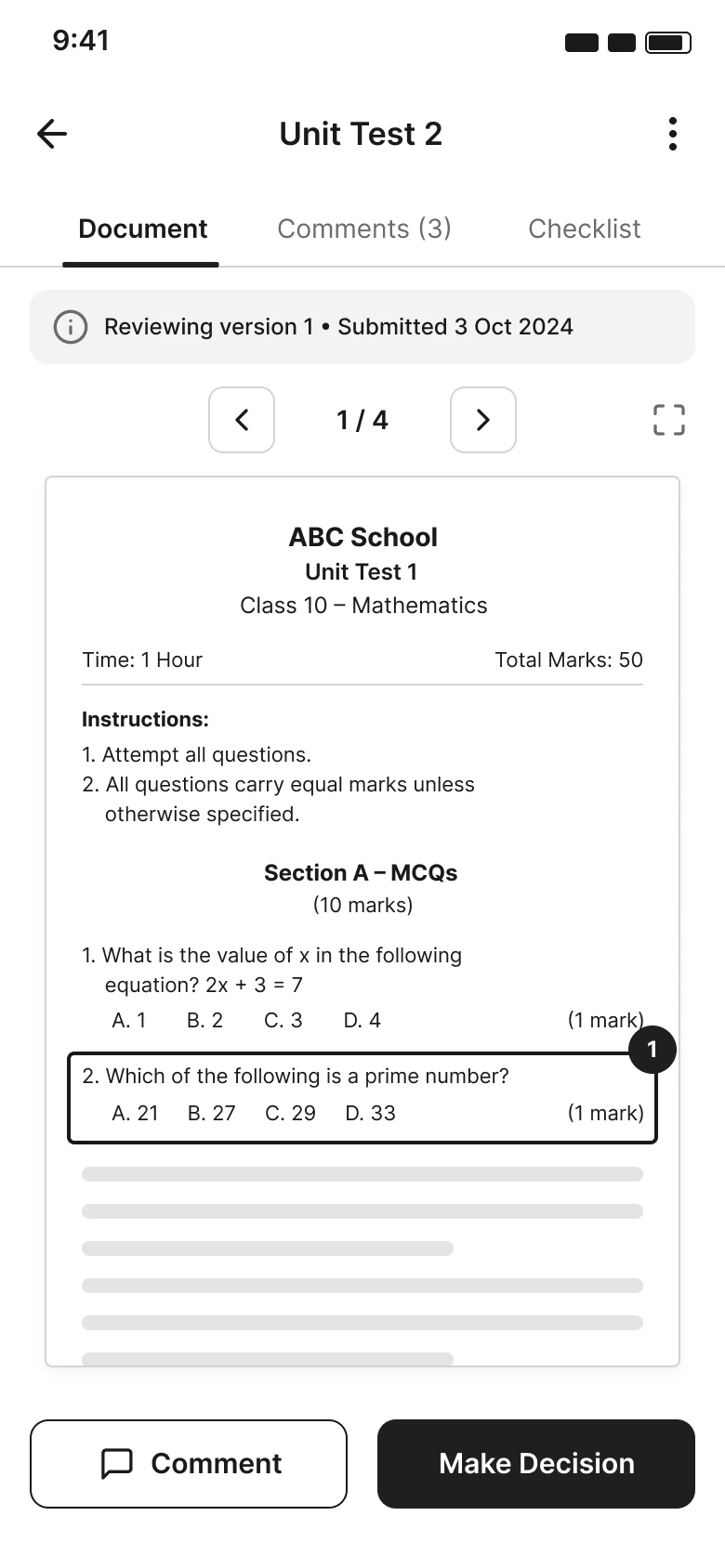
Review paper
The version under review is always stated.
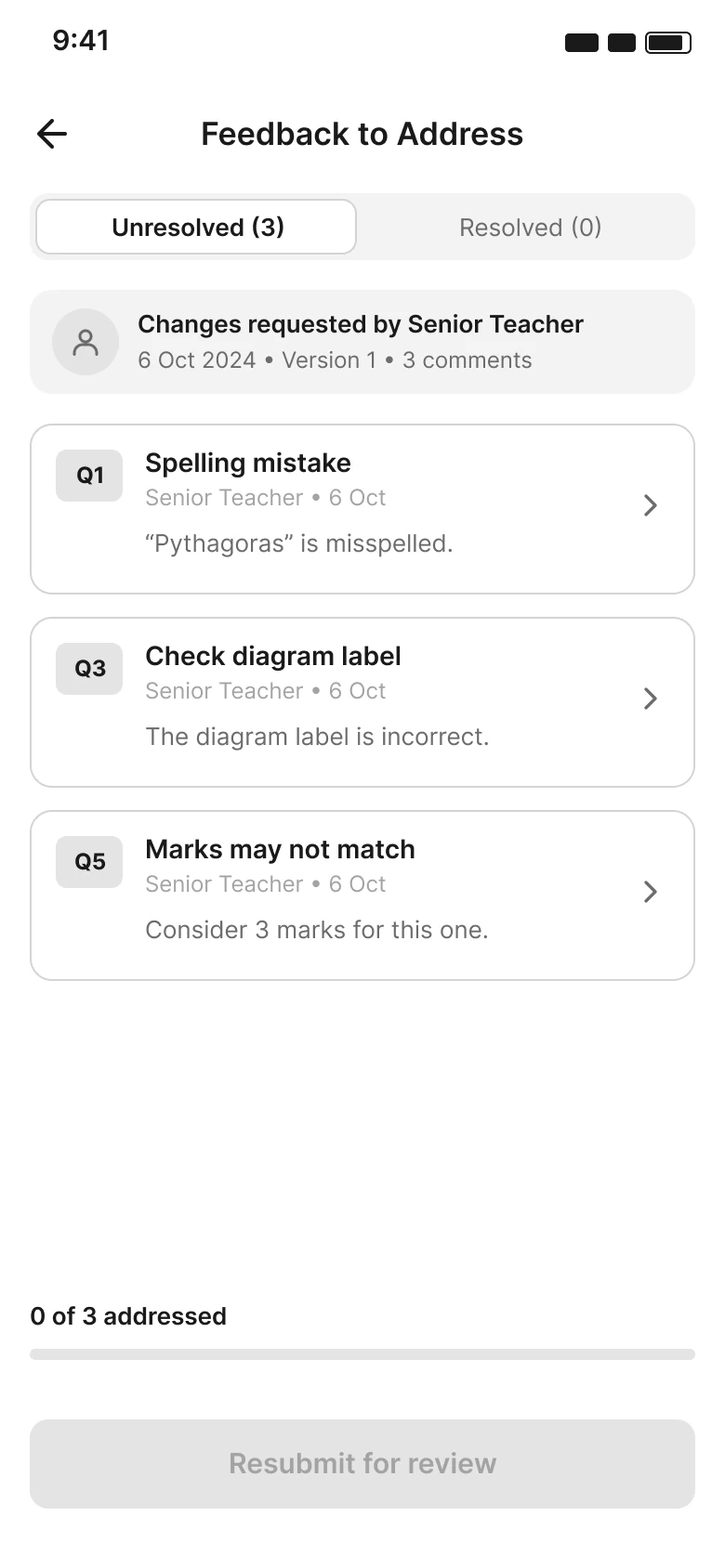
Corrections list
Pending and resolved items kept apart.
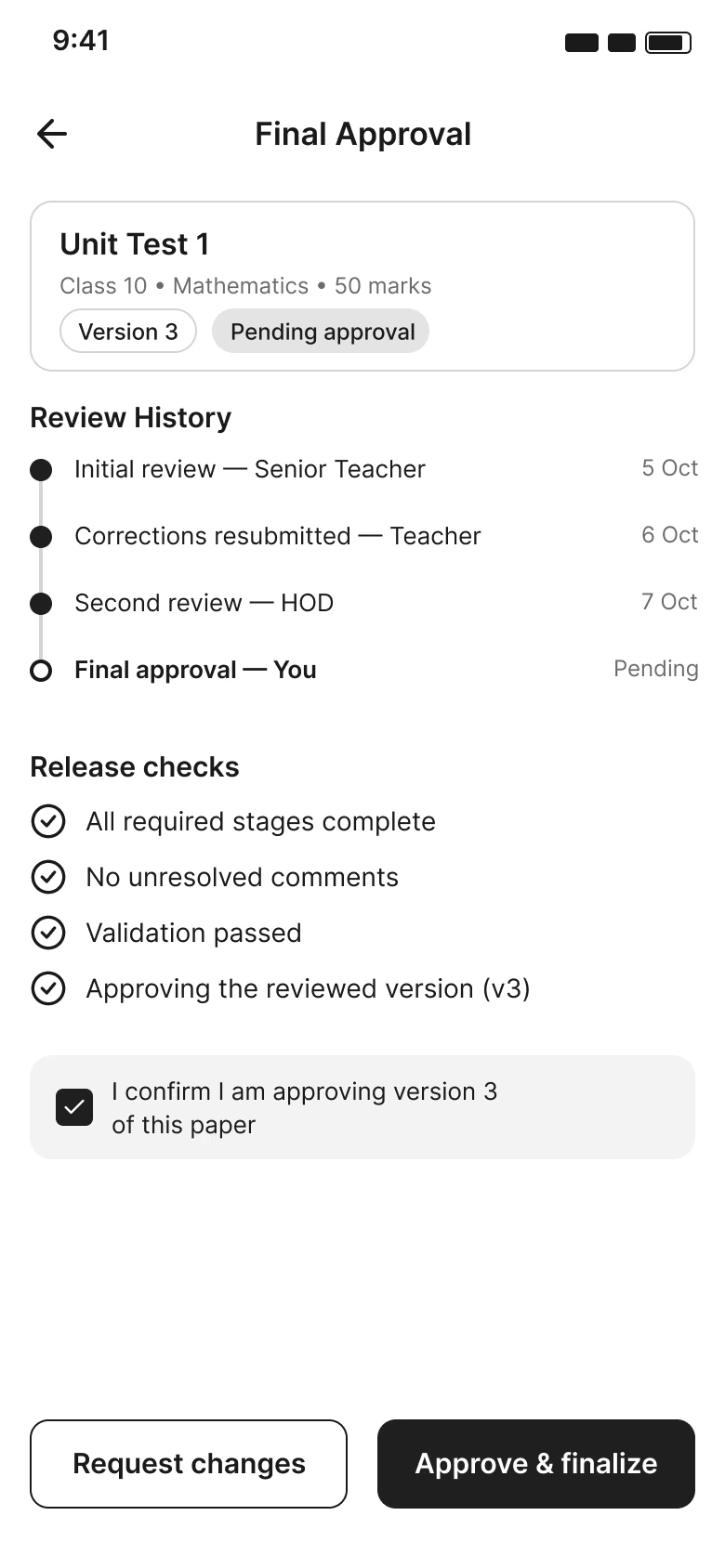
Final approval
Decide on a specific version, with history.
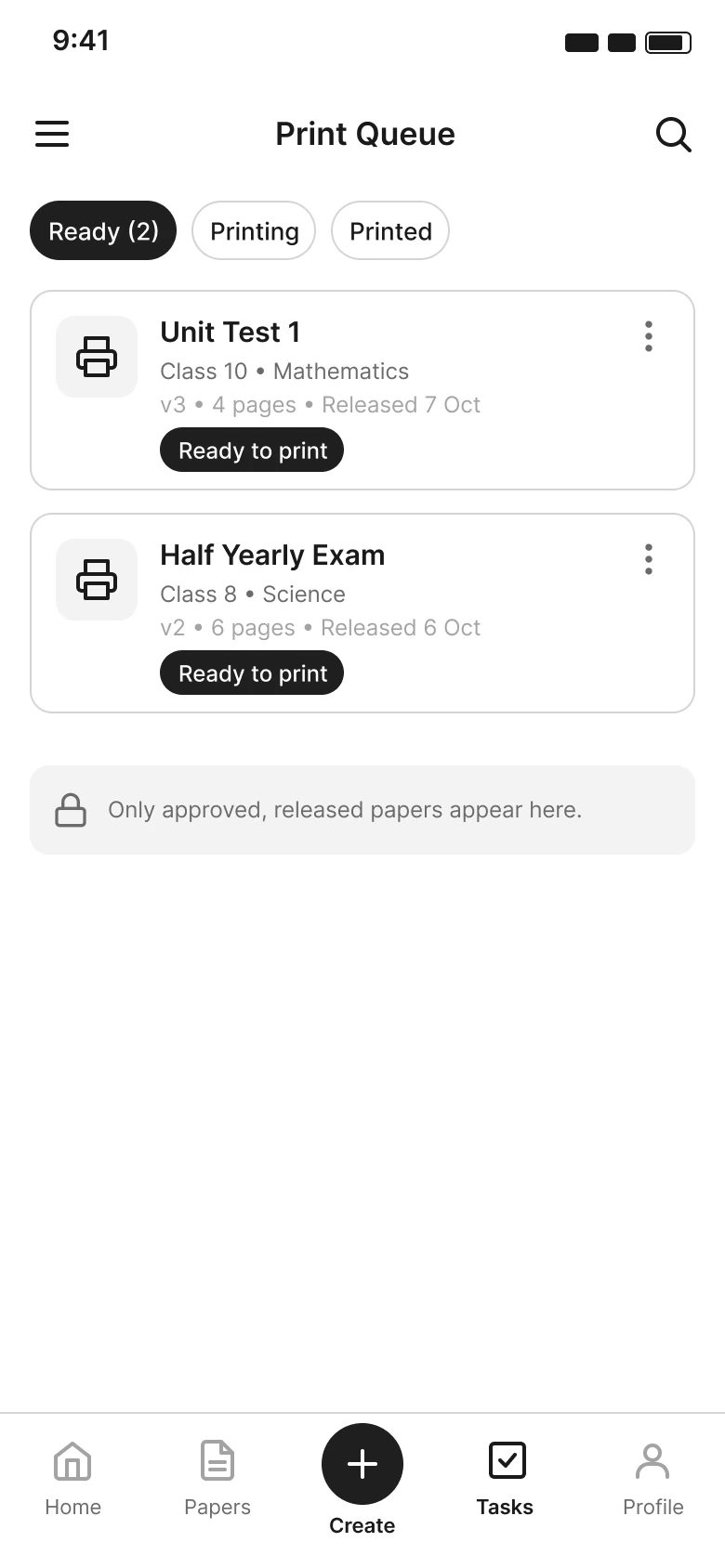
Print queue
Only released papers appear.
Web
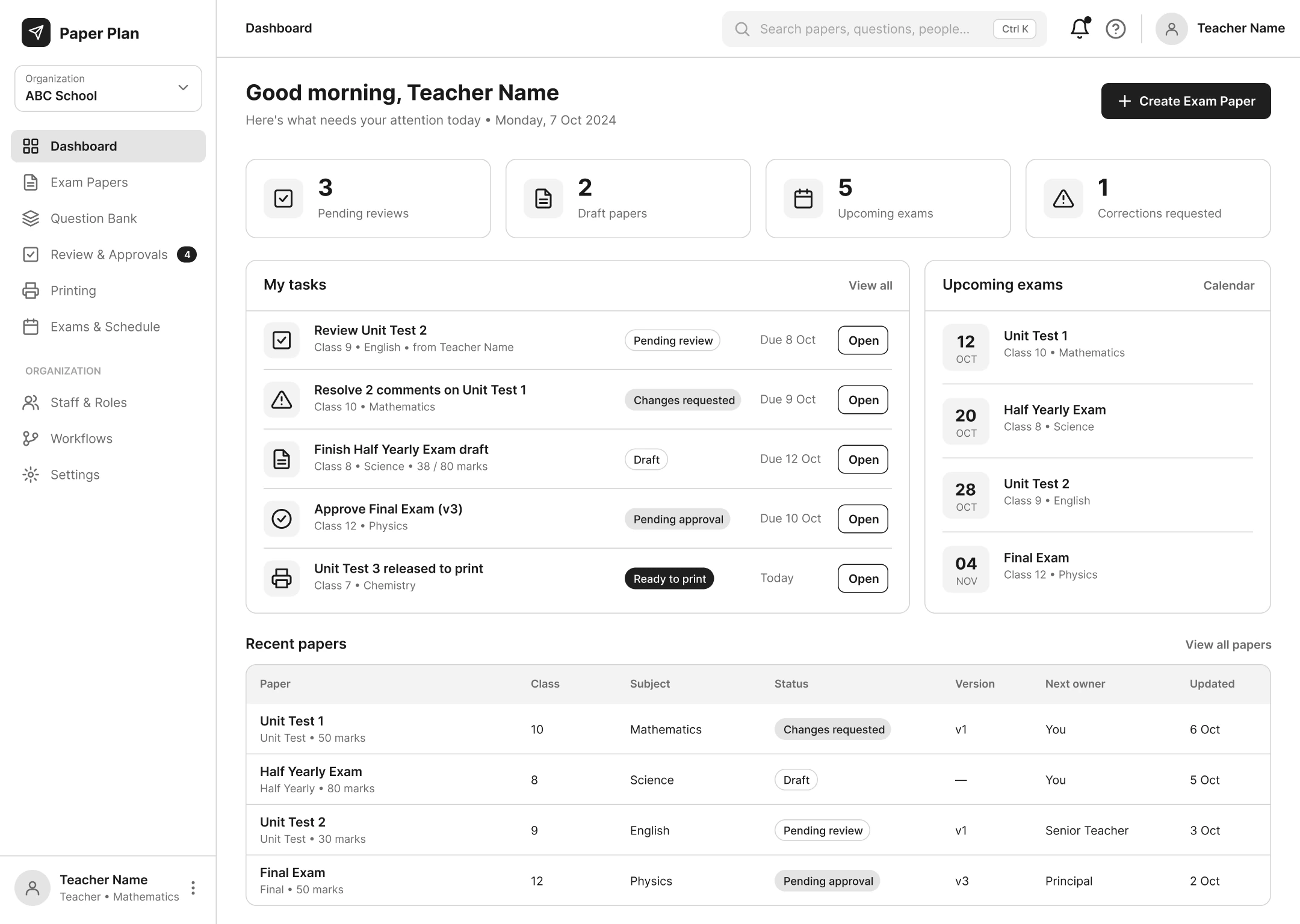
Dashboard
More room for tasks, exams and recent papers.
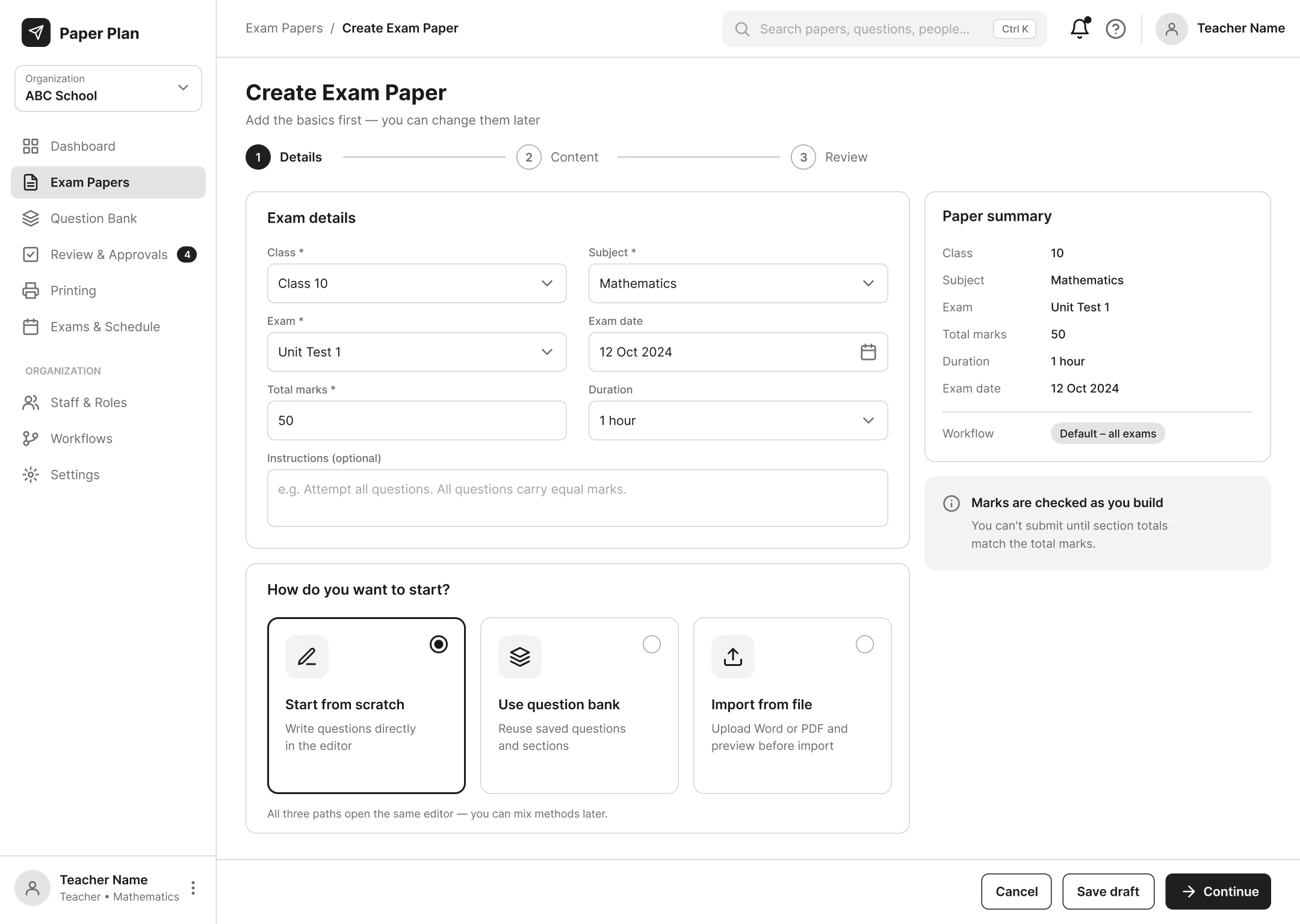
Details & method
Paper details and starting point on one page.
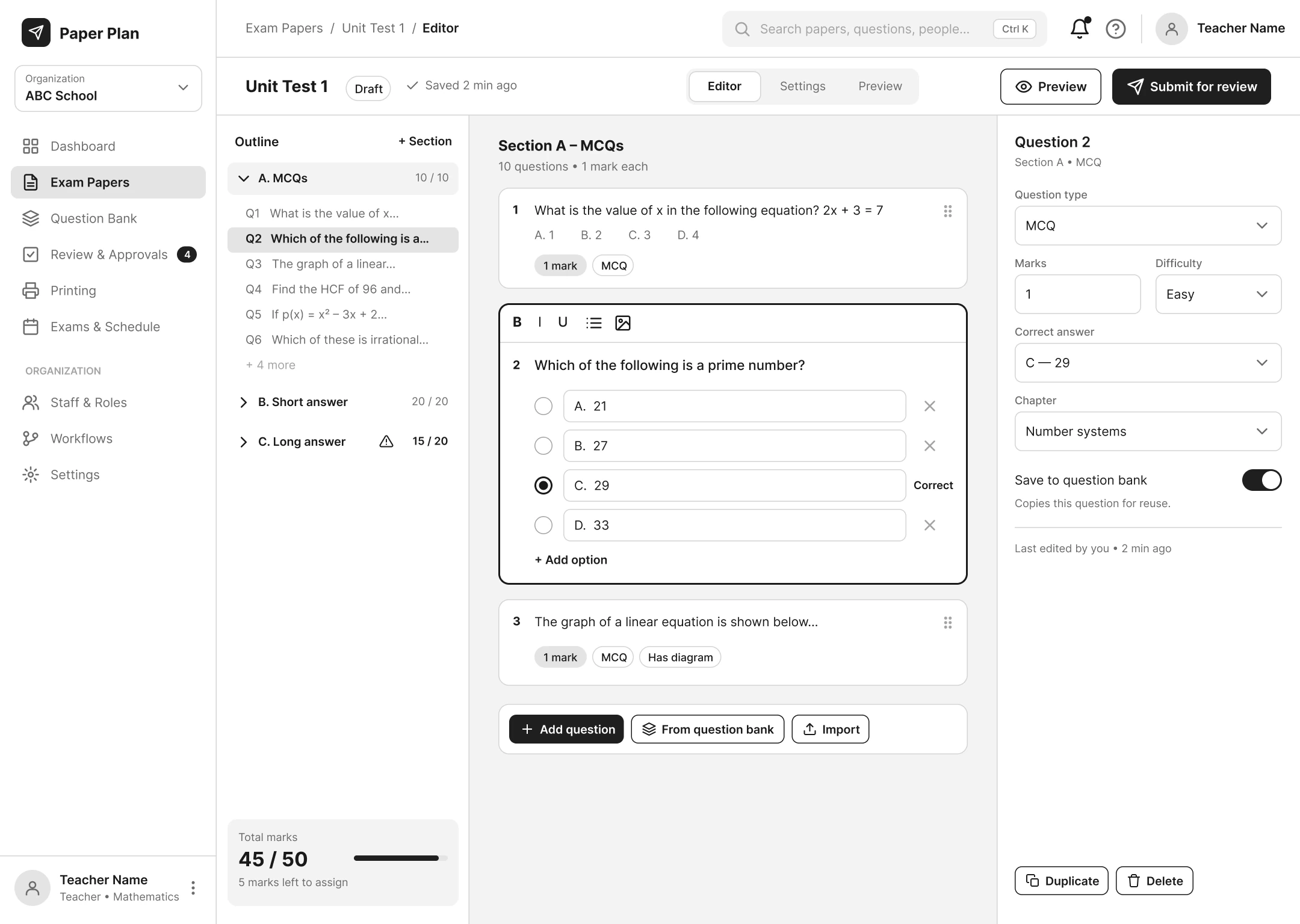
Paper editor
A wide workspace for long papers.
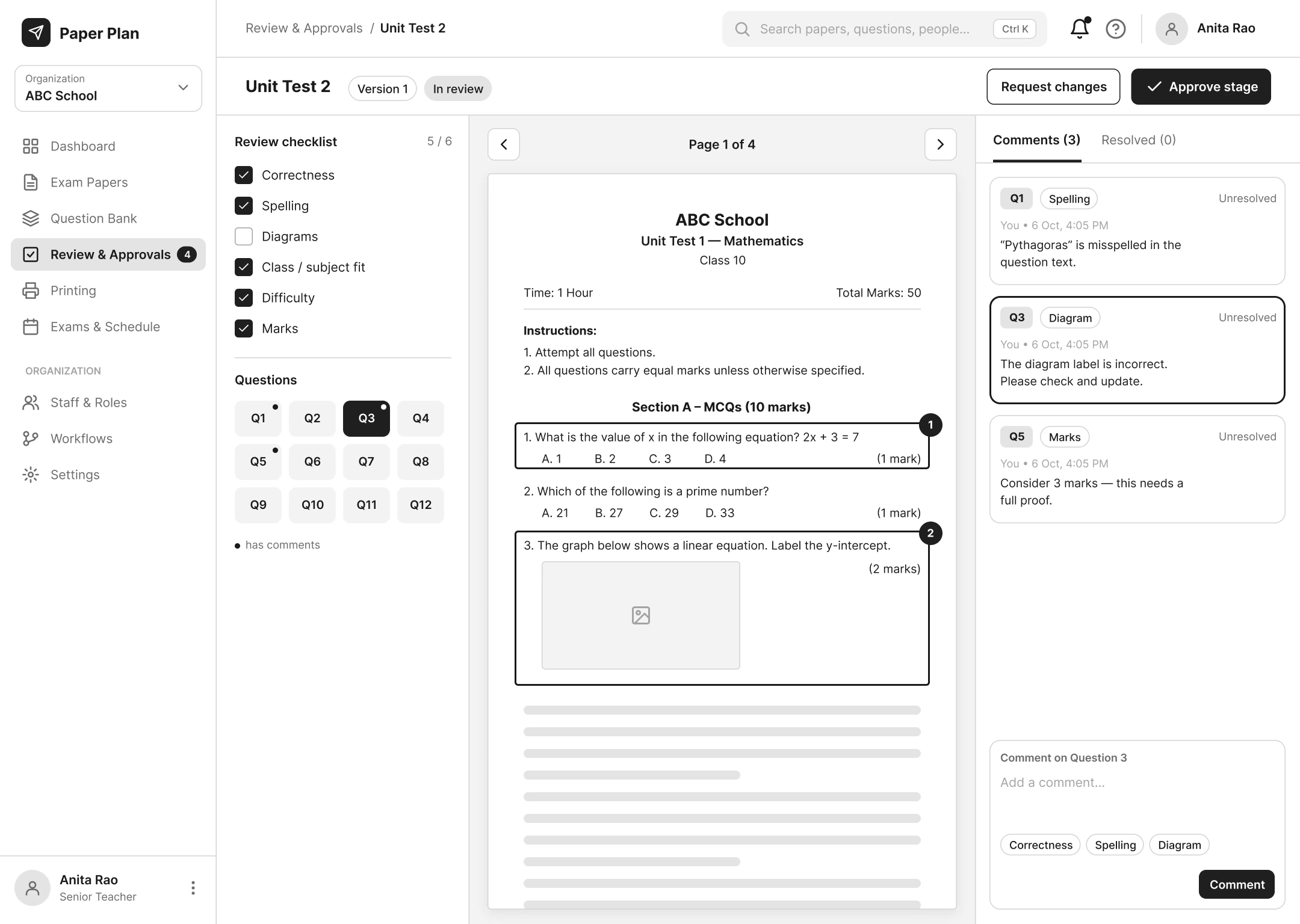
Review paper
Checklist, document and comments side by side.
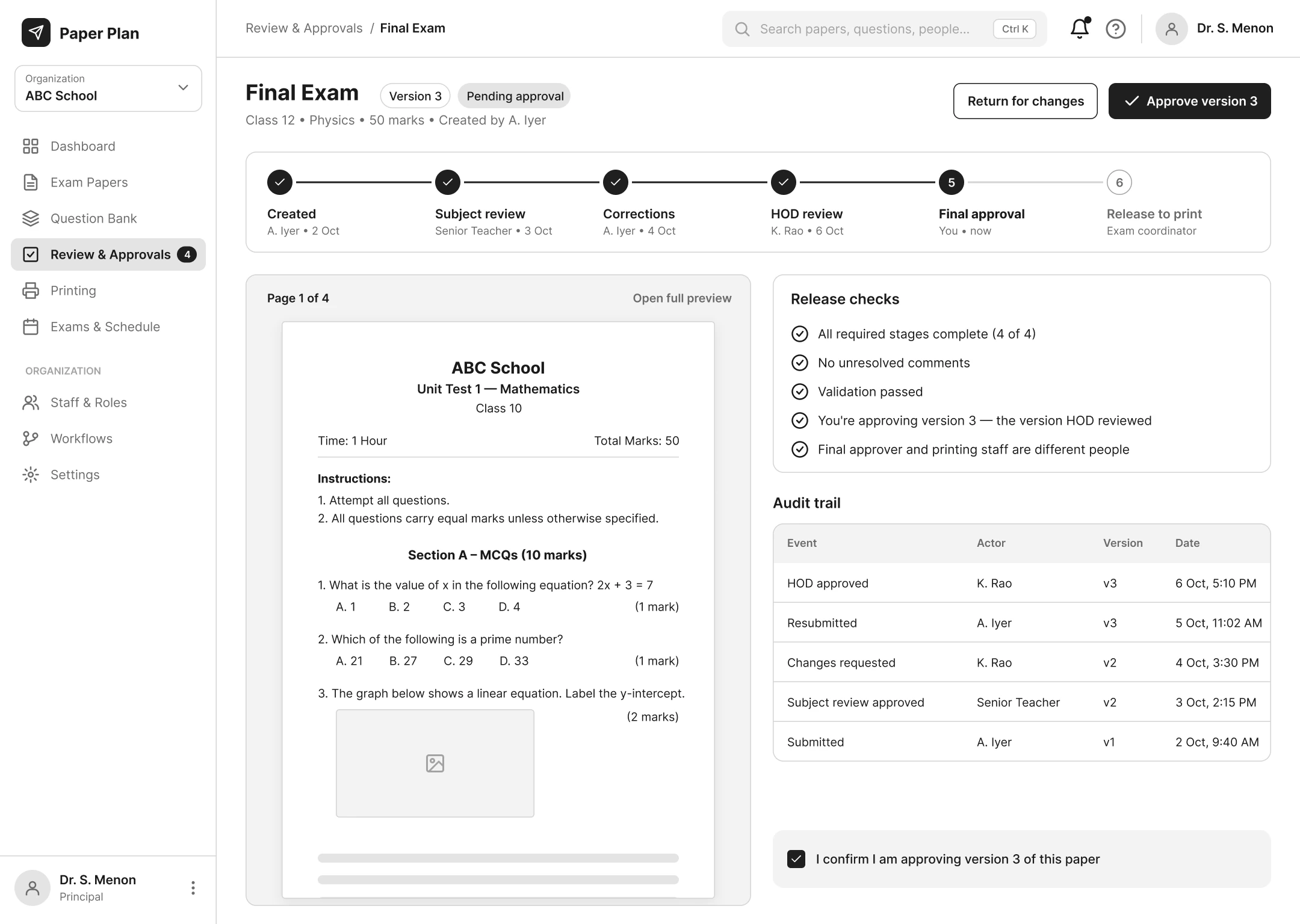
Final approval
Stages, release checks and history together.
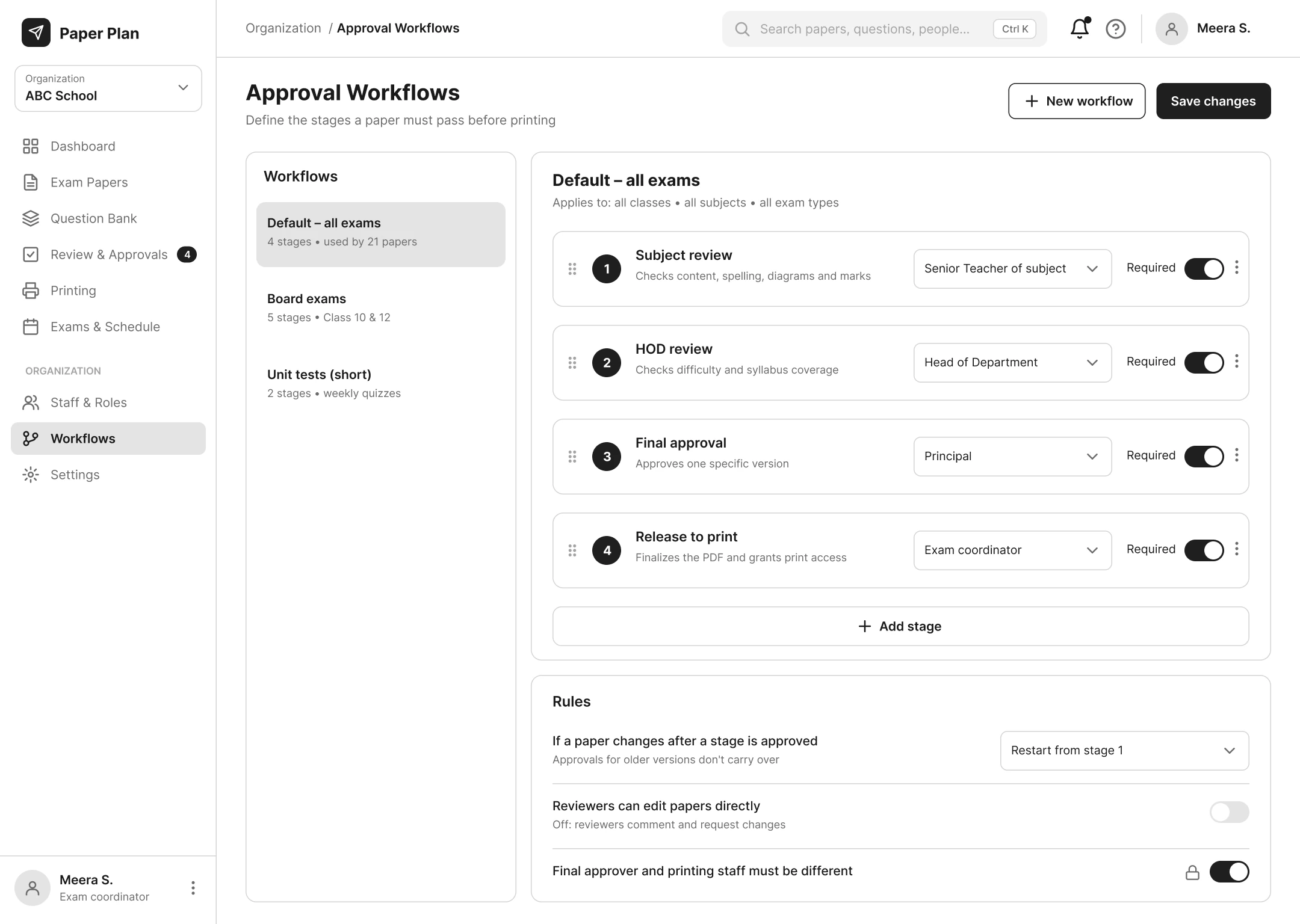
Approval workflows
Each school sets its own stages and owners.
Visual design
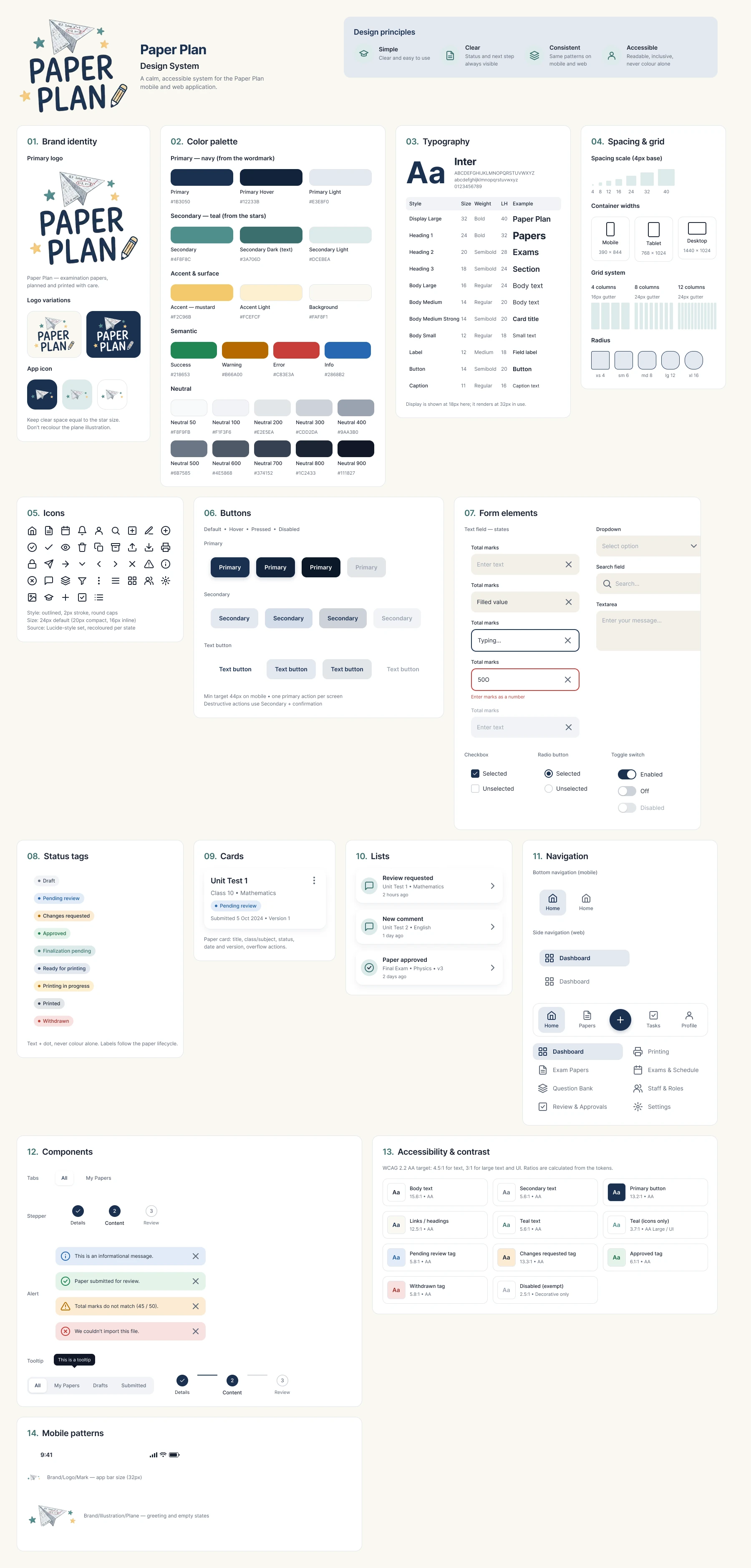
Calm, reliable and clear: a navy taken from the wordmark, teal from the stars and a warm mustard accent, on a warm paper-white canvas.
- Primary navy#1B3050
- Secondary teal#4F8F8C
- Accent mustard#F2C96B
- Background#FAF8F1
- Success#218653
- Warning#B66A00
- Error#C83E3A
- Info#2868B2
Hierarchy rules
- One dominant primary action per screen where possible.
- Status tags use text plus a dot, never colour alone.
- Paper identity (exam, class, subject, version) stays visible during review and approval.
- Feedback shows the question, author, time and resolution state.
- Destructive actions are kept apart and always confirmed.
Mobile screens
Mobile-first: 45 screens covering creation, review, approval, printing, error states and role dashboards. These follow one paper end to end.
Dashboard
Today's tasks, upcoming exams and paper status at a glance.
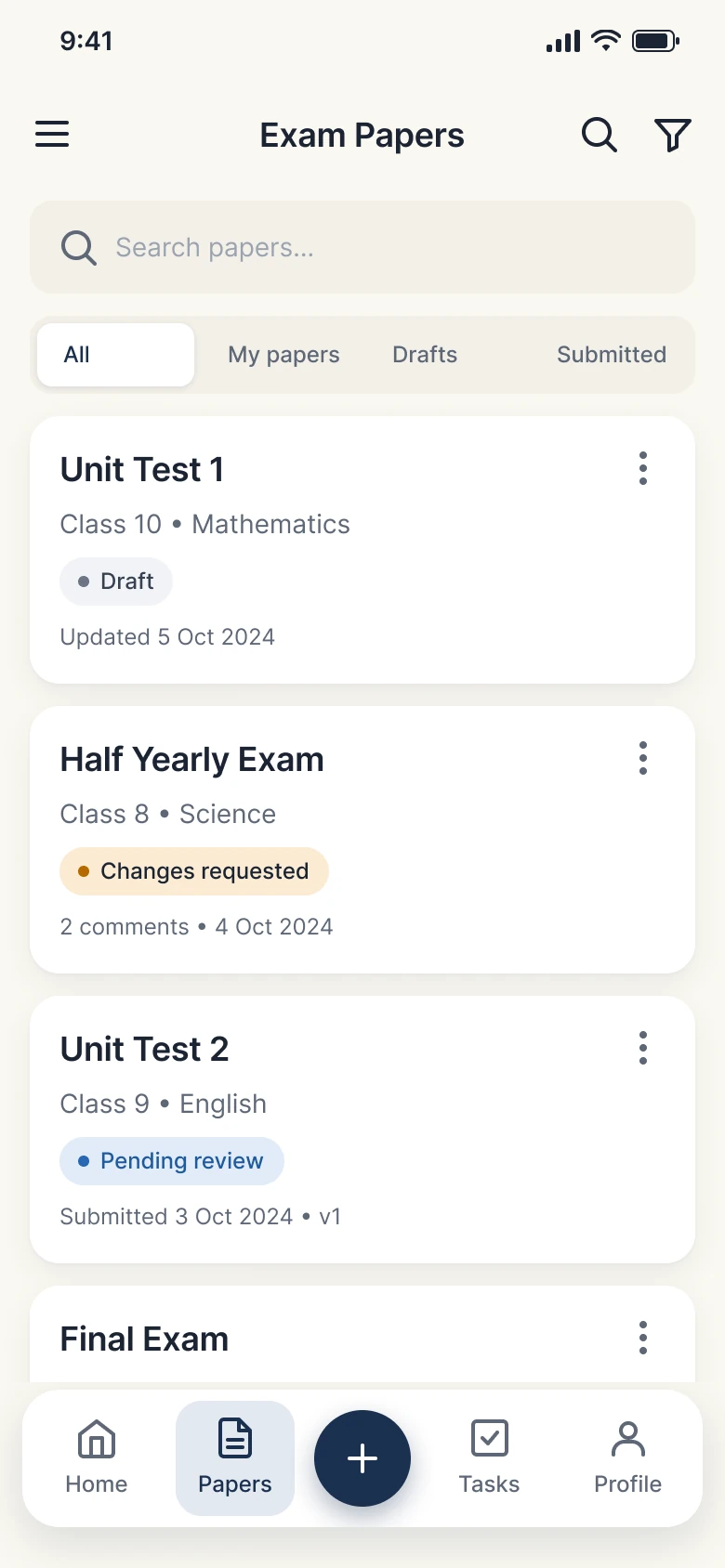
Exam papers
Search and filter papers; every card shows its status.
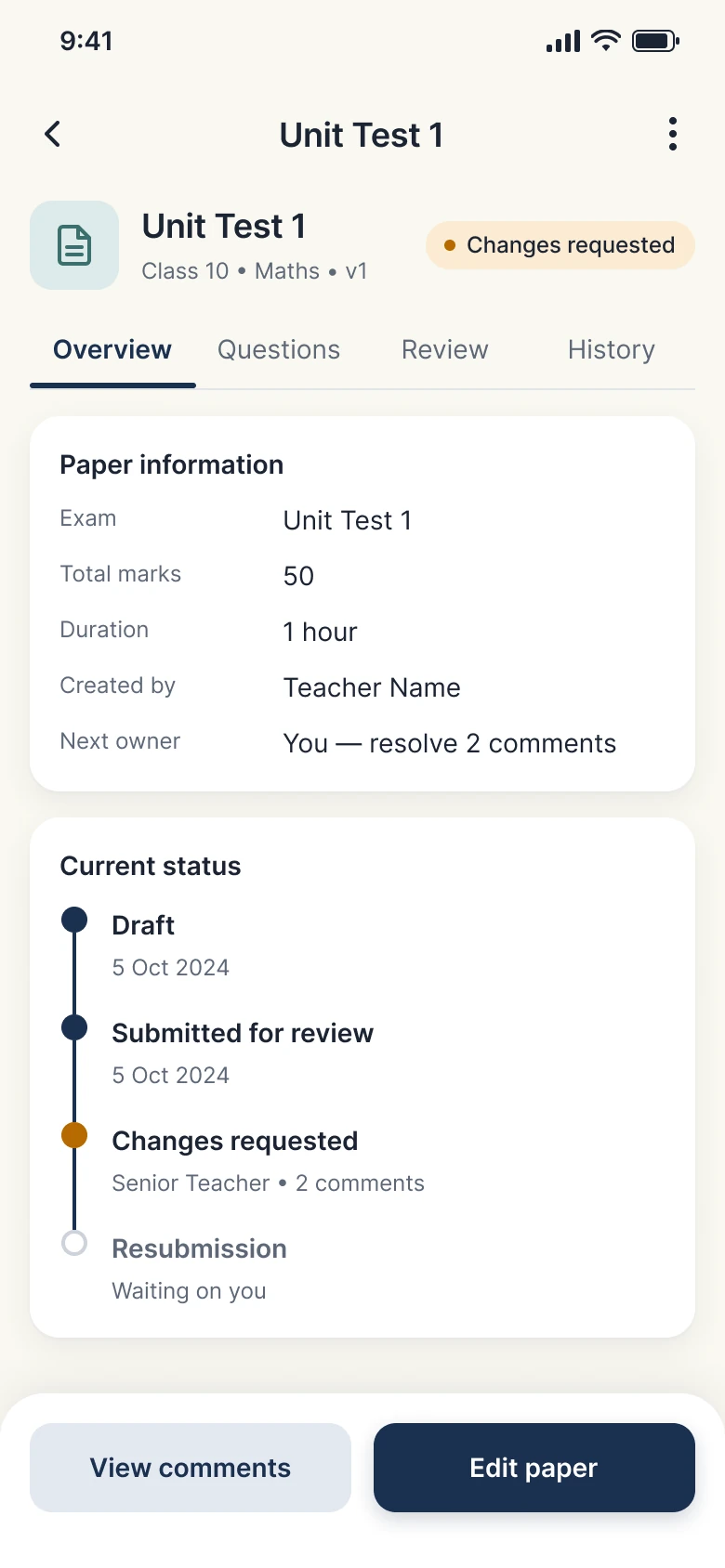
Paper details
One source of truth for a paper's identity, owner and timeline.
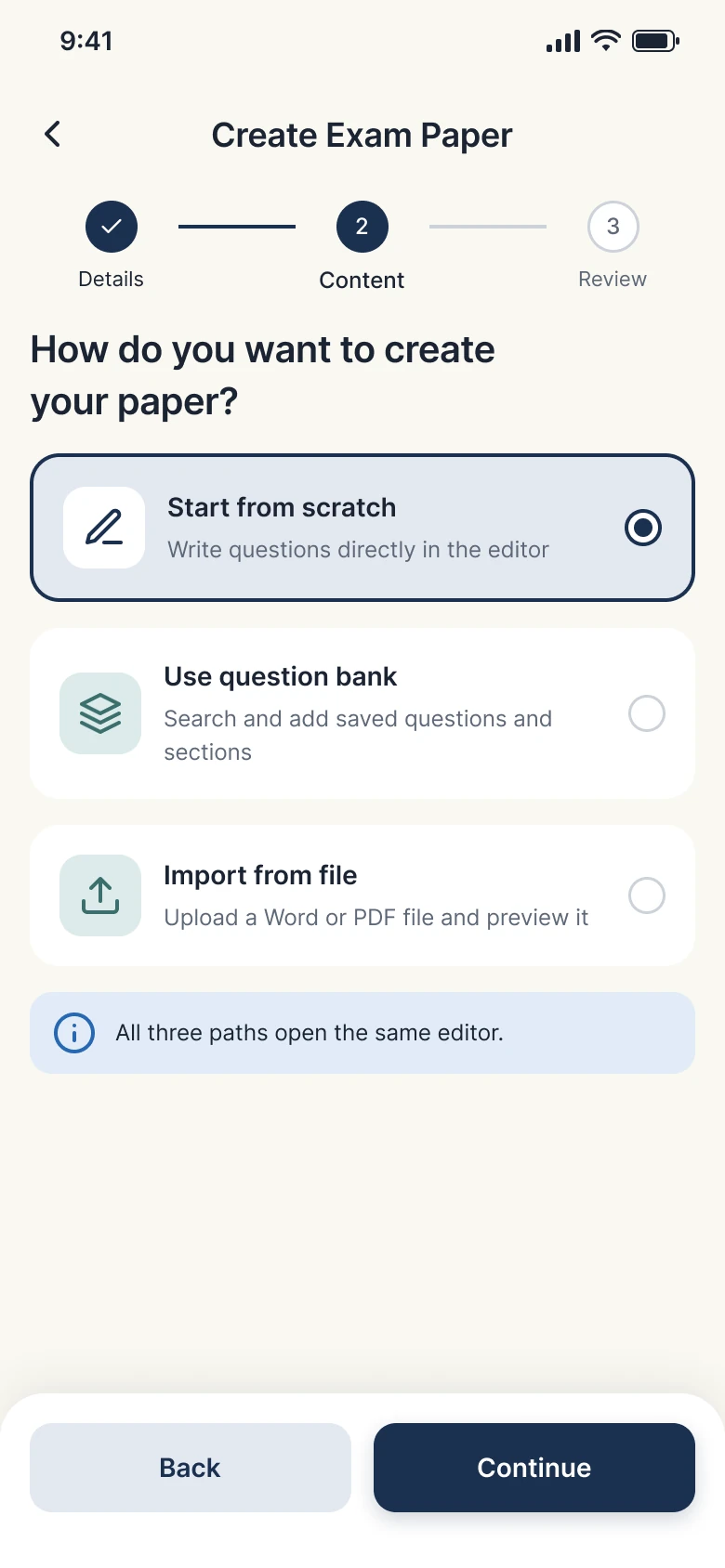
Creation method
Start from scratch, the question bank or a file, all into one editor.
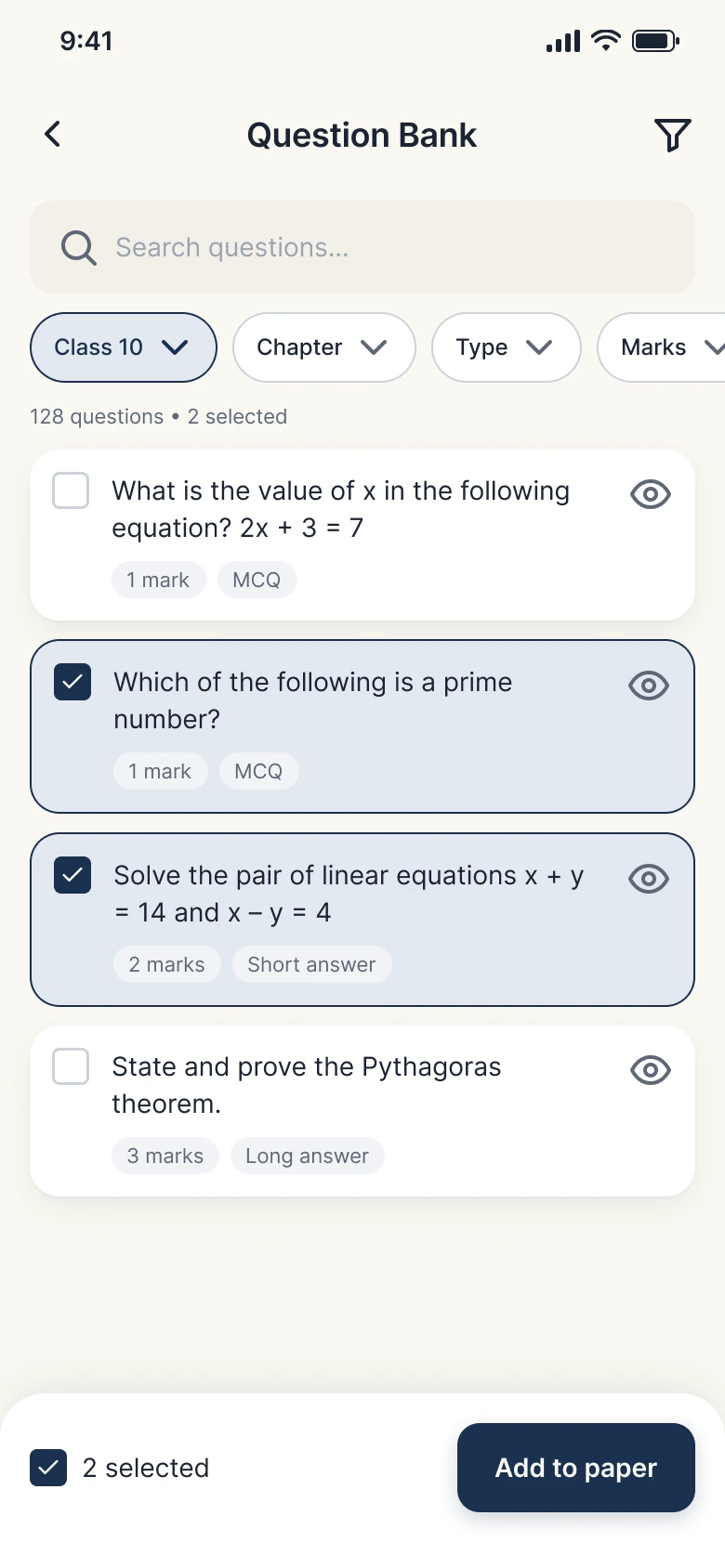
Question bank
Find and reuse questions by class, chapter, type and marks.
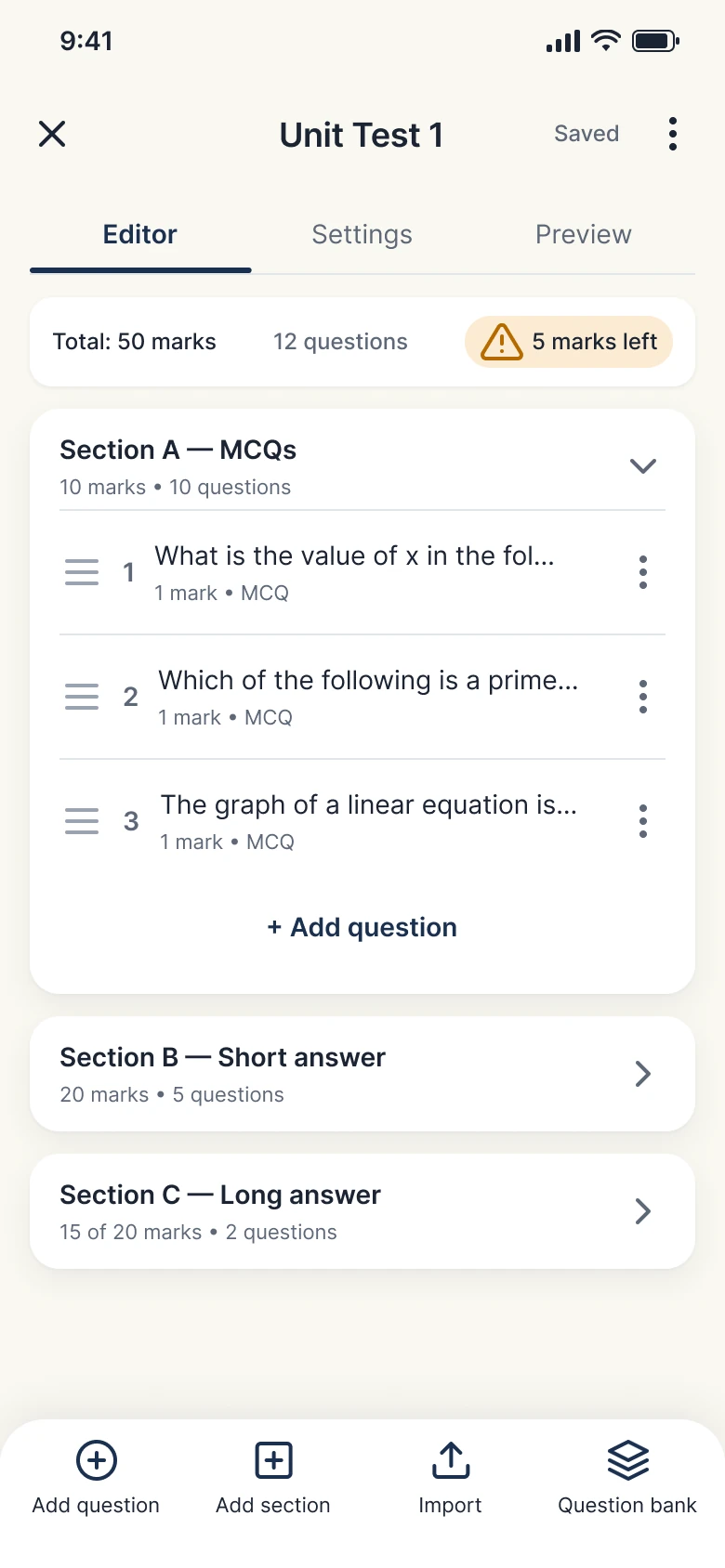
Paper editor
Sections, questions and live mark totals, with autosave.
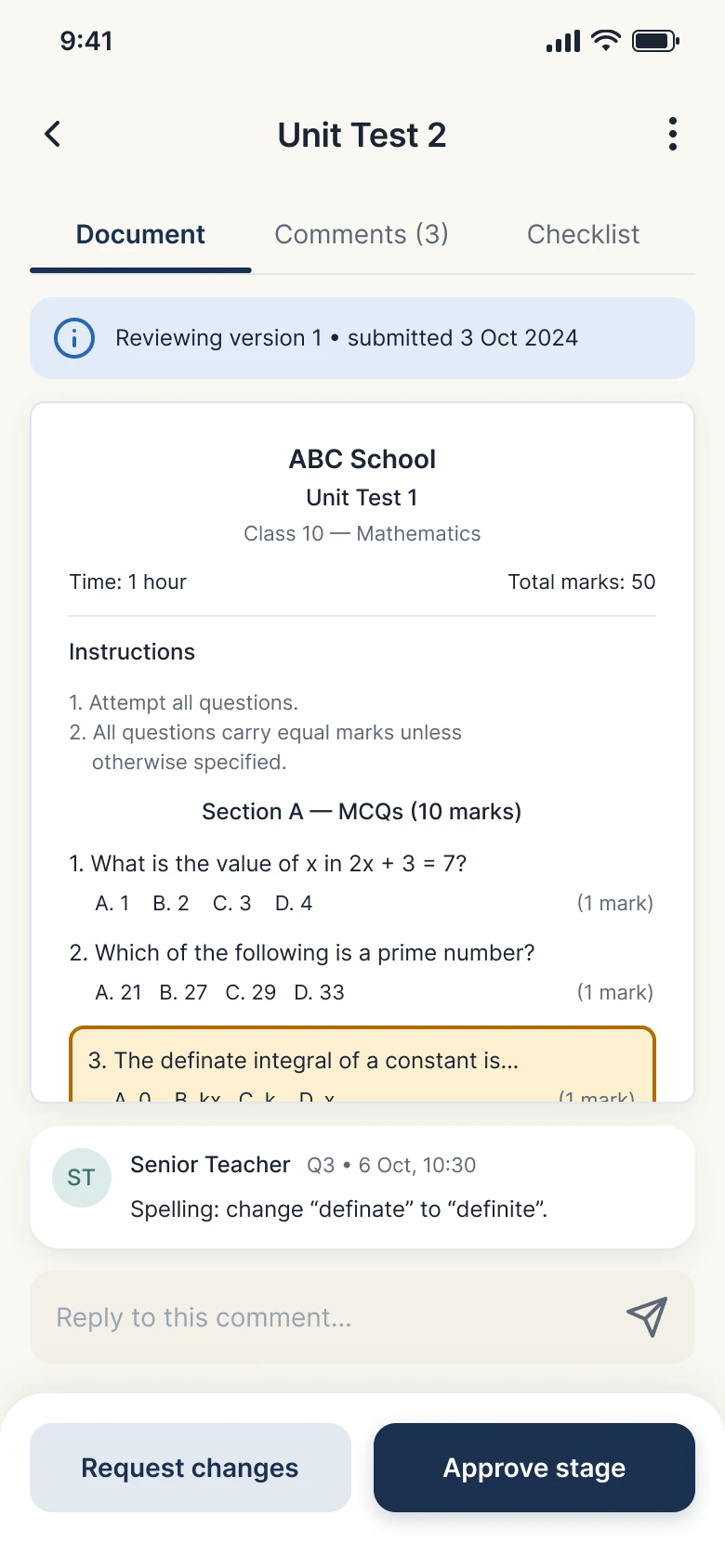
Review & corrections
Comments tied to exact questions, with a review checklist.
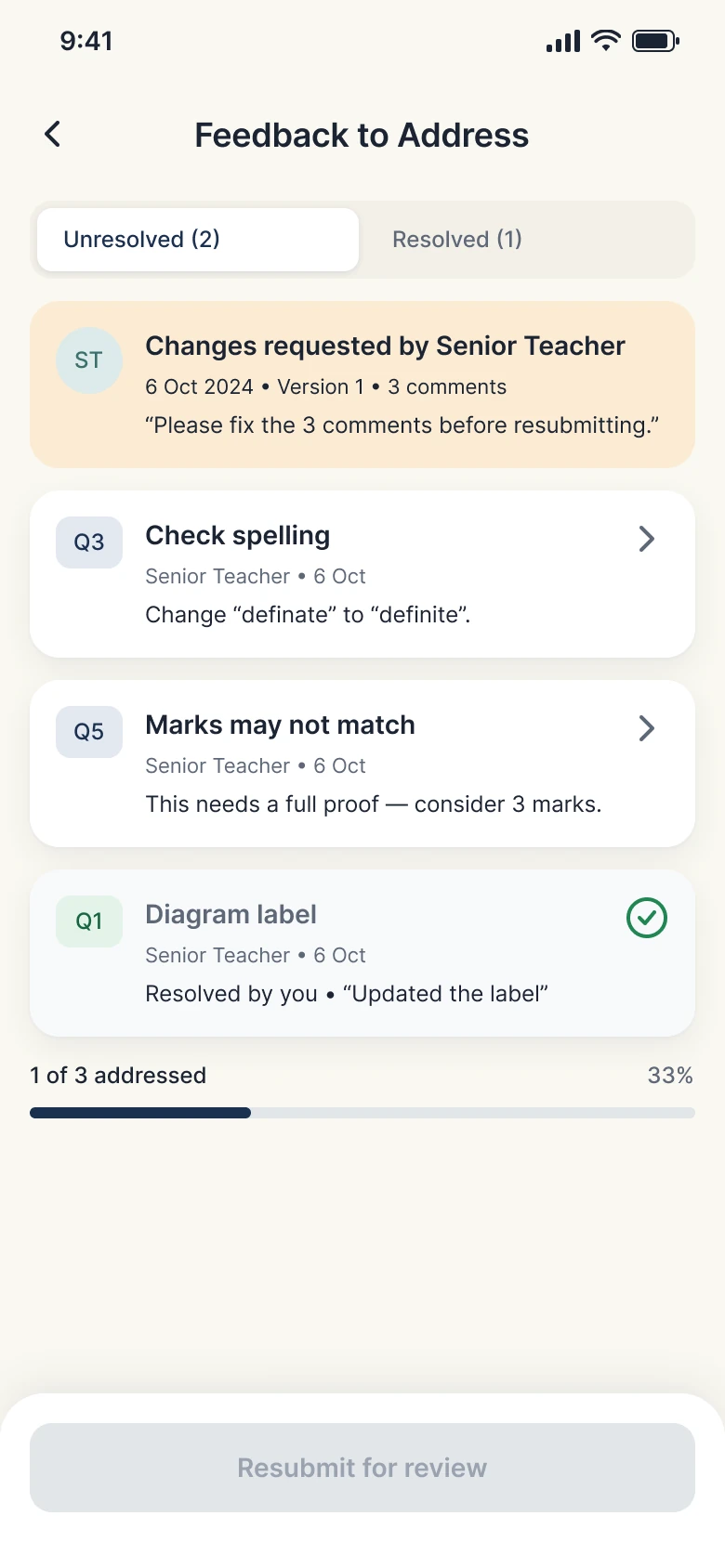
Corrections list
Pending and resolved items kept apart before resubmitting.
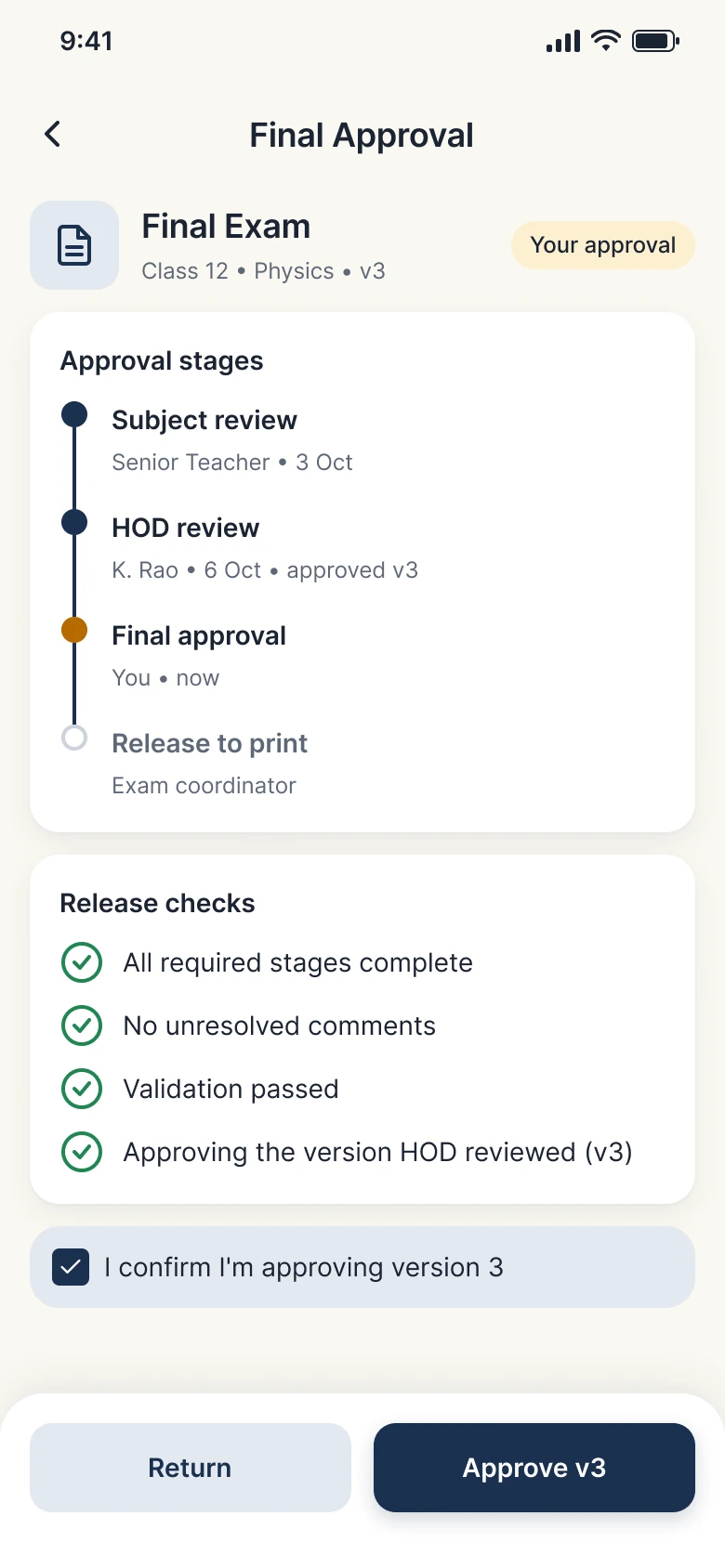
Final approval
Approve a specific version, with its full review history.
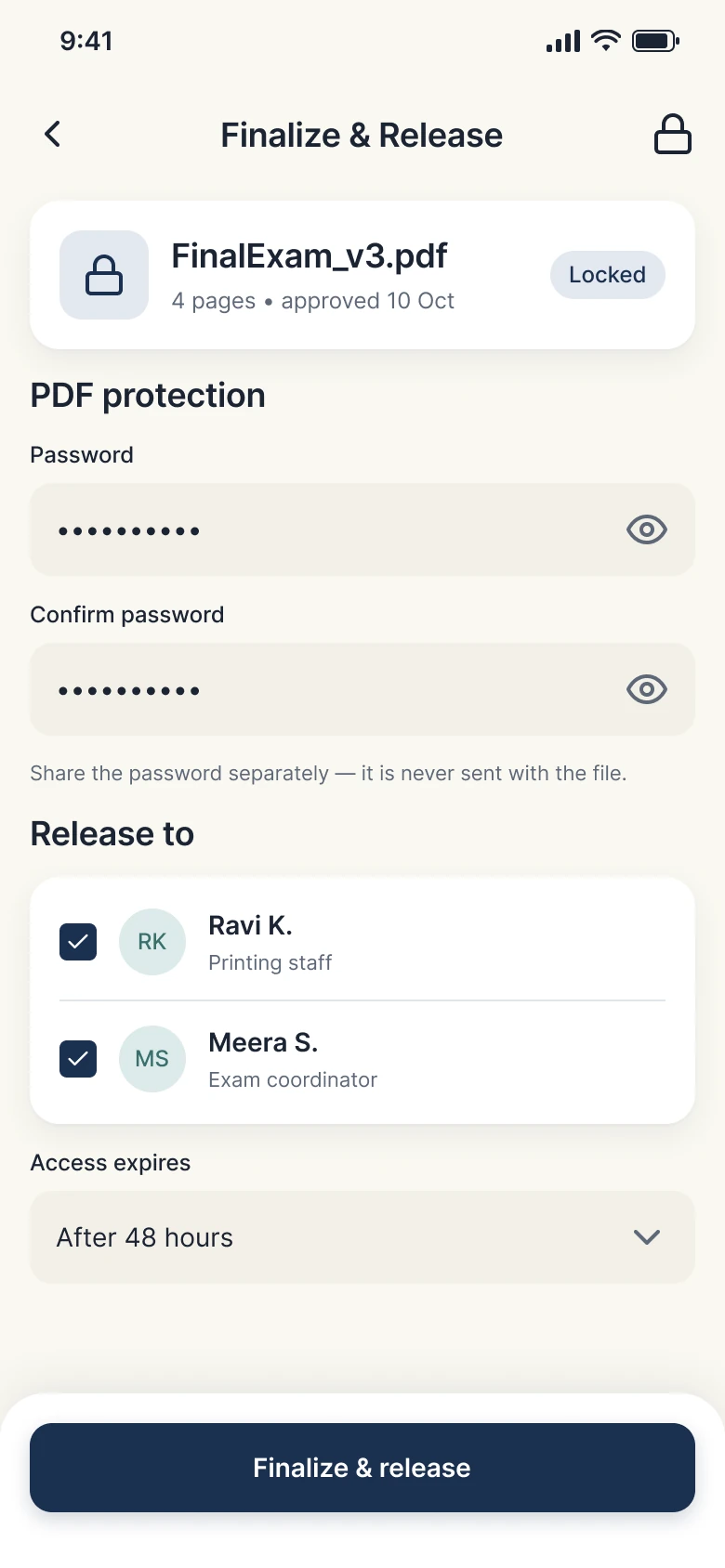
Secure finalisation
Lock the approved version and control who receives it.
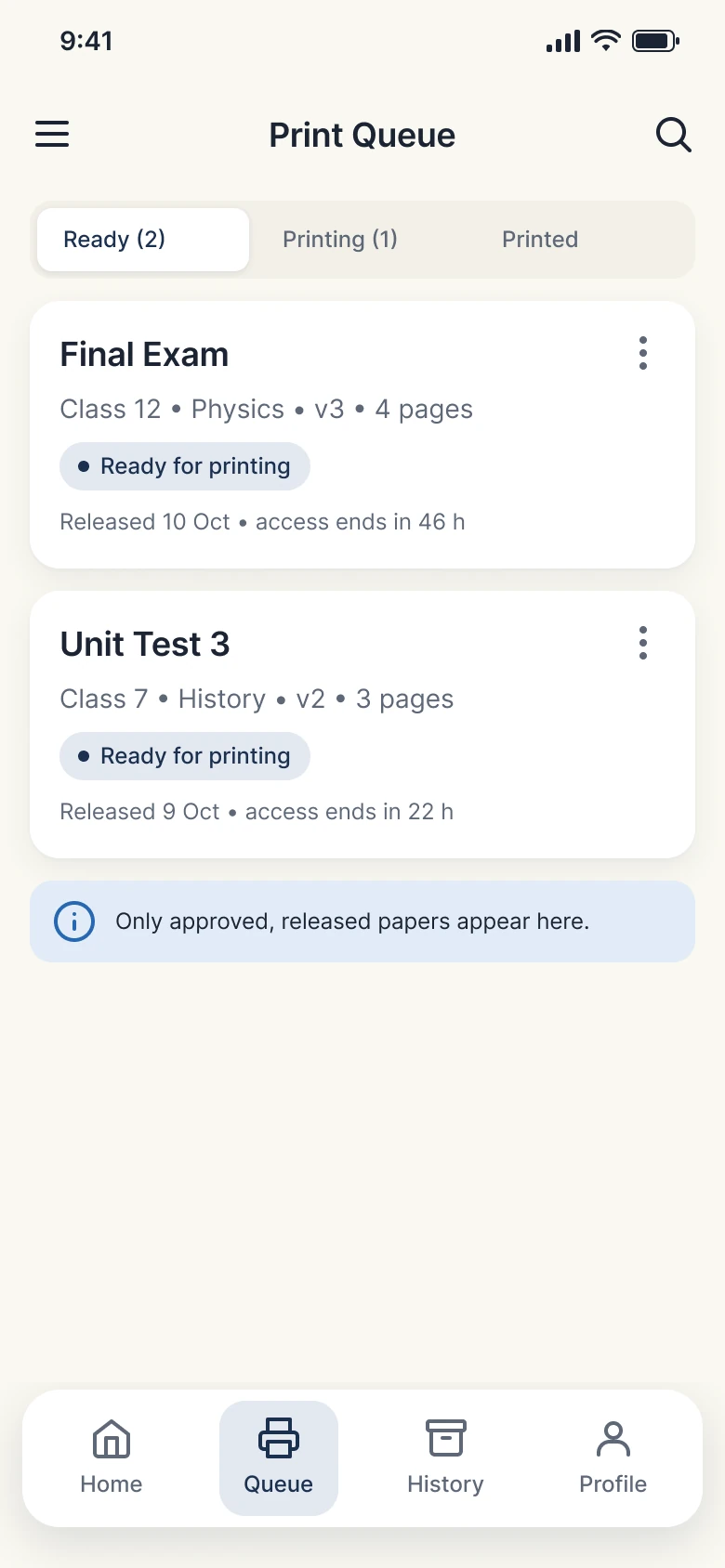
Print queue
Only released papers reach printing staff.
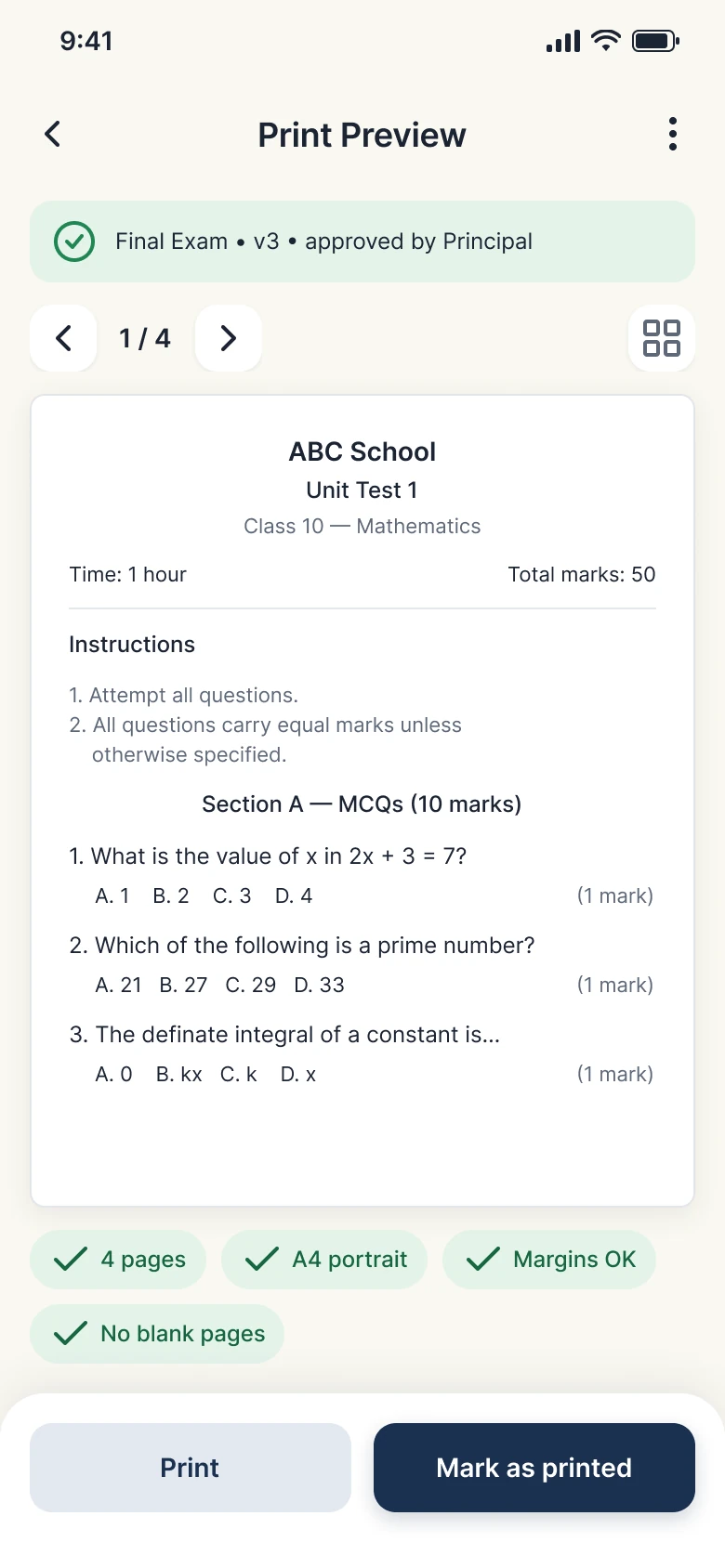
Print preview
Catch layout problems before anything is printed.
Web screens
The same core jobs on 41 web screens, with more room for long papers, side-by-side review and workflow setup. Parity means the same jobs and data, not identical layouts.
Dashboard
Tasks, upcoming exams and recent papers in one view.
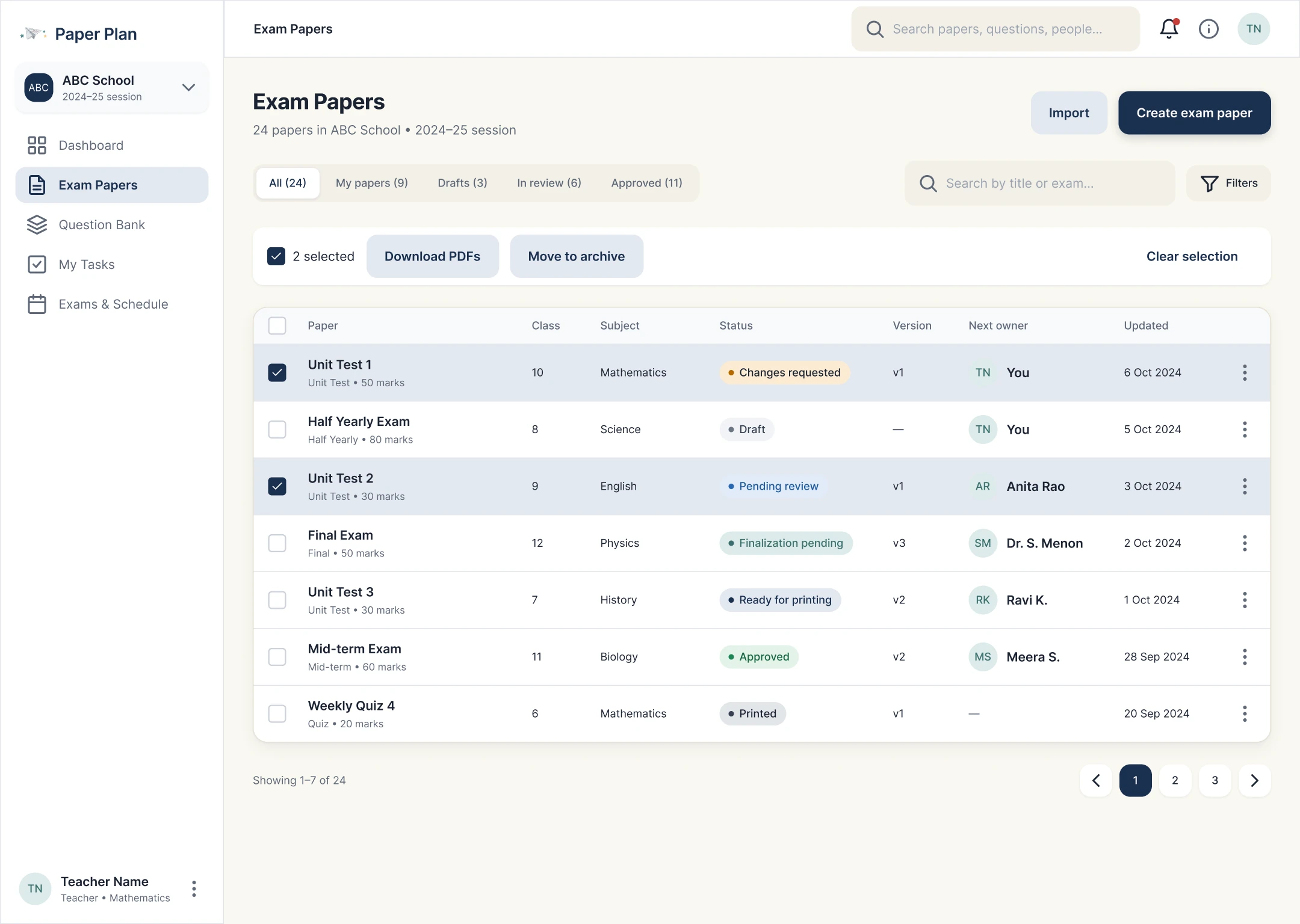
Exam papers
A filterable table of every paper, its status and version.
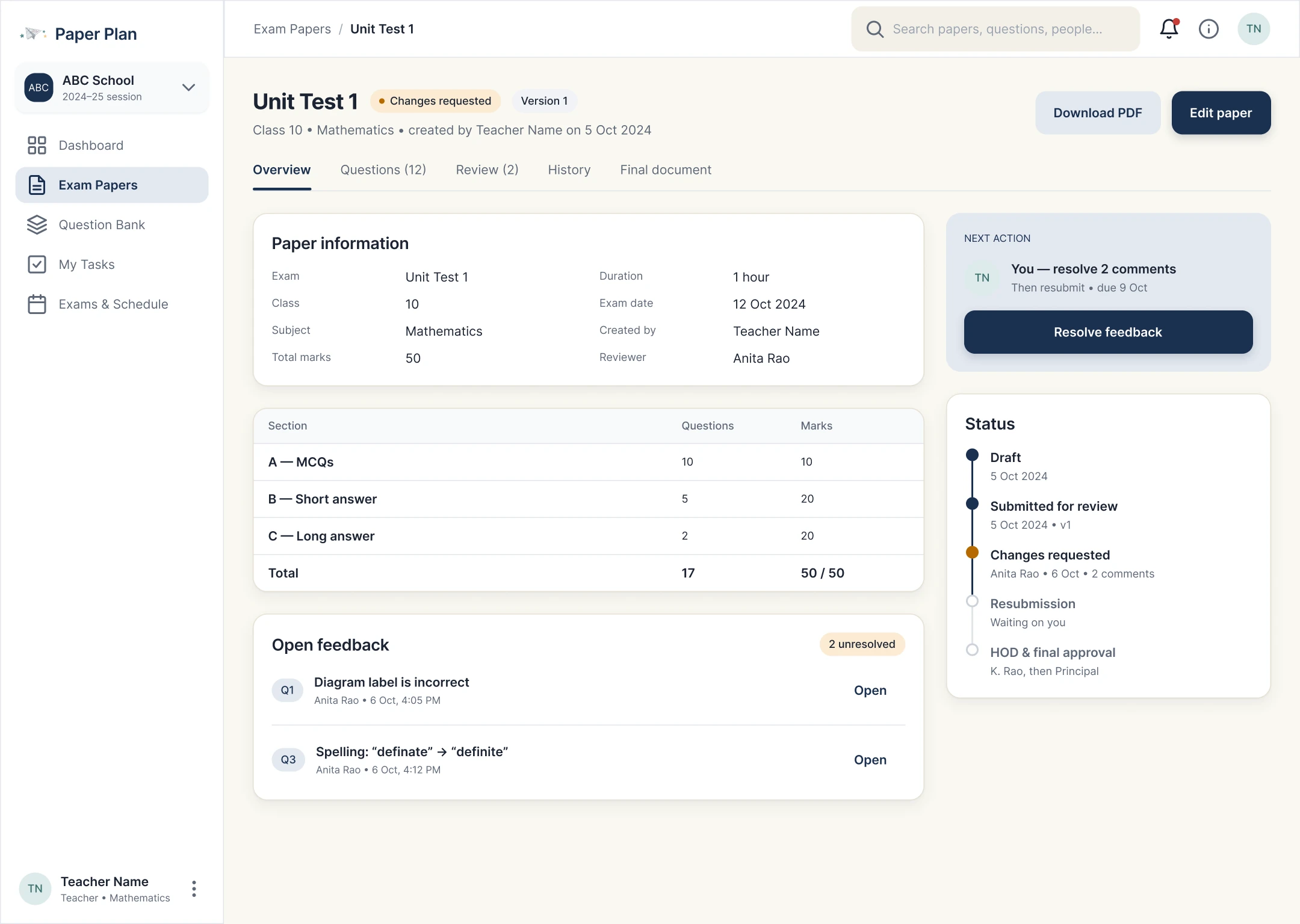
Paper overview
Identity, next owner and lifecycle for one paper.
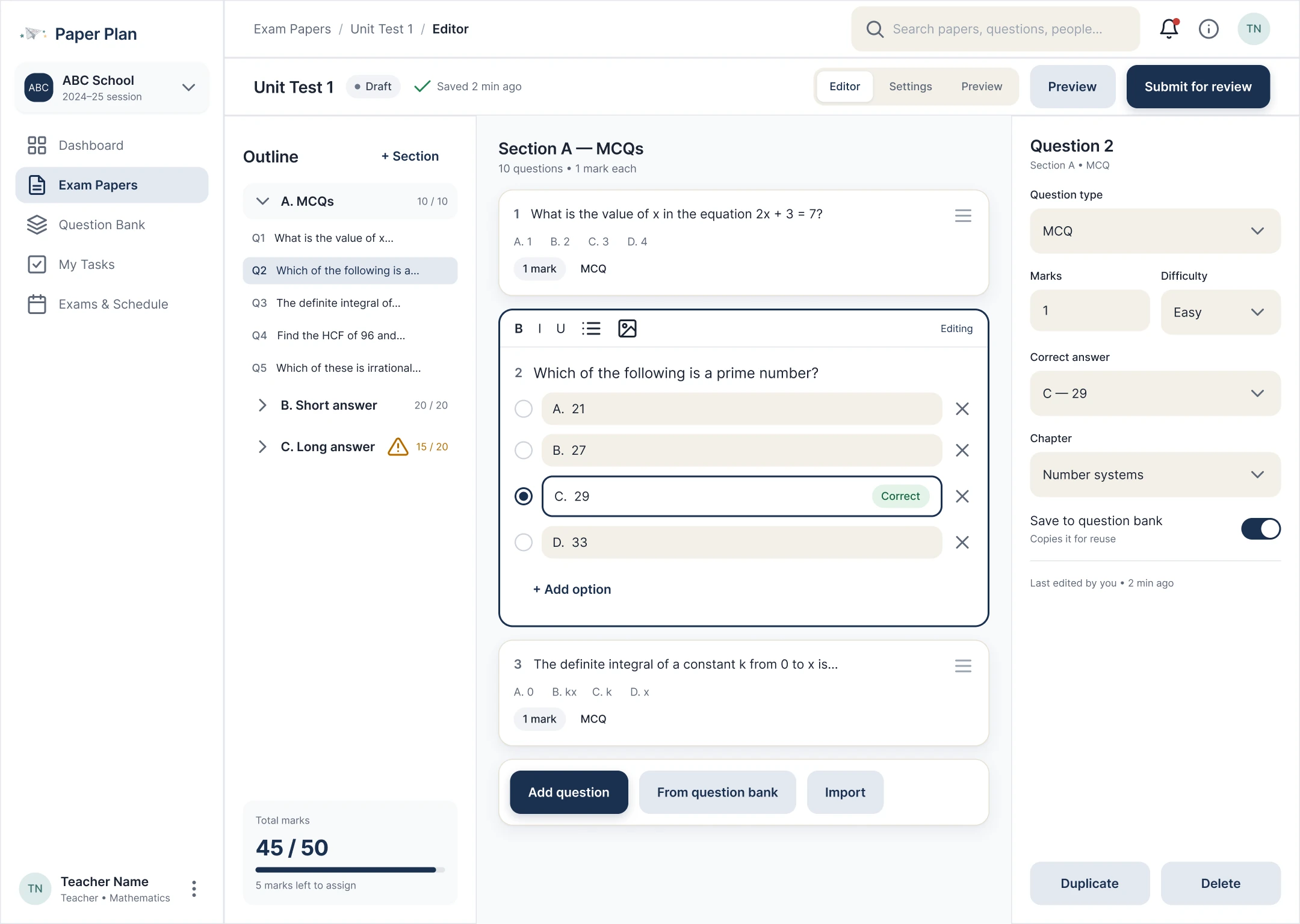
Paper editor
A wide workspace for long papers and sections.
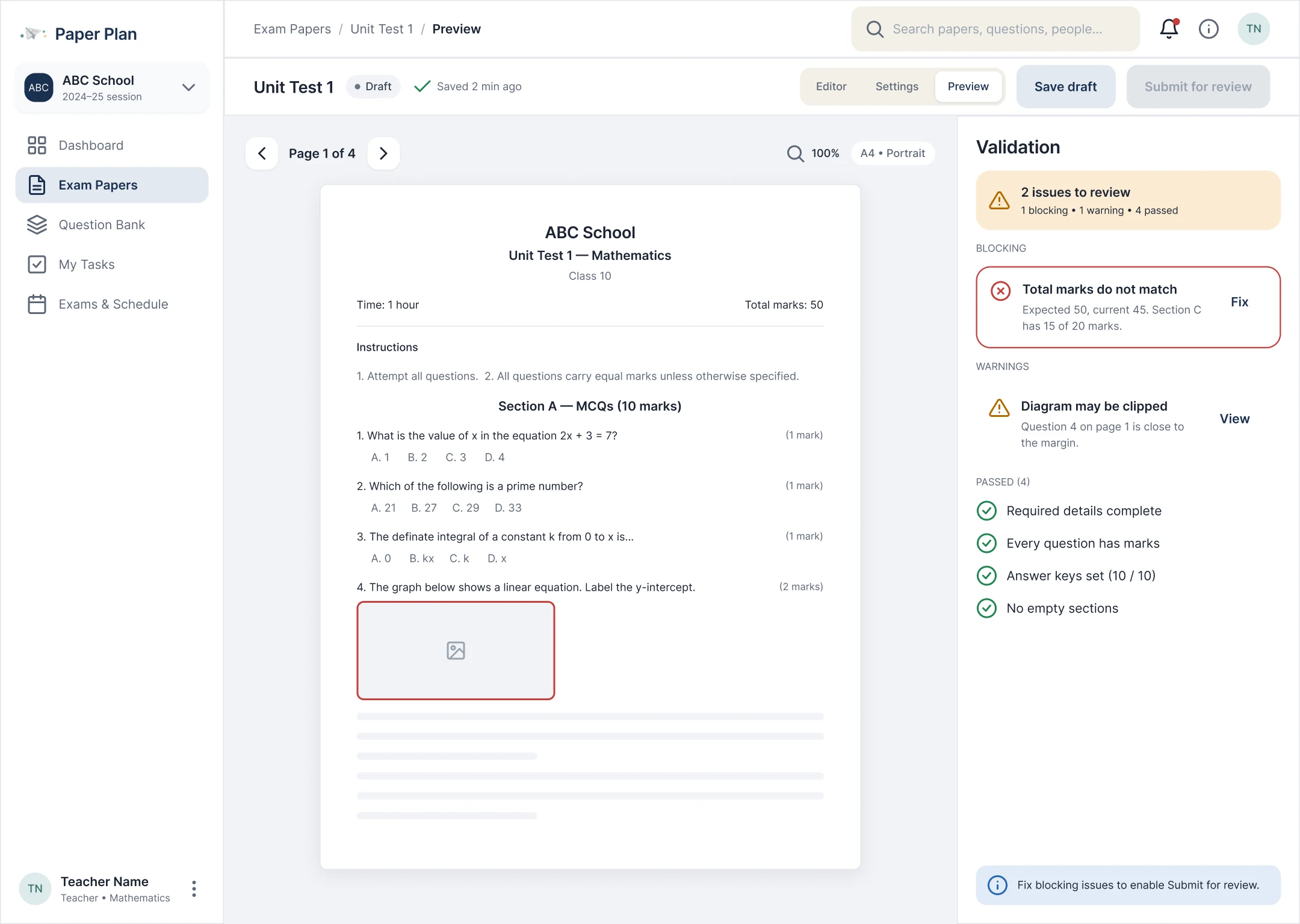
Preview & validation
The likely printed page beside its validation checks.
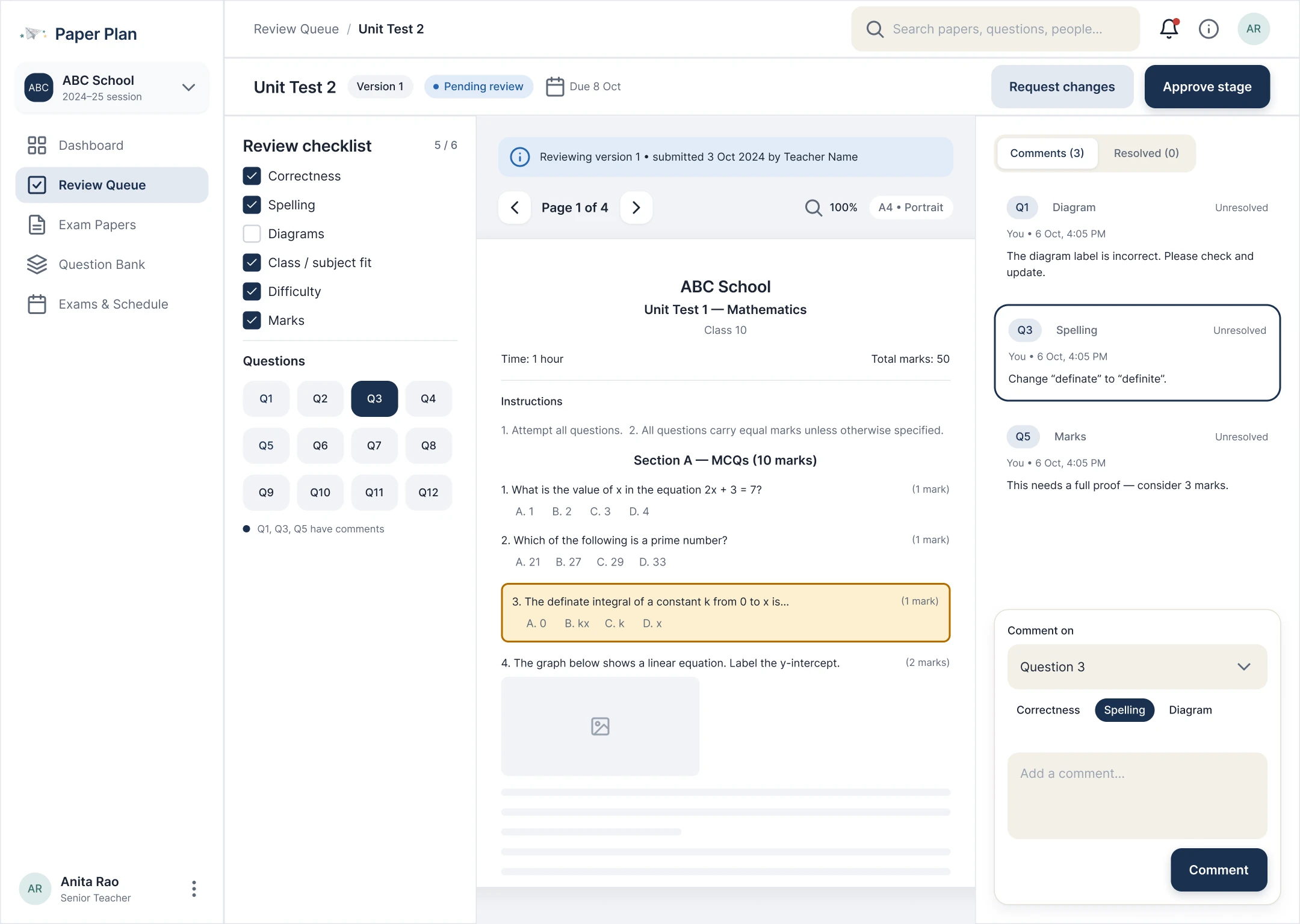
Review paper
The document and comments side by side.
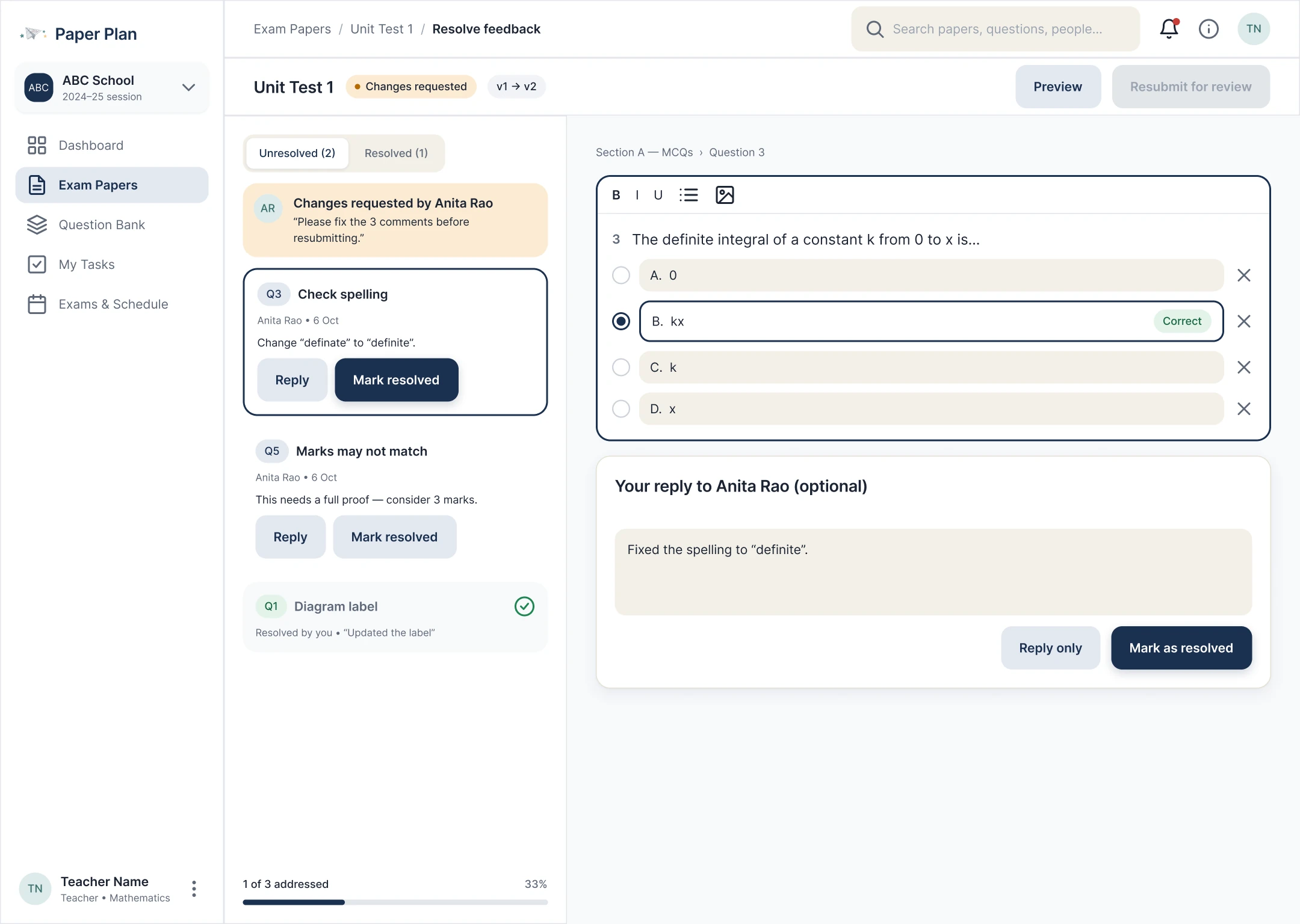
Resolve feedback
Work through each comment and mark it addressed.
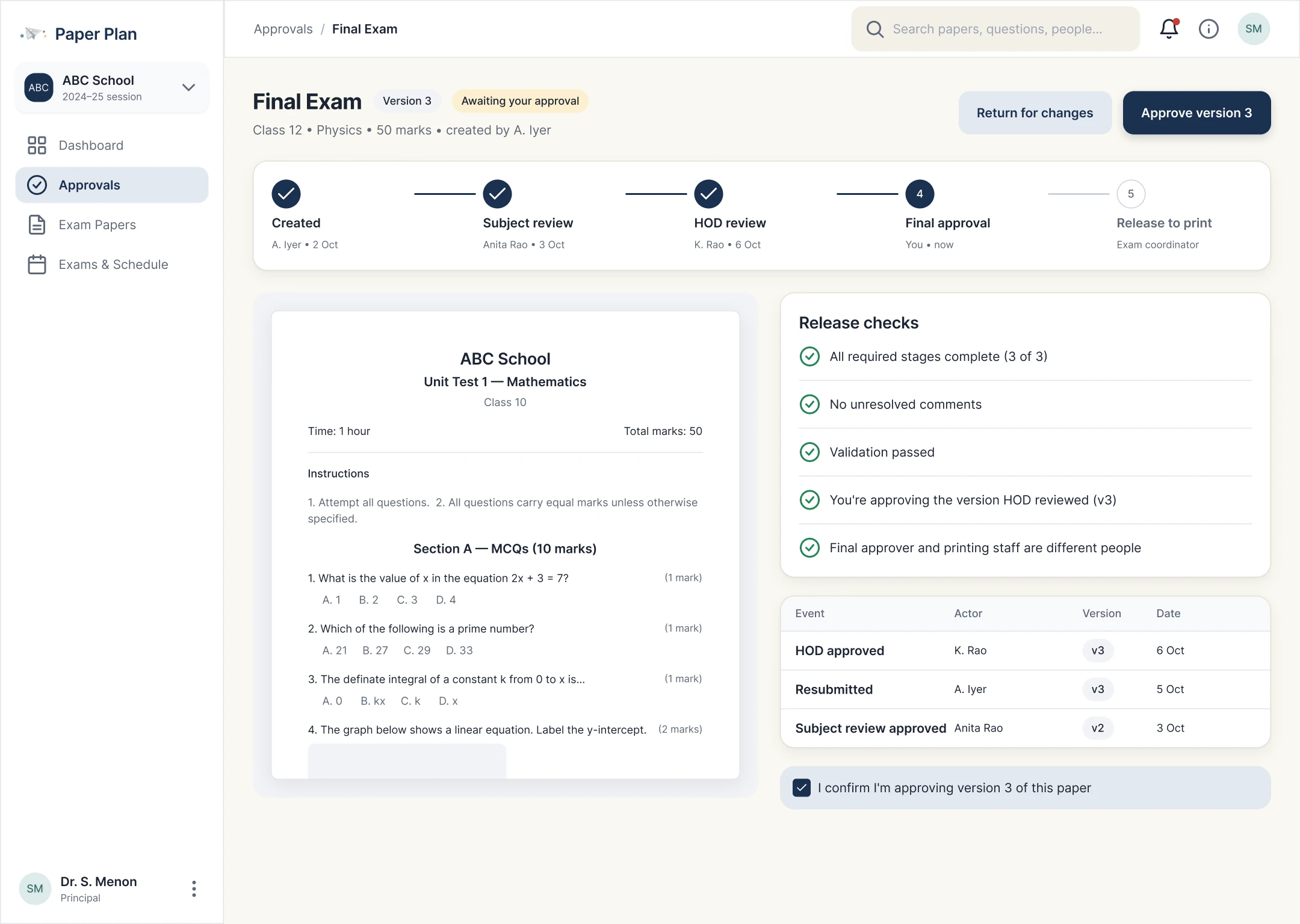
Final approval
Release checks and approval history before deciding.
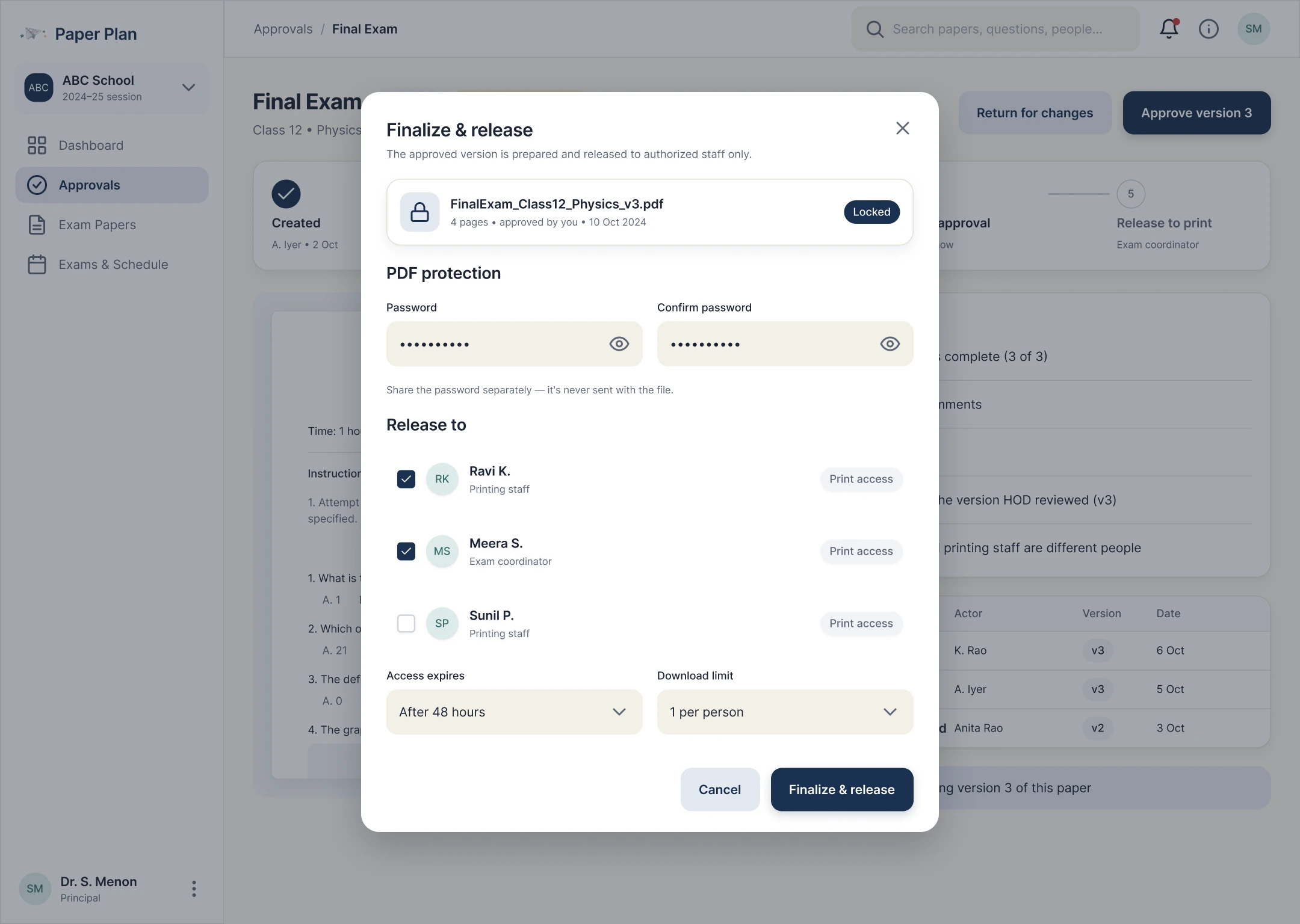
Finalise & release
Choose recipients and release the locked version.
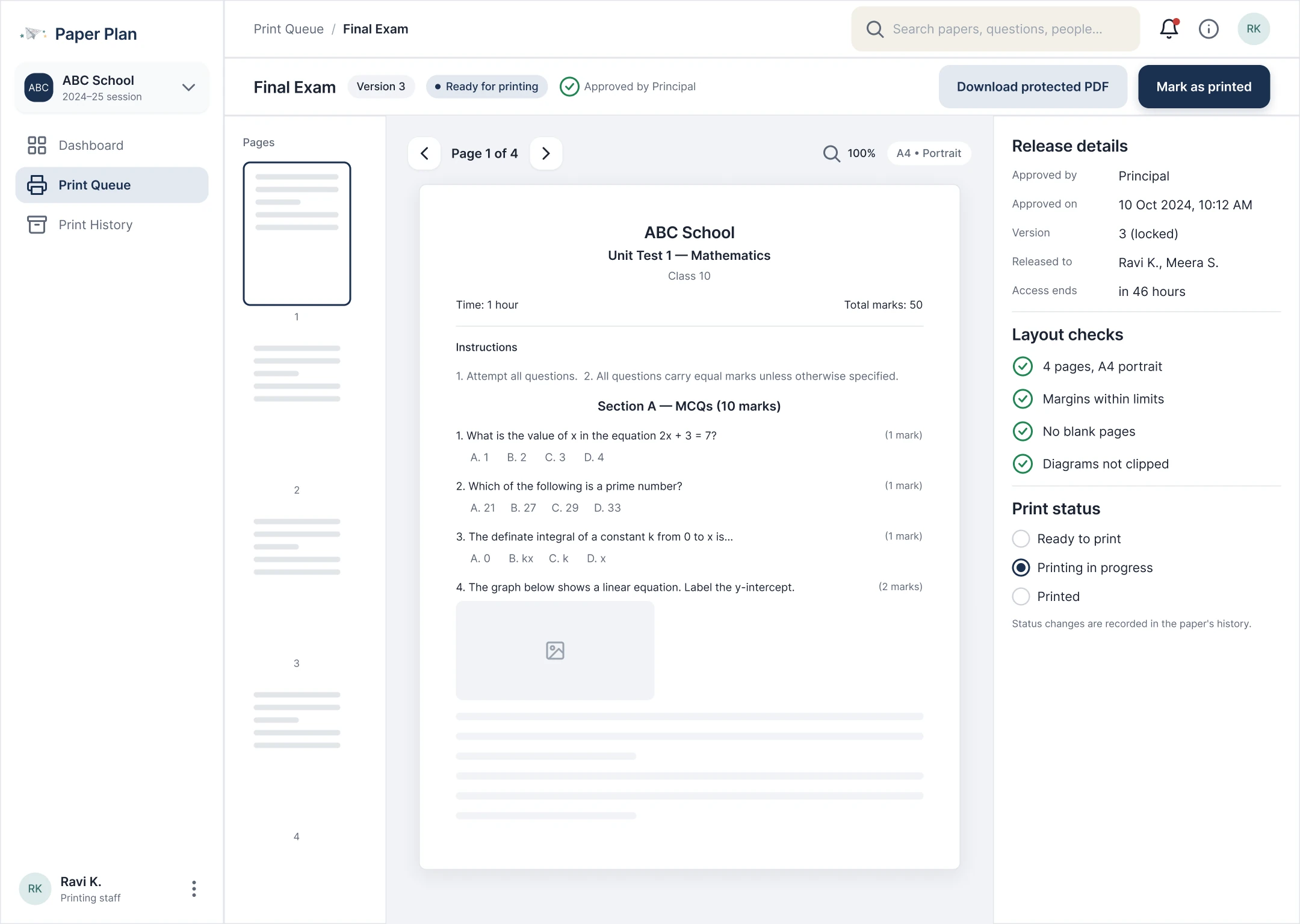
Print preview
Pages, margins and breaks checked before printing.
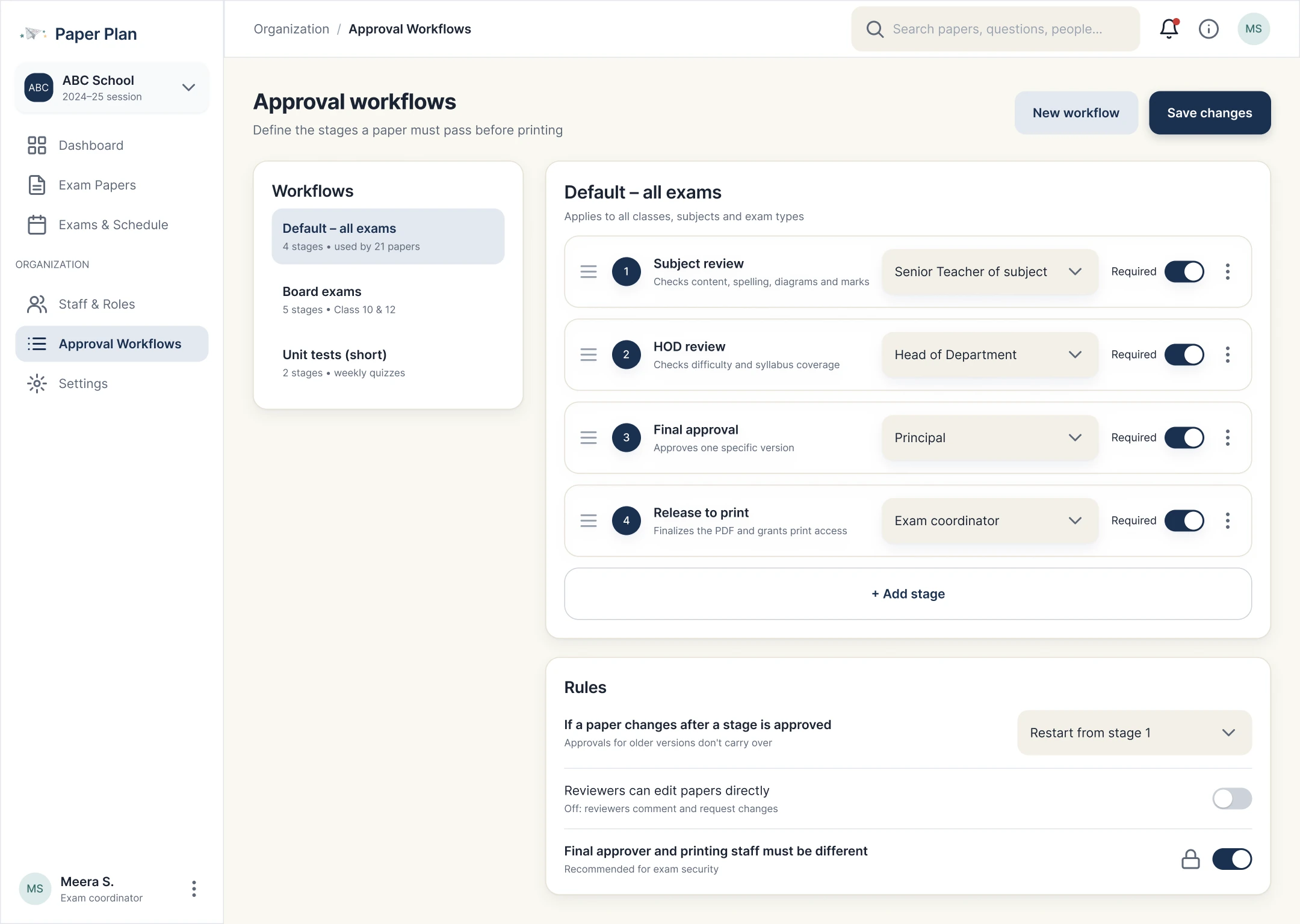
Approval workflows
Each school configures its own stages and owners.
When things go wrong
- Login
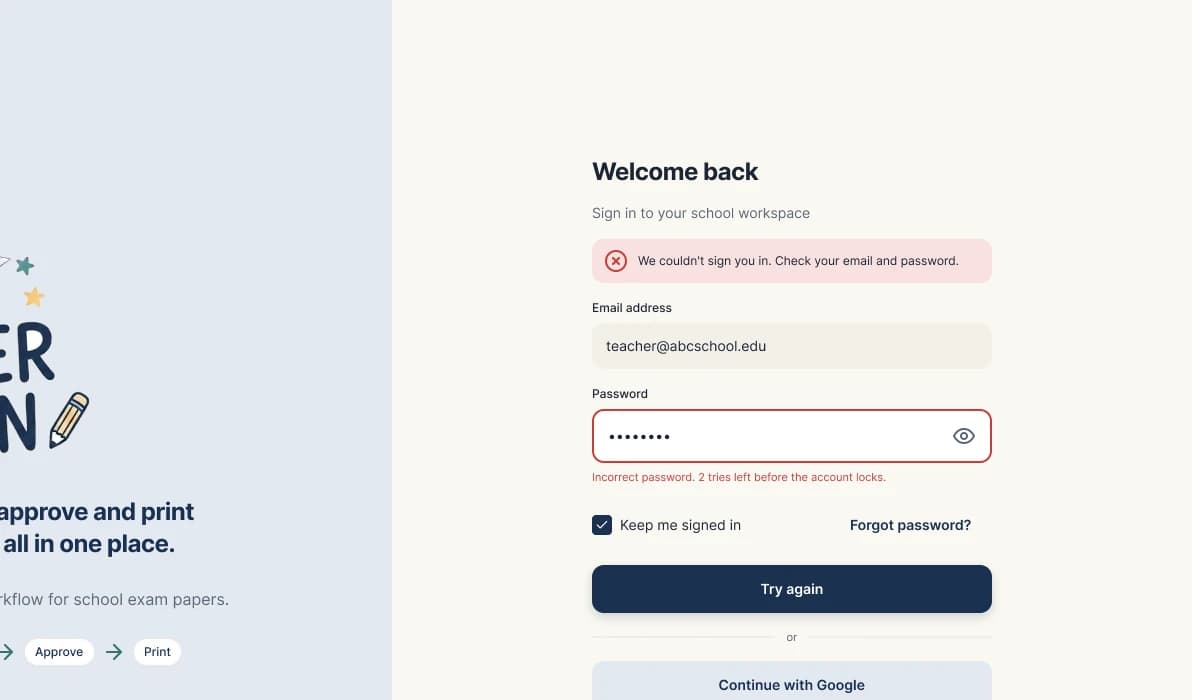
Sign-in error
Says what went wrong and how to recover, without exposing account details.
- Create
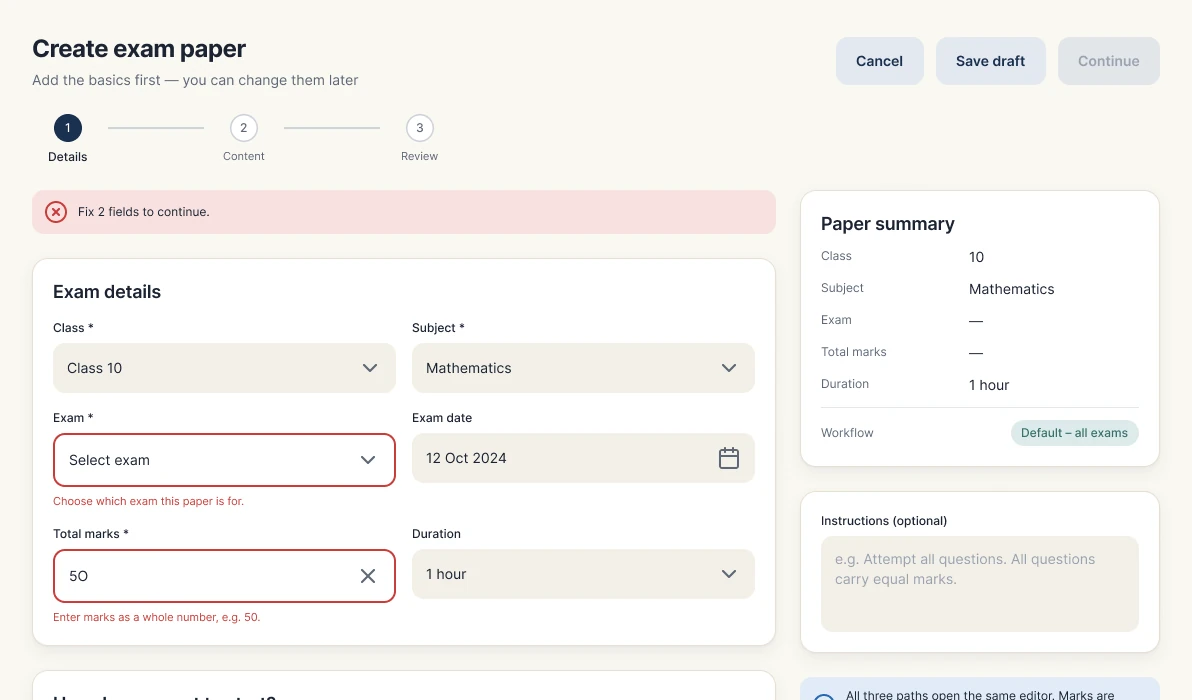
Validation errors
Inline errors before a paper can move on, like marks that don't add up.
- Import
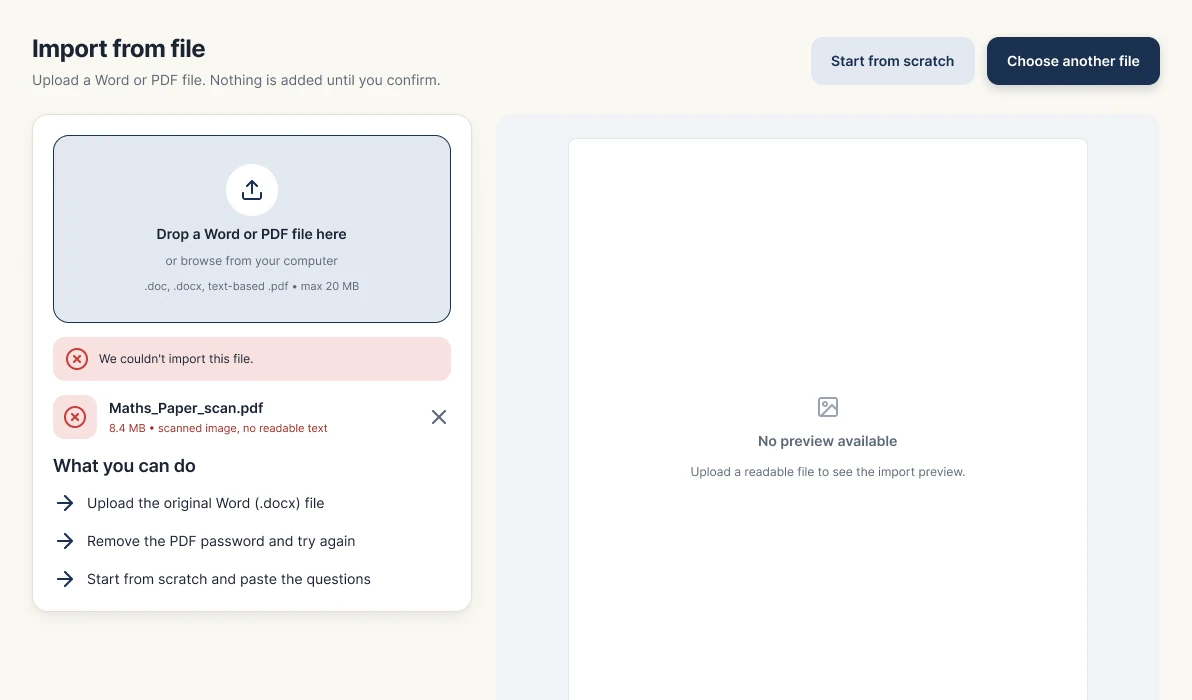
Import failed
Explains why the file couldn't be read and offers three ways forward.
- Edit
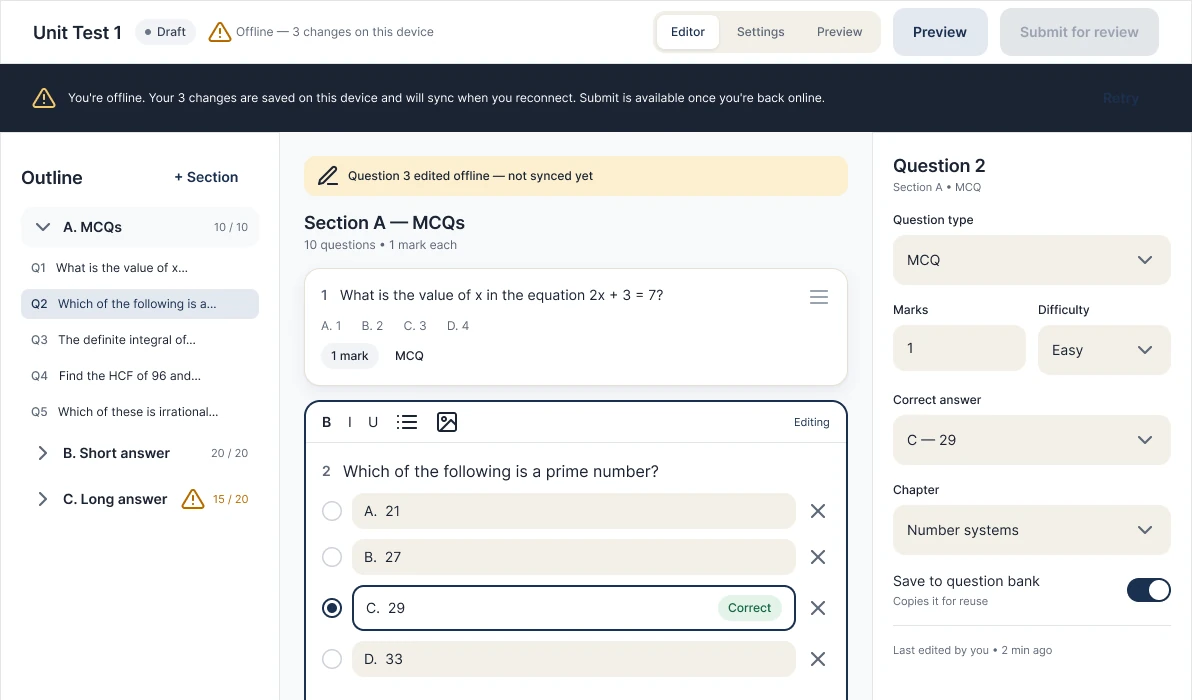
Offline
Unsaved changes stay visible, with a clear warning until they sync.
- Approve
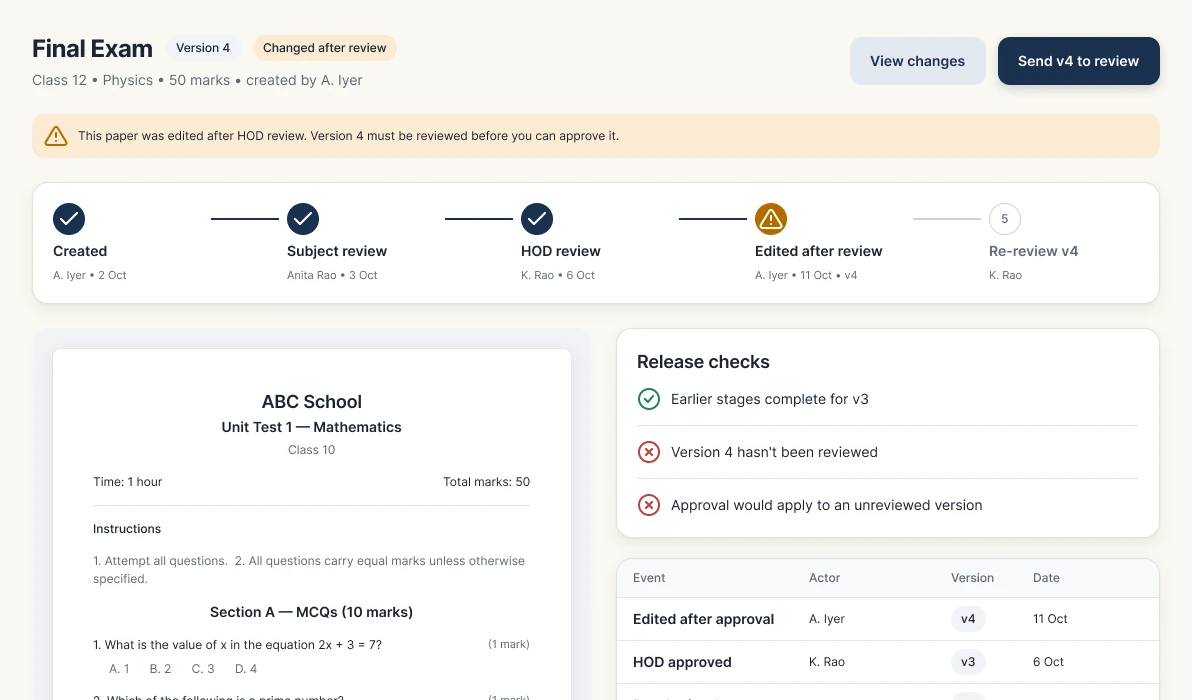
Paper changed
Approval is blocked when a paper was edited after review.
- Review
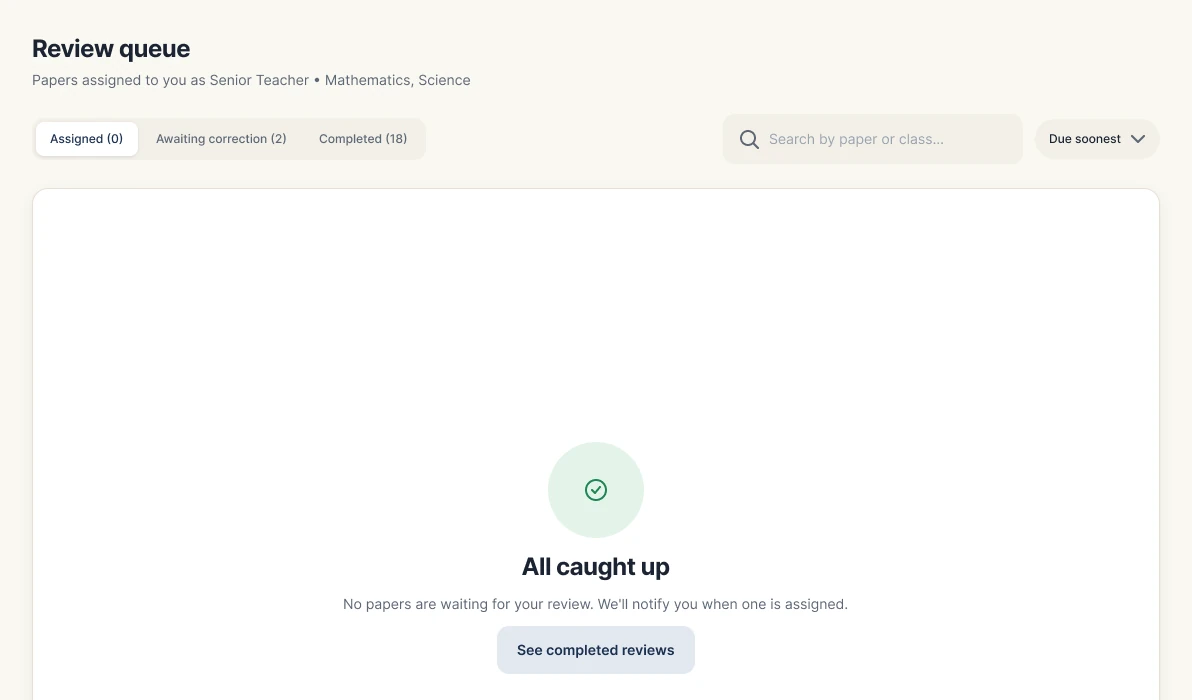
All caught up
An empty queue says so plainly, instead of showing a blank list.
Risks & security
Security is designed in, not bolted on. The UI makes each control visible; engineering still has to confirm how it's enforced.
Workflow rules to validate
- Approval applies to a specific version; a later edit revokes it.
- Final authority and printing staff are separate roles by default.
- The print queue never shows drafts or changes-requested versions.
- Required approval stages can't be silently skipped.
- Reassignment keeps the history and records the new owner.
Validation plan
No usability results or analytics exist yet, so this is what gets tested next. Success signals are proposed targets, not achieved results.
Reflection
The strongest story in Paper Plan is workflow complexity: several roles, repeated correction loops, school-specific approvals and secure printing. Those constraints shaped the information architecture and interactions, not only the visual screens.
Treating the paper as one versioned record, with an explicit owner and state at every step, is what ties the 86 screens together across mobile and web.
What I'd explore next
- Validate roles, approval paths and file formats with more schools.
- Usability sessions on the five tasks above, on real devices.
- Version comparison, reassignment and reminders once the core flow is proven.
- AI assistance and duplicate detection, only after the core workflow is stable.
The full story
Read the full case study
Every detail behind this summary: research notes, synthesis, flows, wireframes and all final screens.